
Cloud platform for web scraping, browser automation, and AI data extraction with 20,000+ pre-built tools and scalable cloud runs.
4M visits/mo-5%#13 Automation & Agents

Converts PDF and image bank statements to structured Excel or CSV files with Vision AI
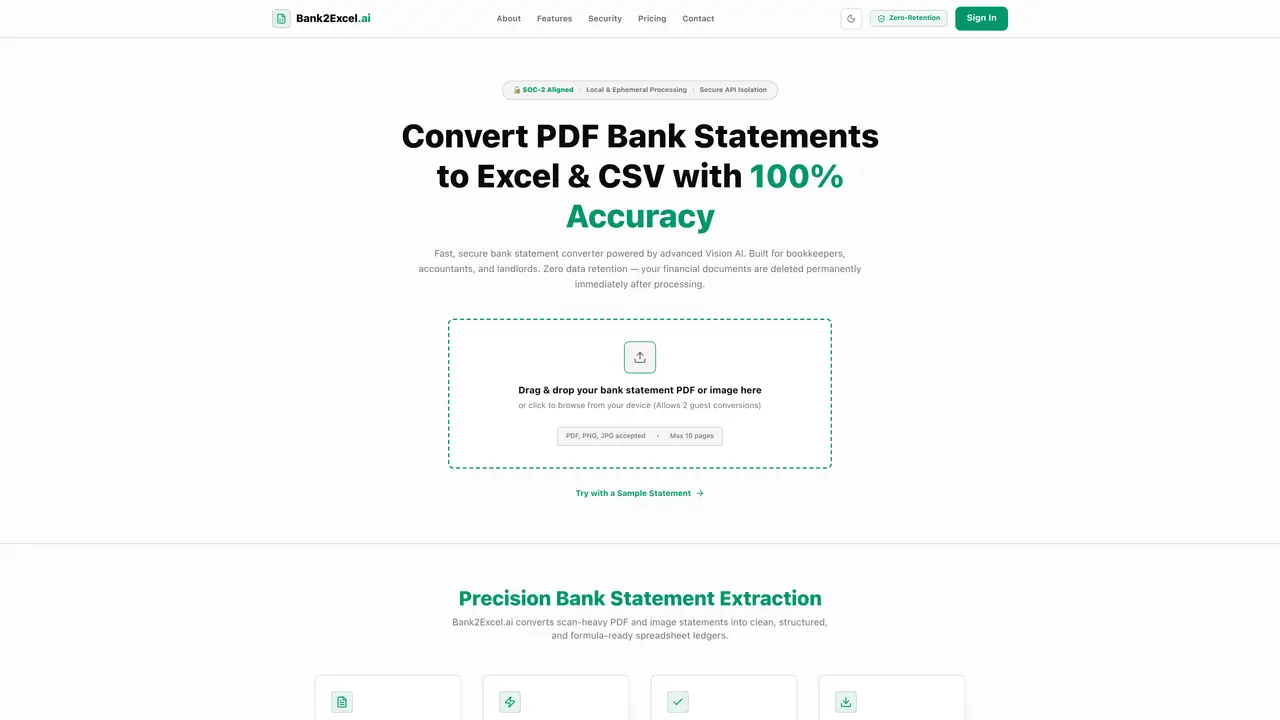
Bank2Excel.ai processes PDF bank statements and scanned images into clean, structured Excel or CSV spreadsheets. The tool uses Vision AI to parse row structures and numeric values, ensuring high accuracy in data extraction. It supports reconciliation checks by validating start balances, total debits, total credits, and ending balances to flag inconsistencies. Transaction descriptions are automatically classified into tax-deductible categories such as Meals, Utilities, and Travel. The output is formatted with explicit cell-typing, making dates and amounts ready for use in pivot tables. The service is designed for bookkeepers, accountants, and landlords who require precise and secure financial data conversion. It handles both digital and scanned statements, including low-contrast photocopies and mobile photos, without losing digits.
Upload your PDF bank statement or scanned image by dragging and dropping it into the designated upload zone. The Vision AI processes the file, extracts transaction details such as dates, descriptions, and amounts, and generates a clean Excel (.xlsx) or CSV file within 15 seconds.
Yes. Bank2Excel.ai employs a Zero-Retention architecture, processing files entirely in serverless RAM buffers and permanently deleting them immediately after conversion. No data is stored on disk, in databases, or used to train AI models.
Unlike standard OCR, which reads text left-to-right and can misalign columns, Bank2Excel.ai uses a Vision AI layout engine that visually interprets the page structure. It also performs mathematical reconciliation to validate balances, ensuring accuracy down to the penny.
Yes. The tool handles scanned documents, low-contrast photocopies, and mobile photos of bank statements, converting them into structured Excel or CSV files without losing digits or misaligning data.
Bank2Excel.ai supports structured ledger tables from major financial institutions in the US, UK, Canada, and Australia, including Chase, Bank of America, Wells Fargo, Barclays, HSBC, RBC, TD, Commonwealth Bank, ANZ, and Westpac.
Yes. The tool uses AI to scan transaction descriptions and automatically classifies them into common tax-deductible categories such as Meals, Utilities, and Travel, saving time on manual categorization.
We use essential cookies to run aitoolnavio™, and optional cookies to analyze traffic and measure our marketing. You choose what we use — optional cookies stay off unless you turn them on. See our Privacy Policy.
One short email a week: fresh tools worth trying, honest takes and the updates that actually matter. No spam, unsubscribe any time.
Cloud platform for web scraping, browser automation, and AI data extraction with 20,000+ pre-built tools and scalable cloud runs.
AI web crawler that extracts clean web data into JSON or markdown for developers and marketers.
Labelbox is an enterprise-grade data labeling platform designed to help organizations create, manage, and deploy AI applications.
Real-time AI search and crawling API for developers and AI teams to extract and summarize web data for agents and research workflows.
Enterprise-grade proxy networks, web scrapers, and ready-to-use datasets for reliable web data collection.
Map, analyze, and visualize geospatial data effortlessly while securely tracking real-time locations.
Open-source analytics platform to build interactive dashboards, automate data prep, and enforce enterprise-grade security.
Converts scanned documents and images into editable, searchable formats with AI-powered OCR and data extraction.
Open-source AI document parser that converts PDFs, images, and documents into structured Markdown or JSON for AI workflows.
Streamlines AI data retrieval for efficient processing.
Automate data extraction, capture data from images and text, streamline data entry processes with easy-to-use tools and APIs.
Web scraping and data extraction API that simplifies gathering data from websites with features like JavaScript rendering and geotargeting.
Matched on what this tool does — grouped by the job you would be replacing.
matches Drag-and-drop file upload · Vision AI layout engine for structured extraction · Excel and CSV export options
AI-powered extraction of bank statements, invoices and receipts into structured data
AI-powered PDF-to-Excel converter that extracts tables and text from invoices, bank statements, and receipts with high accuracy.
Converts PDF bank statements to Excel, CSV or QBO formats
matches Vision AI layout engine for structured extraction · Mathematical reconciliation checks · Smart tax category assignment
AI document data extraction platform that converts PDFs, emails, scans, and images into structured fields via web app or API with classification and OCR.
API for extracting structured data from PDFs and images
Converts PDFs, images and Office files into structured JSON, CSV or Excel with AI-powered OCR and field extraction.