Automate error tracking, monitor application performance, and gain insights with advanced analytics.
2.9M visits/mo-2.4%#50 Coding & Development
Hosted iOS Simulator for cloud coding agents, enabling remote UI interaction and app testing without local Xcode setups.
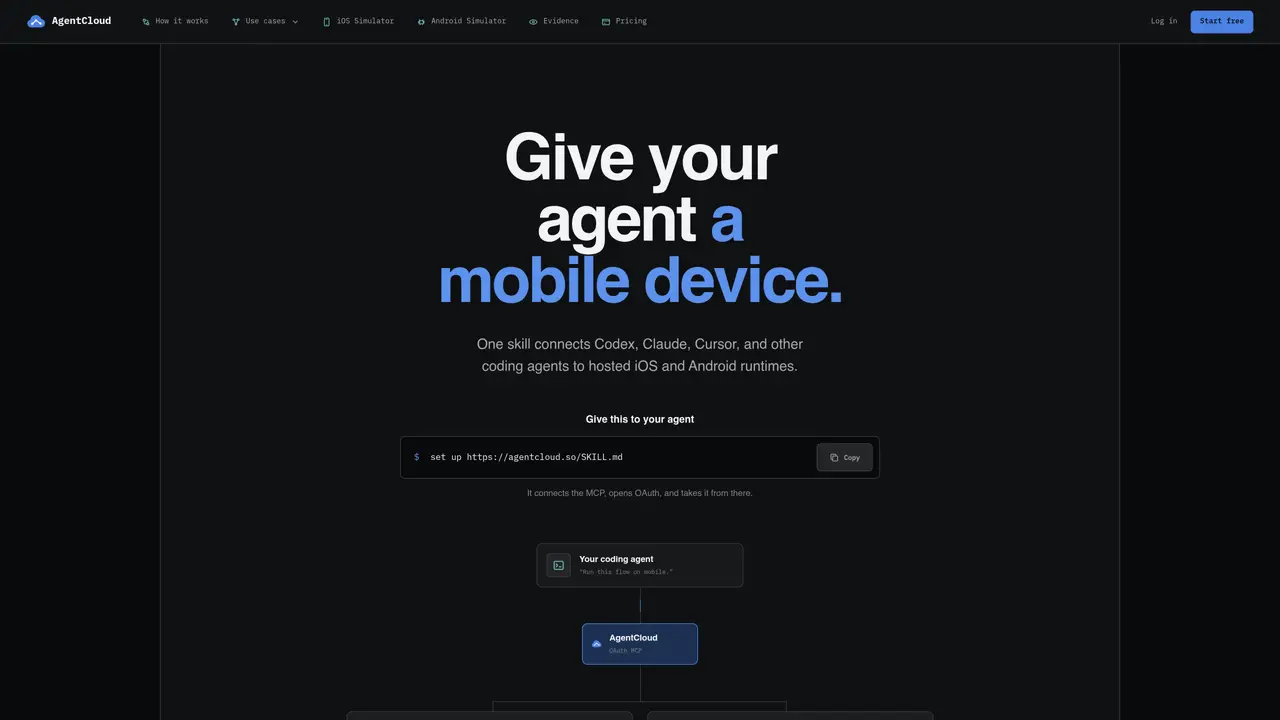
AgentCloud provides a hosted, disposable iOS Simulator accessible via a remote MCP URL, allowing cloud coding agents like Cursor to perform tasks such as installing apps, inspecting screens, tapping UI elements, and reading logs. The platform eliminates the need for physical Macs or local Xcode installations, enabling agents to operate entirely in the cloud. Secure connections are established using OAuth 2.1 and MCP Streamable HTTP, ensuring safe and reliable access. Every session retains screenshots, actions, logs, and recordings as durable evidence for debugging or review. Teams can scale to ten concurrent Simulator sessions and trigger source builds from Linux or CI environments, streamlining automated workflows. The service is designed for developers and teams working with iOS automation, testing, or agent-based coding pipelines that require remote iOS device simulation.
No. AgentCloud uses OAuth 2.1 with PKCE. Your agent adds the MCP server, and you approve workspace access in the browser.
The agent can use build-ready iOS or Android source, a Simulator-compatible .app, or an installable .apk. Device-signed .ipa files are not supported.
No. The agent receives focused build and mobile-runtime tools, not a desktop, IDE, or raw shell.
Yes. The run keeps its action timeline connected to screens, accessibility state, logs, artifacts, and recordings for review.
Start with a free workspace by setting up the provided MCP skill link. The setup connects the agent to the hosted runtimes via OAuth.
Usage pauses at the allocation limits. Paid plans continue at a per-second rate after the monthly allocation is exhausted.
agentcloud.so · third-party estimates from Similarweb
Share of visits by channel
Share of visits · estimated visits
Coding & Development · Sep 2026
Traffic figures are third-party estimates, good for scale and trends; they can differ from a company's own numbers. Updated monthly.
We use essential cookies to run aitoolnavio™, and optional cookies to analyze traffic and measure our marketing. You choose what we use — optional cookies stay off unless you turn them on. See our Privacy Policy.
One short email a week: fresh tools worth trying, honest takes and the updates that actually matter. No spam, unsubscribe any time.
Automate error tracking, monitor application performance, and gain insights with advanced analytics.
Instant threat detection and response, AI-powered prevention, unified dashboard for full visibility and control.
Open-source platform combining product analytics, session replay, A/B testing, and feature flags in one toolkit for product engineers.
AI development platform for experiment tracking, model optimization, and team collaboration in machine learning workflows.
Open-source framework for reliable, cross-browser web testing with auto-waiting, parallel execution, and built-in debugging tools.
CodeRabbit is an AI tool that helps you review and improve your code easily.
Labelbox is an enterprise-grade data labeling platform designed to help organizations create, manage, and deploy AI applications.
An AI-native cloud testing platform for developers and QA teams to automate cross-browser and real-device tests with self-healing automation and reporting.
Parallel AI coding agent IDE that runs multiple agents side by side in isolated git worktrees for faster, comparative development.
AI-powered bug reporting and feedback collaboration tool that streamlines issue identification and resolution for developers.
Monitor IT infrastructure, detect and resolve system issues, and proactively identify risks and threats.
Create tests, evaluate results in real-time with analytics, and save time and money with advanced automation.
Matched on what this tool does — grouped by the job you would be replacing.
matches Hosted iOS Simulator accessible via remote MCP URL · UI interaction capabilities (tapping, inspecting screens) · App installation and log reading in cloud environments
Cloud simulator streaming platform for iOS, Android and TV apps
AI-powered mobile app testing platform that automates QA, generates tests, detects bugs, and delivers detailed reports with logs and screenshots.
AI agents that test pull requests on real devices and monitor production
matches Hosted iOS Simulator accessible via remote MCP URL · UI interaction capabilities (tapping, inspecting screens) · App installation and log reading in cloud environments
iOS-focused proxy platform that secures AI API keys, verifies devices, and structures model outputs without requiring a backend.
iOS app that links an iPhone to a coding agent running locally via Tailscale