Automate error tracking, monitor application performance, and gain insights with advanced analytics.
2.9M visits/mo-2.4%#50 Coding & Development

AI-powered test automation that builds and maintains cross-platform test suites using computer vision, reducing setup and maintenance overhead.
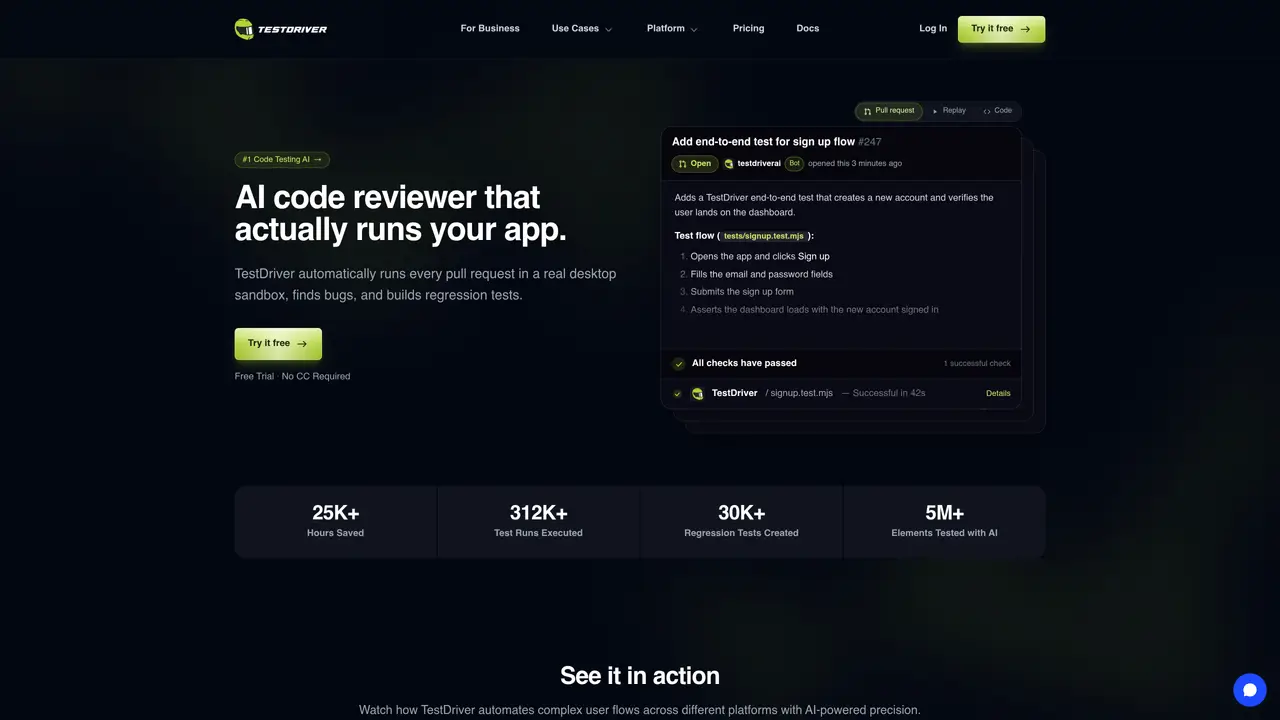
TestDriver AI is an AI-powered testing platform designed to automate and scale software validation across web, mobile, desktop, and VS Code environments. Unlike traditional selector-based tools, it uses AI vision to generate and maintain tests by interacting with applications as a real user would, without requiring access to source code, DOM, or internal APIs. The platform automatically runs tests on every pull request in isolated desktop sandboxes, identifying bugs and creating regression tests to ensure application stability before deployment. By learning application flows through plain-English descriptions, TestDriver builds a cache of element fingerprints that enables deterministic test execution with minimal AI token usage. It supports complex scenarios such as third-party web apps, embedded content, file uploads, and OAuth flows that typically break conventional automation tools. Teams use TestDriver to shift focus from test maintenance to feature development, improving productivity and release confidence while reducing manual effort in CI/CD pipelines. The tool integrates seamlessly into existing workflows, running tests in real VMs and providing actionable debugging insights through video replays, network logs, and performance monitoring.
TestDriver AI automates end-to-end testing by running applications in real desktop sandboxes and validating user flows on every pull request. It generates tests using AI vision, detects bugs, and creates regression tests without requiring DOM or source code access.
The tool is designed for engineering teams, QA engineers, and developers who need to automate testing across web, desktop, VS Code, and browser extensions while reducing manual maintenance and catching bugs early in the development cycle.
TestDriver uses self-healing technology that adapts tests when elements move or change, re-invoking AI to relocate elements and updating the cache to keep tests passing without manual rewrites.
Yes, TestDriver supports testing third-party web apps, Chrome extensions (including popups and background pages), and native desktop applications without requiring access to their source code.
Tests generated by TestDriver are written in Vitest and run the same way in CI/CD pipelines as they do locally, executing automatically on every commit or pull request within existing workflows.
Users can start by signing up for a free trial on the TestDriver website, which does not require a credit card. The platform provides documentation and examples to help teams generate their first AI-powered tests and integrate them into their development process.
testdriver.ai · third-party estimates from Similarweb
Last 4 months · grows by one month every month
Share of visits by channel
Share of visits · estimated visits
Coding & Development · Sep 2026
Traffic figures are third-party estimates, good for scale and trends; they can differ from a company's own numbers. Updated monthly.
We use essential cookies to run aitoolnavio™, and optional cookies to analyze traffic and measure our marketing. You choose what we use — optional cookies stay off unless you turn them on. See our Privacy Policy.
One short email a week: fresh tools worth trying, honest takes and the updates that actually matter. No spam, unsubscribe any time.
Automate error tracking, monitor application performance, and gain insights with advanced analytics.
Instant threat detection and response, AI-powered prevention, unified dashboard for full visibility and control.
Open-source platform combining product analytics, session replay, A/B testing, and feature flags in one toolkit for product engineers.
AI development platform for experiment tracking, model optimization, and team collaboration in machine learning workflows.
Open-source framework for reliable, cross-browser web testing with auto-waiting, parallel execution, and built-in debugging tools.
CodeRabbit is an AI tool that helps you review and improve your code easily.
Labelbox is an enterprise-grade data labeling platform designed to help organizations create, manage, and deploy AI applications.
An AI-native cloud testing platform for developers and QA teams to automate cross-browser and real-device tests with self-healing automation and reporting.
Parallel AI coding agent IDE that runs multiple agents side by side in isolated git worktrees for faster, comparative development.
AI-powered bug reporting and feedback collaboration tool that streamlines issue identification and resolution for developers.
Monitor IT infrastructure, detect and resolve system issues, and proactively identify risks and threats.
Create tests, evaluate results in real-time with analytics, and save time and money with advanced automation.
Matched on what this tool does — grouped by the job you would be replacing.
matches AI vision-based test automation across web, mobile, desktop, and VS Code · Rapid generation and maintenance of test suites without heavy setup · Continuous monitoring of application stability
Vision-based, plain-English mobile tests that self-heal.
AI-powered end-to-end test automation that builds, maintains, and self-heals Playwright and Appium tests with real, auditable code.
AI-powered platform for generating and maintaining test cases across web, API, mobile and more
Aximo is an autonomous AI testing agent that runs end-to-end tests across web, mobile, and desktop without scripts or ongoing maintenance.
matches AI vision-based test automation across web, mobile, desktop, and VS Code
AI-powered, codeless platform for automating software testing across web, mobile, API, desktop, and mainframes.
AI-powered frontend testing that records user sessions and flags UI bugs automatically before release.