
Create detailed 3D models instantly from text.
15M visits/mo+9.6%#8 Image & Design
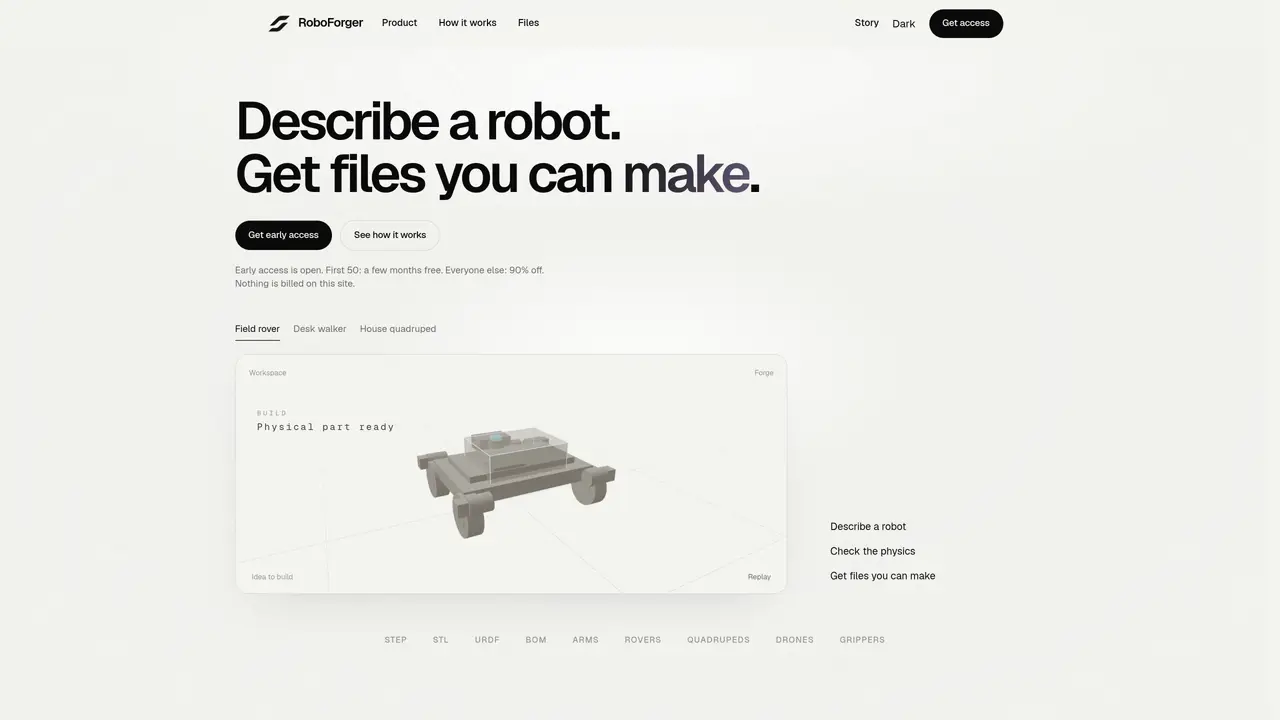
RoboForger transforms a written description of a robot into structured design files and manufacturing data. It starts with a plain-language brief and generates parts, physics checks, and exportable files such as STEP, STL, URDF, and a bill of materials. The tool validates torque, mass, and runtime to ensure the design can function before fabrication. If a design fails validation, it prompts redesign rather than producing an unworkable model. The process emphasizes engineering intent over visual rendering, aiming to produce machines that can be built rather than just viewed. Users can iterate by adjusting requirements through text and receive feedback on stability and assembly constraints. The output is intended for direct use in 3D printing or machining.
RoboForger converts plain-language descriptions of robots into structured design files and manufacturing data, including STEP, STL, URDF, and a bill of materials. It validates designs for torque, mass, and runtime before generating usable files for fabrication.
The tool is designed for users who want to create functional robots without needing deep CAD or engineering expertise. It suits hobbyists, educators, and professionals seeking to iterate quickly from idea to buildable machine.
Early access is currently open with the first 50 users receiving a few months free at launch. Others on the early access list receive a 90% discount on the later price. No billing occurs during the early access phase.
RoboForger generates exportable files such as STEP, STL, URDF, and a bill of materials. These outputs are intended for direct use in 3D printing or machining, ensuring compatibility with standard manufacturing workflows.
The tool focuses on engineering intent and functional validation, so it does not produce purely aesthetic models. Users must describe their requirements clearly, as the system will reject designs that fail physics checks rather than produce unworkable models.
Users can sign up for early access by providing an email address. Once registered, they can describe their robot in plain language and receive feedback on stability and assembly constraints before generating buildable files.
We use essential cookies to run aitoolnavio™, and optional cookies to analyze traffic and measure our marketing. You choose what we use — optional cookies stay off unless you turn them on. See our Privacy Policy.
One short email a week: fresh tools worth trying, honest takes and the updates that actually matter. No spam, unsubscribe any time.
Create detailed 3D models instantly from text.
Meshy turns text prompts or images into fully textured 3D models in minutes.
Effortlessly generate realistic 3D models with AI.
Create precise 3D models, collaborate on designs, and analyze simulations in real-time.
Create realistic 3D environments, customize 3D creations, and generate high-resolution visuals using AI-driven technology.
Generate lifelike 3D visuals, transform 2D media, and capture intricate details for video production, games, and animations.
API-first platform for integrating image, video, and 3D generative AI models into applications with fast inference and pay-as-you-go pricing.
An AI design agent that turns natural language prompts into logos, social graphics, videos, 3D assets, and web pages in a single web canvas.
Turn hand-drawn sketches into editable 3D models and photorealistic images with AI.
AI-powered 3D editor that lets users create, edit, and animate 3D models using simple text prompts.
A web-based AI toolkit that converts text prompts or images into textured 3D models with exports to FBX, OBJ, GLB, and STL formats.
Build 3D models, optimize for real-time use, and generate within game engines using the Sloyd SDK.
Matched on what this tool does — grouped by the job you would be replacing.
matches Language-to-parts conversion · Physics validation (torque, mass, runtime) · STEP, STL, URDF, and BOM file generation
Generate parametric 3D CAD models from plain English prompts to accelerate engineering design workflows with AI.
AI-powered electronic design automation tool that converts natural-language prompts into PCB designs
AI-powered STL file generator from plain-language descriptions
matches STEP, STL, URDF, and BOM file generation · Iterative redesign loop · Text-based optimization of designs
Meshy turns text prompts or images into fully textured 3D models in minutes.
Convert text prompts or images into ready-to-print 3D models without prior modeling experience.
Turn simple text descriptions into detailed 3D CAD models instantly, no design experience required.
Turns text descriptions and reference images into parametric 3D CAD models with AI-generated geometry code and iterative verification.