Create detailed 3D models instantly from text.
15M visits/mo+9.6%#8 Image & Design

Browser-based AI motion capture that turns webcam or video into 3D animation data for creators using Blender, Unity, and Unreal Engine.
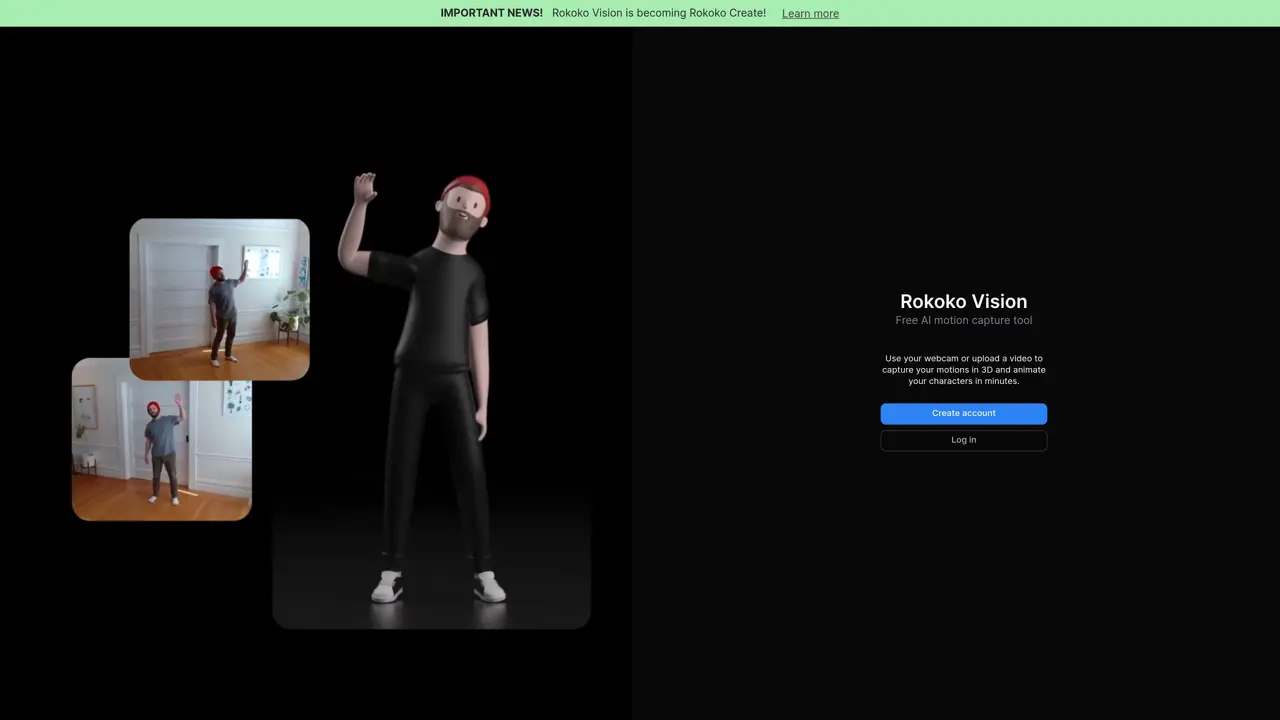
Rokoko Vision is a browser-based AI motion capture tool designed for creators and animators who need to convert webcam footage or uploaded recordings into full-body 3D animation data without specialized hardware. It supports single-camera and dual-camera capture from webcams, phones, or DSLRs, with dual-camera setups improving depth perception, reducing occlusions, and increasing accuracy in paid plans. The tool provides an in-browser workflow for previewing results, trimming clips, and exporting motion as .FBX files compatible with Blender, Unity, Unreal Engine, Maya, and Cinema 4D. It integrates with Rokoko Studio for motion cleanup and refinement, including foot-locking filters to reduce artifacts like foot slippage, and offers additional export options such as BVH. Real-time streaming to 3D applications is available for live animation workflows in paid plans. The freemium model allows free single-camera capture with unlimited recordings up to 15 seconds, while paid subscriptions unlock dual-camera capture, longer recordings, BVH export, and streaming. A 14-day free trial is available for testing premium features. This hardware-light approach enables quick pre-visualization and supports production animation pipelines for creators working in 3D, AR, and VR environments.
Rokoko Vision is a browser-based AI motion capture tool that converts webcam footage or uploaded recordings into full-body 3D animation data without requiring specialized hardware. It supports single-camera and dual-camera capture from devices like webcams, phones, or DSLRs.
The tool is designed for creators and animators who need an accessible way to generate motion capture data for 3D, AR, and VR workflows. It suits freelancers, indie developers, and studios looking for a hardware-light alternative to traditional motion capture systems.
Users record motion via a webcam or upload footage, then process it in the browser to preview, trim, and export motion data as .FBX or BVH files. The results can be refined in Rokoko Studio and exported to 3D applications like Blender, Unity, or Unreal Engine.
The free plan allows single-camera capture with unlimited 15-second recordings, while paid subscriptions unlock dual-camera capture, longer recordings, BVH export, and real-time streaming to 3D applications. Dual-camera setups improve depth perception and accuracy.
Yes, it integrates with Rokoko Studio for motion cleanup and refinement, and exported motion data is compatible with Blender, Unity, Unreal Engine, Maya, and Cinema 4D. Real-time streaming is also supported in paid plans.
Users can start by visiting the Rokoko Vision website, recording motion via a webcam or uploading footage, processing it in the browser, and exporting the motion data for use in 3D animation software. A 14-day free trial is available for testing premium features.
We use essential cookies to run aitoolnavio™, and optional cookies to analyze traffic and measure our marketing. You choose what we use — optional cookies stay off unless you turn them on. See our Privacy Policy.
One short email a week: fresh tools worth trying, honest takes and the updates that actually matter. No spam, unsubscribe any time.
Create detailed 3D models instantly from text.
Meshy turns text prompts or images into fully textured 3D models in minutes.
Effortlessly generate realistic 3D models with AI.
Create precise 3D models, collaborate on designs, and analyze simulations in real-time.
Create realistic 3D environments, customize 3D creations, and generate high-resolution visuals using AI-driven technology.
Generate lifelike 3D visuals, transform 2D media, and capture intricate details for video production, games, and animations.
API-first platform for integrating image, video, and 3D generative AI models into applications with fast inference and pay-as-you-go pricing.
An AI design agent that turns natural language prompts into logos, social graphics, videos, 3D assets, and web pages in a single web canvas.
Turn hand-drawn sketches into editable 3D models and photorealistic images with AI.
AI-powered 3D editor that lets users create, edit, and animate 3D models using simple text prompts.
A web-based AI toolkit that converts text prompts or images into textured 3D models with exports to FBX, OBJ, GLB, and STL formats.
Build 3D models, optimize for real-time use, and generate within game engines using the Sloyd SDK.
Matched on what this tool does — grouped by the job you would be replacing.
matches Single-camera and dual-camera capture from webcams, phones, or DSLRs · In-browser preview, trimming, and .FBX export for Blender, Unity, Unreal Engine, Maya, and Cinema 4D · Rokoko Studio integration for motion cleanup, foot-locking filters, and BVH export
Capture, edit, and animate motion seamlessly for game engines using filters and Rokoko Studio.
AI-driven tool for precise, real-time human motion capture.
Quickly create professional-quality motion graphics, focusing on creativity instead of manual tasks.
Real-Time Facial and Full-Body Motion Capture with Finger Tracking Using a Web Camera or Video Files
matches Converts root motion paths into production-ready FBX animations for game studios and animators · Text-to-3D character generation with rigged meshes · Meshy turns text prompts or images into fully textured 3D models in minutes
Meshy turns text prompts or images into fully textured 3D models in minutes.
AI-powered 3D model generator that converts text prompts or images into exportable mesh models with PBR textures for developers and designers.
AI 3D character generator plugin for Daz Studio that turns text prompts into rigged, clean-topology meshes for 3D artists, animators, and game makers.
Generative AI platform that converts root motion paths into production-ready FBX animations for game studios and animators.