Generate cinematic video clips from text or images and refine them with AI-powered editing tools for creators and visual professionals.
6.4M visits/mo+14.2%#8 Video & Animation

Capture, edit, and animate motion seamlessly for game engines using filters and Rokoko Studio.
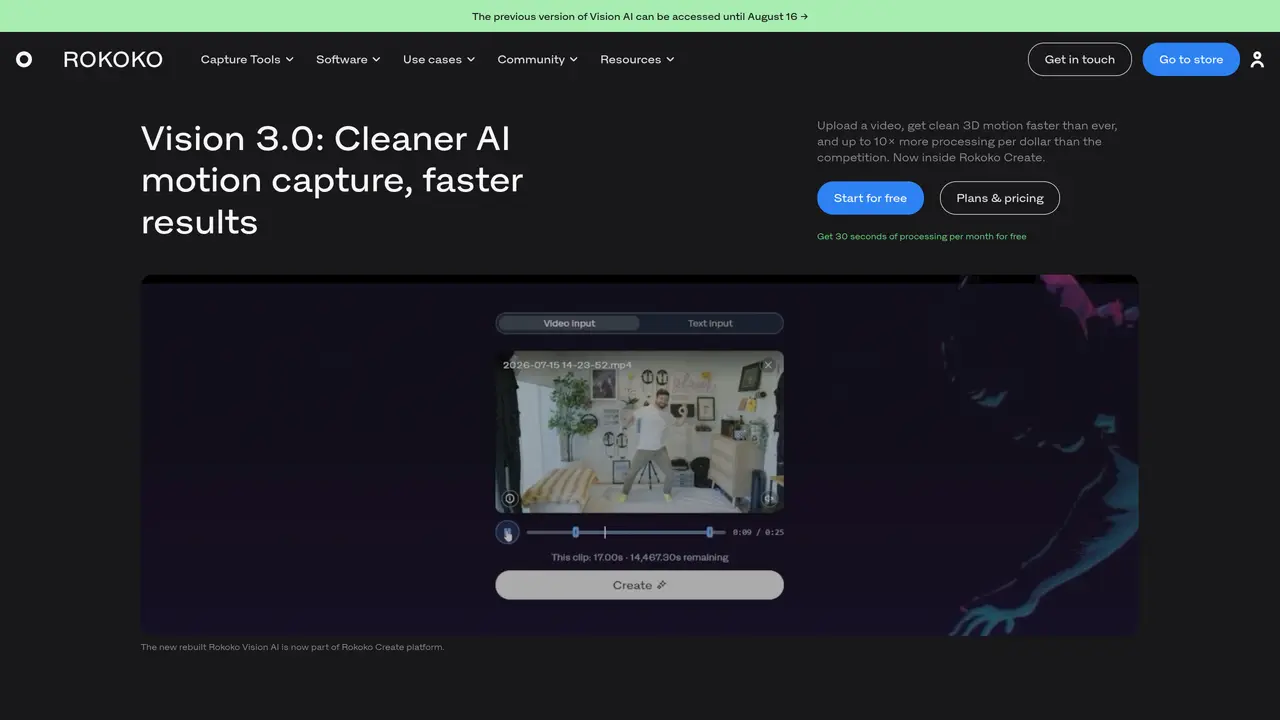
Rokoko Video is an AI-powered motion capture tool that simplifies the process of creating animations by allowing users to capture their movements via video upload or webcam recording. The tool converts these recordings into animation data with minimal effort, making it accessible for beginners, professional animators, and studios alike. Once recorded, the motion data can be processed in Rokoko Studio, a free companion software that offers tools like foot lock and drift editors to refine animations. Users can adjust frame rates, speed, and other parameters to tailor the output to their needs. The resulting animation data is compatible with popular game engines such as Unity and Unreal Engine, enabling seamless integration into game development workflows. Rokoko Video eliminates the need for expensive motion capture suits or complex setups, democratizing animation creation for a wider audience. It is particularly useful for indie developers, animators, and educators looking to streamline their animation pipelines. The tool also supports real-time previews and adjustments, enhancing the creative process. By bridging the gap between raw motion capture and final animation, Rokoko Video serves as a practical solution for both quick prototyping and professional production.
Rokoko Video is an AI-powered motion capture tool that converts video recordings into 3D animations. Users can upload a video or record via webcam, and the AI processes the motion data to generate animation files.
The tool is designed for 3D digital artists, animators, game developers, filmmakers, and educators who need accessible motion capture without specialized hardware.
Exported animations are available in .FBX or .BVH formats, compatible with popular 3D tools like Blender, Cinema 4D, Unity, and Unreal Engine.
Yes, Rokoko Studio and Rokoko Create support third-party integrations, allowing users to refine and export motion data for use in external 3D and animation software.
Rokoko offers a free Starter plan with limited processing time, a Basic plan with additional features, and higher-tier plans for expanded usage and advanced tools.
Users can start by uploading a video or recording via webcam, processing the motion data in Rokoko Create, and refining the animation in Rokoko Studio before exporting.
rokoko.com · third-party estimates from Similarweb
Last 4 months · grows by one month every month
Share of visits · estimated visits
Other countries: 62.6%
How people reach this site from other AI tools
3.8K a month · 1.2% of all visits
Video & Animation · Sep 2026
Traffic figures are third-party estimates, good for scale and trends; they can differ from a company's own numbers. Updated monthly.
We use essential cookies to run aitoolnavio™, and optional cookies to analyze traffic and measure our marketing. You choose what we use — optional cookies stay off unless you turn them on. See our Privacy Policy.
One short email a week: fresh tools worth trying, honest takes and the updates that actually matter. No spam, unsubscribe any time.
Generate cinematic video clips from text or images and refine them with AI-powered editing tools for creators and visual professionals.
Create custom titles, 3D objects, adjust color and contrast, add special effects, transitions, and animations.
Animate images effortlessly with text prompts and motion control.
Professional visual AI engine for node-based image, video, 3D, audio and generative workflows with full control over models and outputs.
AI video generation tool that creates videos from text prompts, images, or reference clips with strong character consistency.
AI-powered tool for creating, customizing, and animating lightweight Lottie graphics for websites and apps from text prompts.
Generates high-quality videos and images from text or images with cinematic controls and native 4K output.
An all-in-one creative suite specializing in Image-to-Video animation.
A web-based motion design tool for creating collaborative animations with Figma import and exports like 4K video, GIF, and Lottie.
AI-powered platform to create professional animated videos and presentations with voice-overs, text animation, and asset libraries.
Create animated presentations, design videos with voiceovers and music, and access tutorials and resources for easy use.
Create immersive experiences, personalize customer interactions, and provide dynamic conversations and advice to multiple players.
Matched on what this tool does — grouped by the job you would be replacing.
matches Capture motion with a video or webcam · Edit motion with filters, such as foot lock and drift editor · Process recorded video using Rokoko Studio
AI-driven tool for precise, real-time human motion capture.
Turn any character image into a video by transferring motion, gestures, and expressions from a reference clip—no mocap, rigging, or keyframes required.
Real-Time Facial and Full-Body Motion Capture with Finger Tracking Using a Web Camera or Video Files
Browser-based AI motion capture that turns webcam or video into 3D animation data for creators using Blender, Unity, and Unreal Engine.
matches Create animation in popular game engines like Unity and Unreal Engine
Anijam is a next-generation animation platform built around conversational AI agents that streamline the entire animation production process.
Quickly create professional-quality motion graphics, focusing on creativity instead of manual tasks.
Generative AI platform that converts root motion paths into production-ready FBX animations for game studios and animators.