Generate cinematic video clips from text or images and refine them with AI-powered editing tools for creators and visual professionals.
6.4M visits/mo+14.2%#8 Video & Animation

A web-based motion design tool for creating collaborative animations with Figma import and exports like 4K video, GIF, and Lottie.
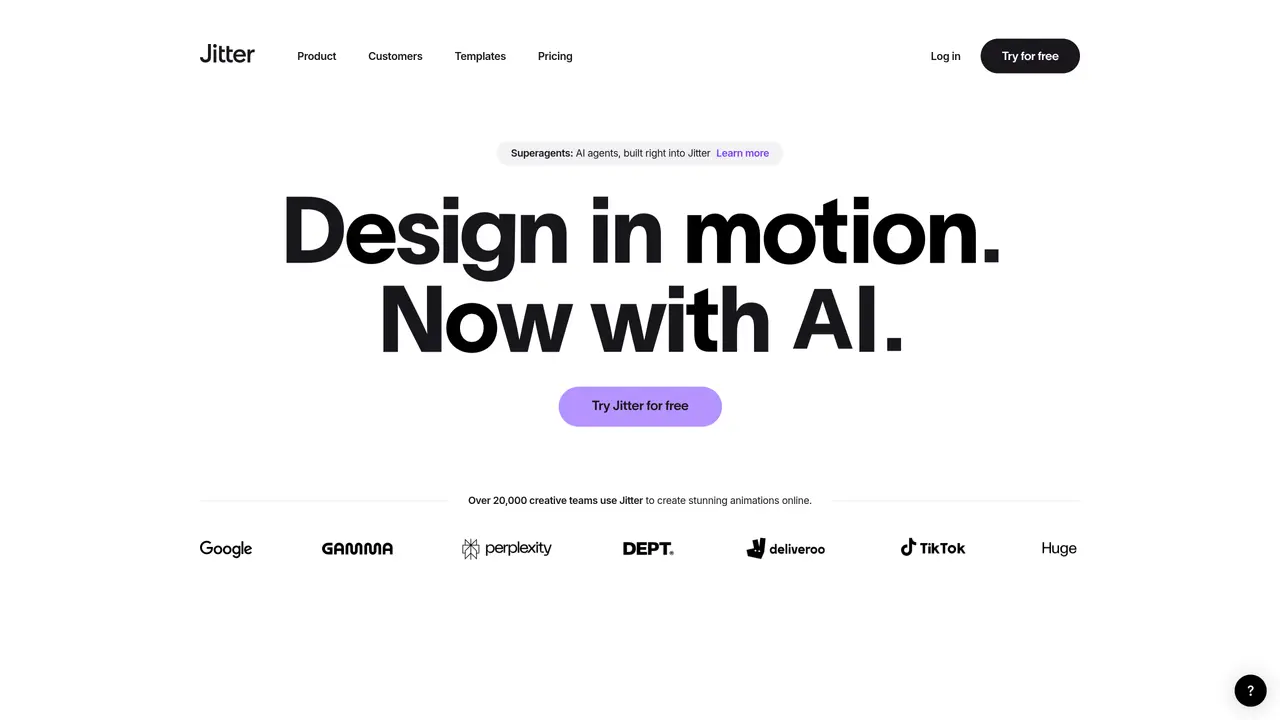
Jitter is a web-based motion design and animation platform designed for designers and creative teams to produce professional animations quickly, even without prior motion experience. The tool offers action-based animation controls such as fade in, slide out, and move, which can be combined to build complex motion sequences without relying on traditional keyframes. Animations are non-destructive and reusable, enabling copy-paste workflows to apply the same motion across layers and iterate on variations efficiently. Jitter integrates with Figma via a plugin, allowing teams to import interface and brand designs directly into the editor and begin animating immediately. Exports are optimized for production use, supporting formats like 4K video (MP4, MOV, WebM), GIF, and Lottie, including transparent backgrounds. The platform emphasizes collaboration with features for sharing and approvals via shareable links, and it provides a library of over 300 free, customizable templates suitable for social media, marketing, product UI, and prototyping. Jitter is used by over 20,000 creative teams and is accessible entirely through a web browser, requiring no installation. While plan details are not specified, the website indicates a free trial is available with the option to upgrade at any time.
Jitter is a web-based motion design and animation platform that enables creative teams to produce professional animations quickly without prior motion experience. It combines AI-powered generation with intuitive controls to accelerate the animation process.
Jitter is designed for creative teams, agencies, and studios looking to create polished animations efficiently. It suits designers, marketers, and product teams who need to produce motion graphics at scale.
Yes, Jitter provides a free trial that allows users to explore its features before upgrading. The trial enables access to the platform’s core functionalities without requiring installation.
Yes, Jitter integrates with Figma via a plugin, allowing teams to import designs directly into the editor. This streamlines the workflow by enabling seamless transitions from static designs to animated assets.
Jitter supports multiple export formats, including 4K video (MP4, MOV, WebM), GIF, and Lottie, with options for transparent backgrounds. These formats are optimized for production use and various distribution needs.
Jitter uses AI to generate editable animations, effects, and variations from text descriptions, reducing the need to start from a blank canvas. Users can refine AI-generated content or build animations from scratch using intuitive controls.
jitter.video · third-party estimates from Similarweb
Last 4 months · grows by one month every month
Share of visits · estimated visits
Other countries: 62.7%
How people reach this site from other AI tools
11K a month · 0.8% of all visits
Video & Animation · Sep 2026
Traffic figures are third-party estimates, good for scale and trends; they can differ from a company's own numbers. Updated monthly.
We use essential cookies to run aitoolnavio™, and optional cookies to analyze traffic and measure our marketing. You choose what we use — optional cookies stay off unless you turn them on. See our Privacy Policy.
One short email a week: fresh tools worth trying, honest takes and the updates that actually matter. No spam, unsubscribe any time.
Generate cinematic video clips from text or images and refine them with AI-powered editing tools for creators and visual professionals.
Create custom titles, 3D objects, adjust color and contrast, add special effects, transitions, and animations.
Animate images effortlessly with text prompts and motion control.
Professional visual AI engine for node-based image, video, 3D, audio and generative workflows with full control over models and outputs.
AI video generation tool that creates videos from text prompts, images, or reference clips with strong character consistency.
AI-powered tool for creating, customizing, and animating lightweight Lottie graphics for websites and apps from text prompts.
Generates high-quality videos and images from text or images with cinematic controls and native 4K output.
An all-in-one creative suite specializing in Image-to-Video animation.
AI-powered platform to create professional animated videos and presentations with voice-overs, text animation, and asset libraries.
Create animated presentations, design videos with voiceovers and music, and access tutorials and resources for easy use.
Create immersive experiences, personalize customer interactions, and provide dynamic conversations and advice to multiple players.
Transform text into music videos, Spotify Canvas, digital art, and AI-based advertisements.
Matched on what this tool does — grouped by the job you would be replacing.
matches Action-based animation controls (e.g., fade, slide, move) without keyframes · Non-destructive and reusable animations with copy-paste workflows · Figma plugin for one-click design imports
AI-powered tool for creating, customizing, and animating lightweight Lottie graphics for websites and apps from text prompts.
Generate motion graphics, kinetic typography, animated text and social-ready animations from prompts and templates without manual scene building.
Web-based editor for creating and animating Lottie files
AI-generated image cleanup, animation and export tool