
LlamaGen.AI turns ideas, scripts, and reference images into polished comics, manga, webtoons, and visual stories.
329K visits/mo-8.2%#142 Image & Design
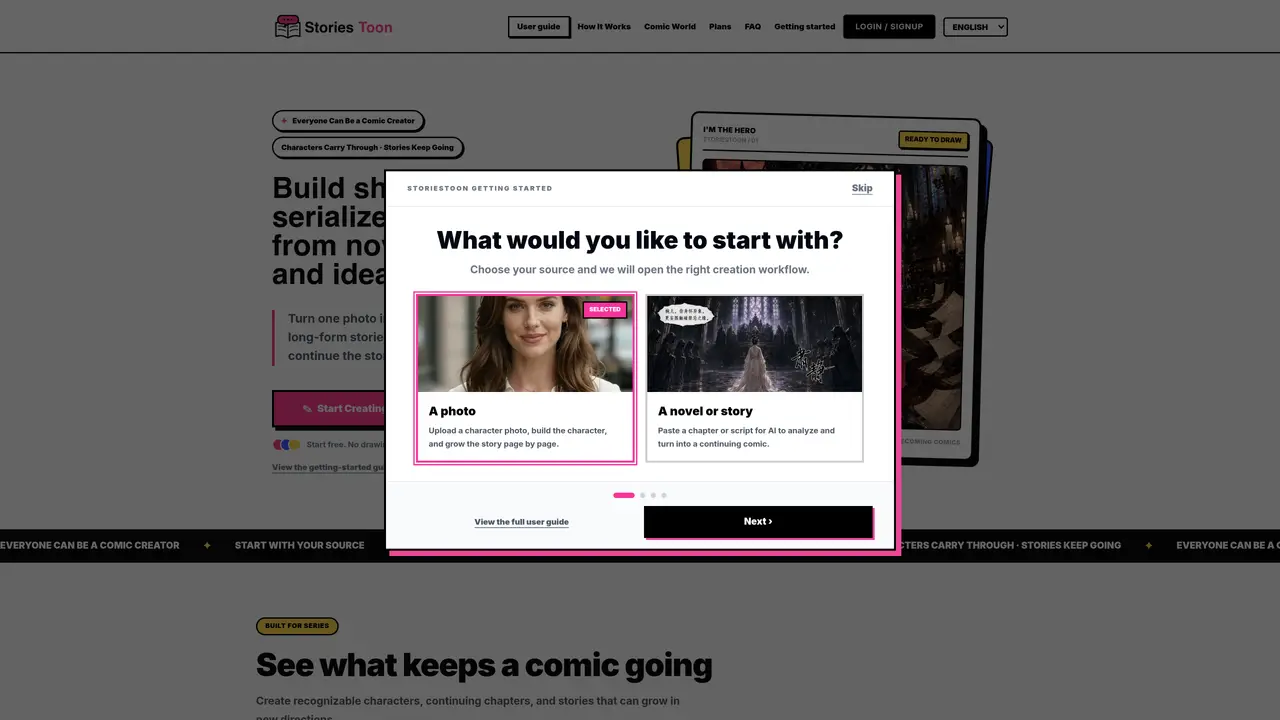
StoriesToon enables users to generate serialized comics from photos, novels, scripts or original ideas. It allows turning a single photo into a recurring comic character that appears consistently across pages. Users can import long-form stories such as novels or scripts and adapt them into comics page by page while maintaining story order. The platform supports keeping characters and story details recognizable across episodes and chapters. Comics can be published and shared with readers, who may be invited to continue the story in new directions. The tool is designed for creators interested in visual storytelling, including webcomic artists and writers adapting existing narratives.
StoriesToon is an AI-powered comic generator that transforms photos, novels, scripts, or original ideas into serialized comics. It allows users to create recurring comic characters from a single photo, adapt long-form stories into comics page by page, and maintain consistent characters and story details across episodes.
The tool is designed for creators interested in visual storytelling, including webcomic artists, writers adapting existing narratives, and anyone looking to turn photos or written content into serialized comics. It suits both beginners and frequent creators.
StoriesToon enables users to turn a single photo into a reusable comic character that appears consistently across pages. It also allows creators to maintain recognizable characters and story details when adapting long-form content like novels or scripts into comics.
Yes, StoriesToon allows creators to publish eligible comics and share them with readers, who can be invited to continue the story in new directions. This feature supports collaborative and branching narratives.
StoriesToon offers multiple pricing plans, including a Free plan with limited credits, a Creator plan for continuous creation, a Pro plan for frequent creators, and a Studio Plan for high-frequency use. Additional credits can be purchased as needed.
Users can start creating comics for free by signing up on StoriesToon. The platform provides guides and tools such as photo-to-comic conversion, AI manga generation, and story adaptation features to help users begin their projects.
We use essential cookies to run aitoolnavio™, and optional cookies to analyze traffic and measure our marketing. You choose what we use — optional cookies stay off unless you turn them on. See our Privacy Policy.
One short email a week: fresh tools worth trying, honest takes and the updates that actually matter. No spam, unsubscribe any time.
LlamaGen.AI turns ideas, scripts, and reference images into polished comics, manga, webtoons, and visual stories.
Revolutionize game asset creation with AI, ensuring style consistency and boosting productivity.
Create anime-style scenes, generate stunning images, and produce professional-grade artwork effortlessly.
AI-powered tool for game developers, sketch-to-realistic visuals, and engaging cartoons with professional models.
Create custom avatars, design logos, and generate business team avatars with just a few clicks.
Creates consistent cartoon characters across scenes for children’s book authors, educators, and visual storytellers.
Transform photos into cartoon-style art, customize with effects and styles, and easily share with friends and family.
Design comics effortlessly, create artwork based on preferences, and refine creations using AI-powered tools.
An AI pixel art generator for game developers and artists that creates style-consistent, grid-aligned sprites, tiles, and assets with web and API access.
An AI manga generator that converts scripts or files into manga-style stories with character design and downloadable output.
Create anime portraits, identify user preferences, generate unique character illustrations effortlessly.
Turns prompts into full manga chapters.
Matched on what this tool does — grouped by the job you would be replacing.
matches Photo to comic conversion · Novel or script adaptation · Character consistency across pages
LlamaGen.AI turns ideas, scripts, and reference images into polished comics, manga, webtoons, and visual stories.
AI tool that converts novels into manga, comics, webtoons, or manhwa
AI character-first comic and webtoon generator for consistent character reuse
AI-powered comic creation platform that turns storyboards into comics with character libraries, art styles, and editing tools.
matches Character consistency across scenes · Long-form video support · AI voiceover generation
AI video generator that turns scripts or stories into long-form videos up to 50 minutes with consistent characters and 1080p export.
AI creation studio for generating short dramas and narrative videos with consistent characters and scenes.
AI tool that converts text or images into multi-scene videos with consistent characters
AI tool for writing and generating short drama scenes one at a time