xAI builds Grok frontier AI models for reasoning, coding, voice, images, video, enterprise workflows, and developer APIs.
34M visits/mo+16.2%#6 Coding & Development

AI tool that converts text or images into multi-scene videos with consistent characters
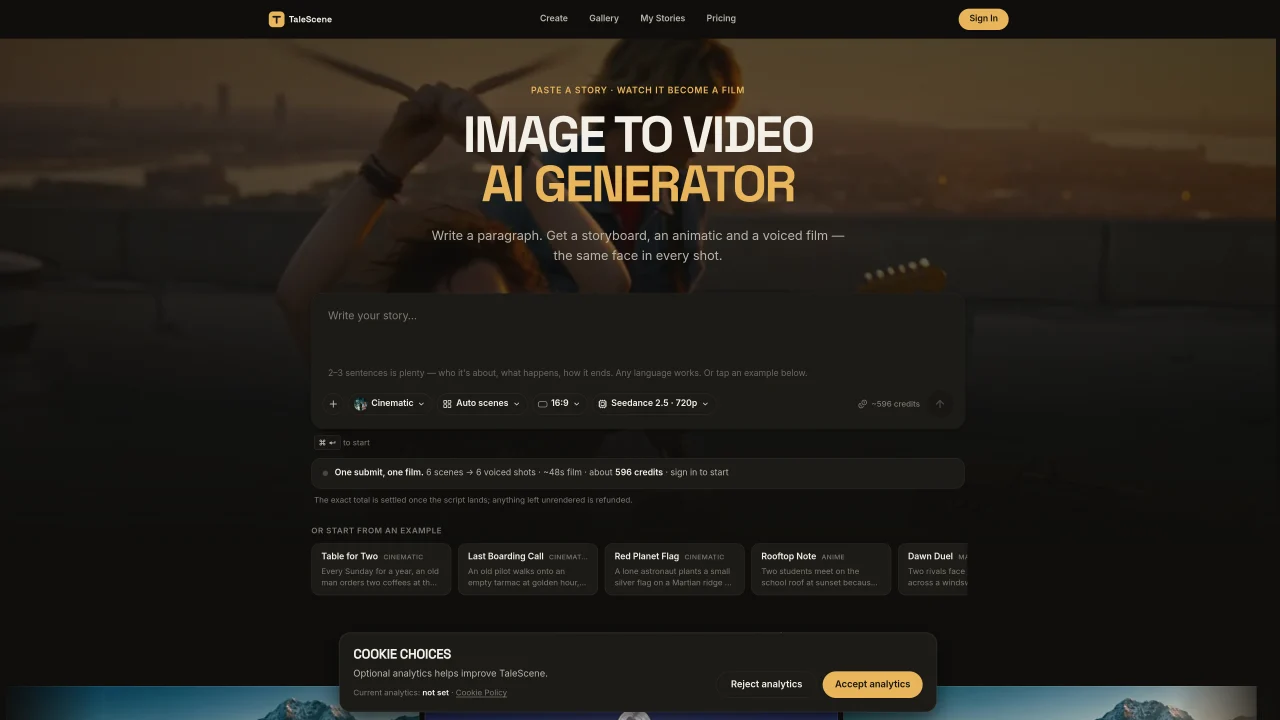
TaleScene is an AI-powered video generation tool that transforms written stories or single images into multi-scene films. Users input a paragraph or upload an image, and the system generates a storyboard, animatic, and final video with consistent characters across every shot. The process begins with AI storyboarding, where each scene is broken into keyframe images with camera directions and motion notes. These keyframes are then animated into video clips using models like Seedance 2.5 or MiniMax H3, which include native voiced dialogue and subtitles. Characters are maintained through reference portraits, ensuring the same face appears in every scene. The tool supports visual style selection, including anime, watercolor, and ink, and allows scene-by-scene editing or regeneration. Rendering occurs in the cloud, enabling users to close the tab and return later. Exported videos are available in multiple aspect ratios for platforms like TikTok, YouTube Shorts, or full-length films.
Yes. Every new account receives 20 free credits with no credit card required to draft a storyboard and render keyframe previews. Video generation uses paid credits because each voiced clip runs a high-cost video model.
An image to video AI generator turns a still image into a moving clip. TaleScene extends this by storyboarding an entire story, rendering a keyframe image for every scene, then animating each image into video with consistent characters throughout.
TaleScene converts every scene of a story into a keyframe image first, then animates each image into a video clip using models like Seedance 2.5. Users can preview and approve each keyframe before animation begins.
Yes. TaleScene supports both text to video and story to video workflows. A single line or a full story is broken into scenes, each rendered as a keyframe image and animated into a video clip.
Yes. Every scene starts as an AI-generated keyframe that users can preview and edit. Users can re-roll a scene's image, tweak its prompt, or edit its dialogue before animating it with paid credits.
TaleScene generates a reference portrait for each character and conditions every scene's keyframe image on that reference before animating it, ensuring the same face appears in every shot.
We use essential cookies to run Aitoolnavio, and optional cookies to analyze traffic and measure our marketing. You choose what we use — optional cookies stay off unless you turn them on. See our Privacy Policy.
One short email a week: fresh tools worth trying, honest takes and the updates that actually matter. No spam, unsubscribe any time.
xAI builds Grok frontier AI models for reasoning, coding, voice, images, video, enterprise workflows, and developer APIs.
Generate lifelike human videos with AI, making professional video creation fast and accessible for any user.
Explore and test Google’s experimental AI tools and prototypes before they become products.
Web and mobile AI platform for generating, editing, and training custom visuals from prompts with community models and face-swap tools.
Generate cinematic video clips from text or images and refine them with AI-powered editing tools for creators and visual professionals.
Multimodal AI models for text, video, speech, music, and coding
Create auto-resized campaign images and videos with DaVinci AI's generative media suite.
AI video generation platform that turns text prompts or images into short, high-quality 8-second videos with consistent characters.
Create engaging videos with voiceovers, music, and customizations using a library of royalty-free assets.
AI-powered tool for creating professional product descriptions, designing 3D avatars, and generating engaging product videos.
Enterprise AI-native cloud platform from ByteDance for building, deploying, and scaling AI applications with models, media tools, and developer APIs.
Freemium, uncensored AI video and image creation for individual creators with text-to-video, image effects, and gem-based upgrades for HD and no watermarks.
Matched on what this tool does — grouped by the job you would be replacing.
matches AI text-to-video and image-to-video conversion · Scene-by-scene regeneration and editing · HD export in multiple aspect ratios
AI video generation tool that creates videos from text prompts, images, or reference clips with strong character consistency.
AI video generator that turns scripts or stories into long-form videos up to 50 minutes with consistent characters and 1080p export.
An AI faceless video generator that turns scripts into animated videos with consistent characters and voiceovers for creators, educators, and marketers.
Generates AI videos from text prompts, images, and references in a browser
matches Storyboard and animatic generation · Character reference upload for consistency · Scene-by-scene regeneration and editing
matches Character reference upload for consistency · Multiple visual style options · Native voiced dialogue and subtitles
Transform scripts into detailed storyboards with consistent characters and scenes for visual storytelling.
Generates short and micro dramas from story ideas or scripts with AI
AI-powered storyboard generator and text-to-video editor with cinematic timeline
AI platform for generating storyboards, images, videos and voices from text prompts
AI creation studio for generating short dramas and narrative videos with consistent characters and scenes.
Wan 2.6 – Unified AI Video Generator with Native Audio
Generate and edit high-fidelity short videos with Runway’s Gen‑4 and Aleph models, maintaining style consistency and motion realism.