Generate lifelike human videos with AI, making professional video creation fast and accessible for any user.
41M visits/mo+26.2%#1 Video & Animation

Generates AI videos from text prompts, images, and references in a browser
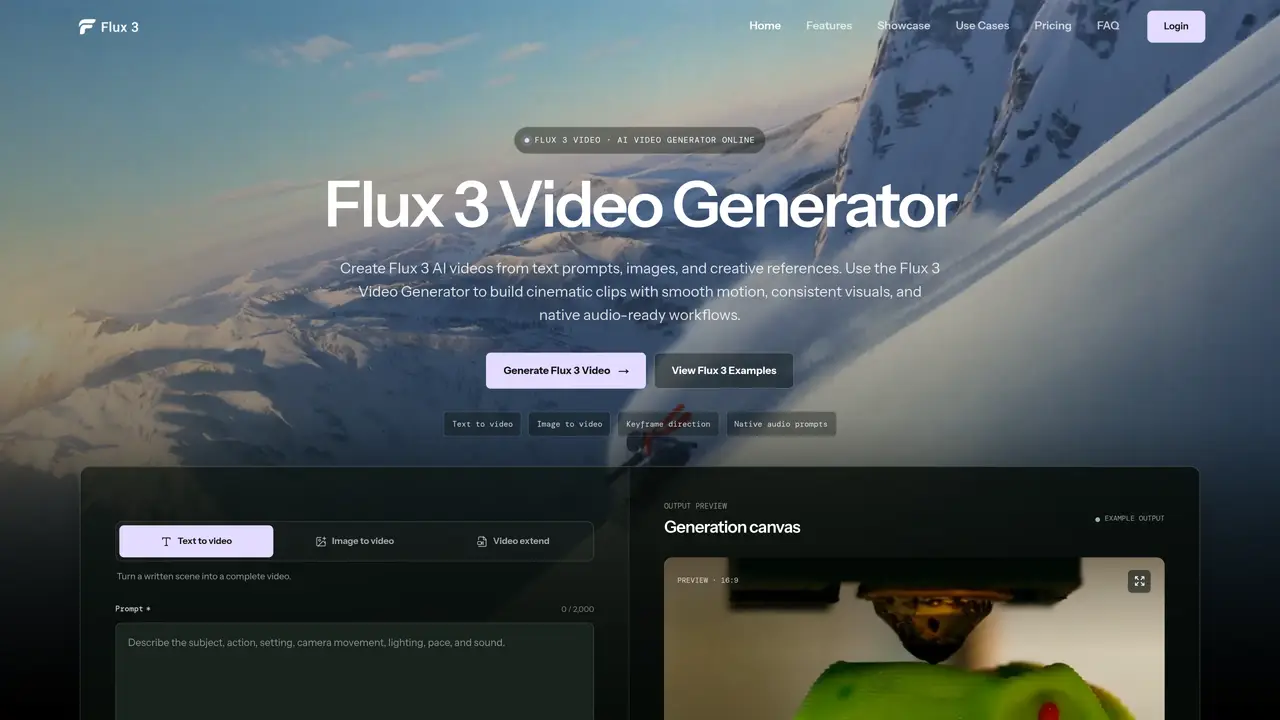
Flux 3 Video Generator is an online AI video creation platform that transforms text prompts, images, or visual references into cinematic videos directly in a browser. Users describe the subject, scene, camera movement, style, timing, and sound direction to produce videos suitable for social media posts, advertisements, product visuals, short films, or creative tests. The tool supports multiple workflows, including text-to-video, image-to-video, and video extension, enabling creators to maintain visual consistency and control transitions with keyframes. Videos can be generated in various aspect ratios and resolutions, such as 720p and 1080p, with a draft mode available for previewing results before final rendering. Native audio prompts allow users to guide dialogue, ambience, and sound effects within the same workflow. The platform is designed for creators, marketers, product teams, social media editors, filmmakers, and AI video experimenters seeking to build smooth motion and cinematic clips efficiently. Flux 3 Video Generator emphasizes guided motion, style, and sound control, enabling users to create multi-shot sequences, animated titles, and motion graphics. The tool also supports extending existing clips while preserving motion, ambience, or dialogue direction, making it useful for building longer stories without restarting from scratch. With flexible format options, users can tailor videos for widescreen, vertical, square, or cinematic layouts, and apply style directions ranging from realistic footage to stylized animation. The workflow is streamlined, allowing creators to start with a simple prompt or image reference, adjust settings, and generate videos in a few steps, with the option to refine results through iterative prompting and adjustments.
Flux 3 Video Generator converts text prompts, images, or visual references into AI-generated videos with smooth motion, consistent visuals, and native audio-ready workflows. It supports text-to-video, image-to-video, and video extension, allowing users to create videos for social media, ads, product visuals, short films, or creative tests.
The tool is designed for creators, marketers, product teams, social media editors, filmmakers, and AI video experimenters who need to generate cinematic clips, maintain visual consistency, and control transitions with guided motion and style.
The platform operates on a credit-based system where users consume credits to generate videos, with options to generate lower-cost drafts before final rendering. Specific pricing details are available on the platform's pricing page.
Flux 3 Video Generator supports workflows such as text-to-video, image-to-video, video extension, and keyframe direction. It also allows users to add images or visual references to guide visual consistency, and supports multi-shot sequences for longer storytelling.
The tool may require detailed prompts or visual references to achieve desired results, and the quality of output depends on the clarity of user input. Additionally, while draft mode allows for previewing results, final rendering may consume additional credits.
To get started, users can create a Flux 3 video by writing a detailed prompt describing the subject, scene, camera movement, style, timing, and sound direction. They can also add an image or visual reference if needed, choose video settings like aspect ratio and duration, and then generate the clip.
We use essential cookies to run aitoolnavio™, and optional cookies to analyze traffic and measure our marketing. You choose what we use — optional cookies stay off unless you turn them on. See our Privacy Policy.
One short email a week: fresh tools worth trying, honest takes and the updates that actually matter. No spam, unsubscribe any time.
Generate lifelike human videos with AI, making professional video creation fast and accessible for any user.
xAI builds Grok frontier AI models for reasoning, coding, voice, images, video, enterprise workflows, and developer APIs.
AI-powered video messaging tool that records, shares, and manages video messages with AI-generated titles, summaries, and tasks.
Explore and test Google’s experimental AI tools and prototypes before they become products.
Creates licensed videos, images, music.
Web and mobile AI platform for generating, editing, and training custom visuals from prompts with community models and face-swap tools.
Create stunning videos in a few clicks, customize with powerful tools, and automate editing without experience.
Create, convert, and enhance videos effortlessly with professional effects and royalty-free music.
Create engaging videos with voiceovers, music, and customizations using a library of royalty-free assets.
Create auto-resized campaign images and videos with DaVinci AI's generative media suite.
Freemium, uncensored AI video and image creation for individual creators with text-to-video, image effects, and gem-based upgrades for HD and no watermarks.
Generate cinematic video clips from text or images and refine them with AI-powered editing tools for creators and visual professionals.
Matched on what this tool does — grouped by the job you would be replacing.
matches Text-to-video generation · Image-to-video generation
Web-based AI video and image generator for creators and marketers with text-to-video, image-to-video, and synced audio features.
Online AI video generator creating cinematic clips from text, images, audio, or video prompts
Browser-based AI video generator creating cinematic shots from text, images or frames
Online AI video generator from text prompts, images, keyframes or references
matches Native audio prompts for sound design
AI video generator that combines images, video, audio and text to create cinematic videos with precise
AI video generator from text, images, audio, and motion references
AI tool that converts text or images into multi-scene videos with consistent characters
Generates 2K video clips from text, images, video or audio with natural-language revisions