Creates licensed videos, images, music.
11M visits/mo+8.9%#2 Video & Animation

Browser-based AI video generator creating cinematic shots from text, images or frames
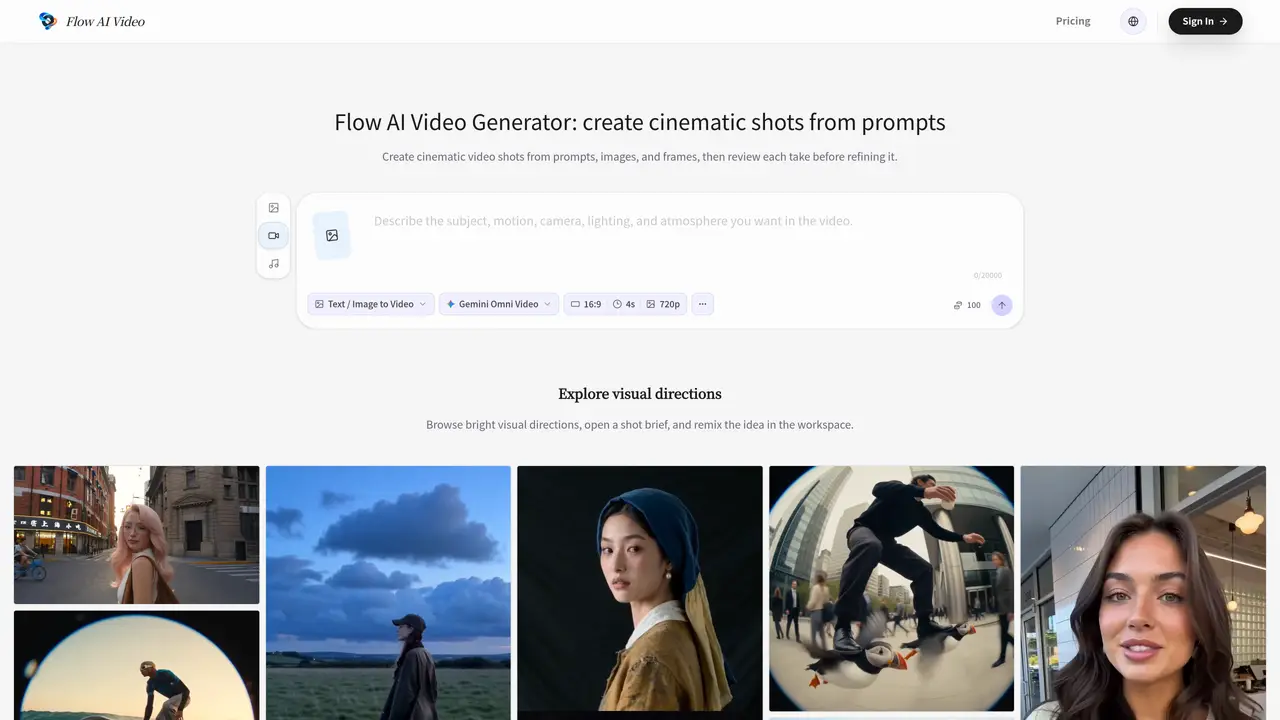
Flow AI Video is a browser-based tool that converts text prompts, still images, or frame references into short cinematic video drafts. Users begin by selecting a video model and output settings such as aspect ratio, then generate a take. The generated clip can be reviewed for camera movement, composition, and continuity before making adjustments. Each iteration allows for deliberate refinement by changing one key variable at a time, helping users compare takes and identify improvements. The platform supports multiple input types and maintains a history of generated clips connected to the user’s account for later review or download. It is designed to help creators, marketing teams, and visual planners test ideas early in the production process before committing to final output. The workflow emphasizes focused experimentation with prompts, references, and settings kept together to avoid interrupting the creative process.
Flow AI Video is a browser-based AI video generator that converts text prompts, still images, frame references, and other supported media into short cinematic video drafts. Users can choose a video model and output settings, generate a take, review it, and iterate before finalizing.
Flow AI Video starts with a shot brief or source image, where users select a video model and output settings. After generating a take, users review camera movement, composition, and continuity before adjusting the next prompt or input for refinement.
Flow AI Video offers different models depending on the user's account and selected mode. Available models may include Veo 3.1 Fast, Veo 3.1 Pro, Kling 3.0, Seedance, Gemini Omni Video, Grok Imagine, and image models like Nano Banana or Nano Banana Pro.
Yes, Flow AI Video supports image-to-video motion by allowing users to anchor a still image as the opening frame while describing camera movement, timing, or visual changes in the prompt.
Users can select an available aspect ratio and output setting early in the process to match the intended destination, such as social media feeds, product presentations, or storyboards.
Yes, Flow AI Video maintains a history of generated clips connected to the user’s account, allowing them to review, download, or use saved clips as a starting point for further iterations.
We use essential cookies to run aitoolnavio™, and optional cookies to analyze traffic and measure our marketing. You choose what we use — optional cookies stay off unless you turn them on. See our Privacy Policy.
One short email a week: fresh tools worth trying, honest takes and the updates that actually matter. No spam, unsubscribe any time.
Creates licensed videos, images, music.
AI video generation platform that turns text prompts or images into short, high-quality 8-second videos with consistent characters.
AI-powered text-to-video generator that creates videos from text prompts.
AI-powered video generator that converts text, images, or video prompts into high-quality videos without technical skills.
Generates AI videos, images and audio from text prompts, photos or audio
Transform text and images into stunning videos.
Create stunning videos and images using artificial intelligence.
Generates high-quality videos and images from text or images with cinematic controls and native 4K output.
Create lifelike videos from text and images.
An all-in-one creative suite specializing in Image-to-Video animation.
Free online AI video editor for beginners to create videos with text, music, animations, and effects.
AI platform that converts text, images, or videos into dynamic video content with minimal technical skill required.
Matched on what this tool does — grouped by the job you would be replacing.
matches Text-to-video generation from natural language prompts · Image-to-video motion using still images as reference · Choice of aspect ratios (16:9, 9:16, 1:1)
Generates AI videos from text prompts, images, or motion inputs
Generates short video clips from text prompts or still images
Generates AI videos from text prompts, images, and references in a browser
Converts text or still images into short cinematic videos using multiple AI models