AI-powered video messaging tool that records, shares, and manages video messages with AI-generated titles, summaries, and tasks.
16M visits/mo-3.4%#5 Chatbots & Assistants

AI-powered storyboard generator and text-to-video editor with cinematic timeline
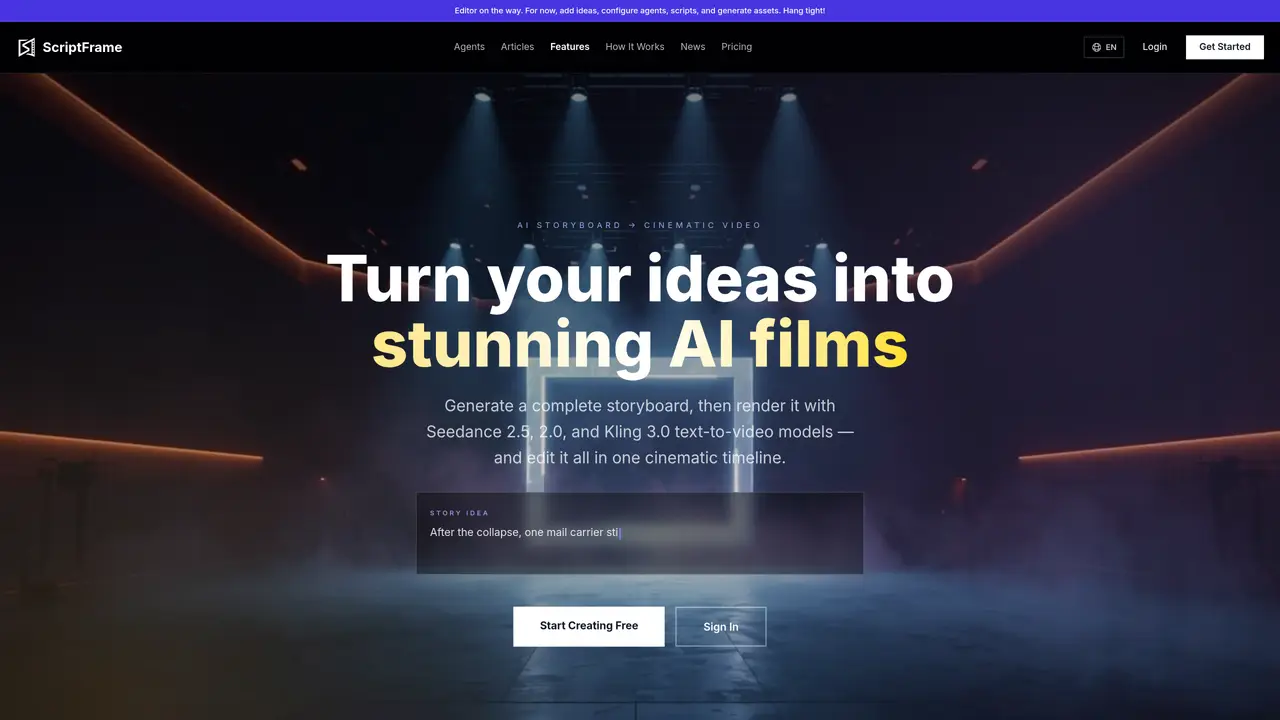
ScriptFrame is a web-based tool that converts written story ideas into visual storyboards and then into AI-generated video clips. It uses a multi-agent system to break down a story concept into scenes, characters, dialogue, and camera directions, producing a structured storyboard that can be previewed and refined. Each storyboard scene can be rendered as a video clip using Seedance 2.5, Seedance 2.0, or Kling 3.0 text-to-video models, with options for image-to-video and reference workflows. The platform includes a cinematic timeline editor where users can trim, reorder, and merge clips, adjust camera angles, and fine-tune dialogue. It also supports consistent character, prop, and location generation, ensuring visual continuity across scenes. ScriptFrame is designed for creators producing narrative films, explainer videos, animated stories, or character-driven scenes without requiring advanced editing skills.
You describe your story idea in plain text. The AI storyboard generator breaks it into scenes, characters, and dialogue. You review and refine the board, then turn each scene into AI video using Seedance 2.0, Seedance 2.5, or Kling 3.0 models, and merge everything into a polished film.
ScriptFrame supports Seedance 2.0 models — including text-to-video, fast, mini, image-to-video, and reference-to-video — as well as Kling-compatible video generation, allowing users to select the renderer that best fits their scene.
Yes. Each storyboard scene is rendered into a video clip using the model of your choice. You can regenerate individual clips until every shot looks right, then merge them into a single video.
Short narrative films, explainer videos, animated stories, character-driven scenes, and more. Any concept that can be described as a sequence of scenes can become an AI video.
Yes. You have full control to edit scenes, modify character descriptions, adjust dialogue, change camera angles, and regenerate individual elements until you are satisfied.
Yes. Every stage of the pipeline — concept, scenes, effects, and assets — is powered by an agent. You can define your own agents, swap in custom AI models, and even publish them to the marketplace.
We use essential cookies to run aitoolnavio™, and optional cookies to analyze traffic and measure our marketing. You choose what we use — optional cookies stay off unless you turn them on. See our Privacy Policy.
One short email a week: fresh tools worth trying, honest takes and the updates that actually matter. No spam, unsubscribe any time.
AI-powered video messaging tool that records, shares, and manages video messages with AI-generated titles, summaries, and tasks.
Unleash creativity: edit photos, videos, and designs with AI-enhanced tools.
Record lectures, create tutorials, and securely share videos with teams.
Create stunning videos in a few clicks, customize with powerful tools, and automate editing without experience.
Create, convert, and enhance videos effortlessly with professional effects and royalty-free music.
Create marketing videos quickly, customize with templates, music, and photos, optimize for different platforms with AI.
Automate video editing, add text-to-speech voice-overs, and optimize videos for impactful results.
Freemium, uncensored AI video and image creation for individual creators with text-to-video, image effects, and gem-based upgrades for HD and no watermarks.
Create, edit, subtitle, and translate pro-grade videos instantly.
Cloudinary provides APIs and tools to integrate, manage, and optimize images and videos for AI-driven visual experiences.
All-in-one AI suite for creators to automate workflows, edit media, and generate content across video, design, and productivity tools.
Generate cinematic video clips from text or images and refine them with AI-powered editing tools for creators and visual professionals.
Matched on what this tool does — grouped by the job you would be replacing.
matches AI storyboard generation from plain text ideas · Multi-model video rendering (Seedance 2.5, Seedance 2.0, Kling 3.0) · Image-to-video and reference-to-video workflows
Generates cinematic videos up to 30 seconds from text, images, documents or URLs
Veo 4 AI is a cinematic AI video generator for text-to-video and image-to-video creation with realistic motion, smooth animation, and high-quality visual rendering.
Browser-based AI video generator creating cinematic shots from text, images or frames
Generates 4–30 second videos from text prompts, images, video clips, and audio direction
matches Cinematic timeline editor for clip management · Dialogue and camera angle adjustments · Storyboard tool for generating shot lists from a single idea
matches Consistent character, prop, and location state generation · Character consistency across all scenes · Persistent character identity across scenes
AI-powered text-to-video generator that converts written content into professional 1080p videos with dynamic camera control.
AI video studio that plans, casts, directs, and edits cinematic sequences from a single brief with persistent character identity and cinematic presets.
AI tool that converts text or images into multi-scene videos with consistent characters
AI video generator that turns scripts or stories into long-form videos up to 50 minutes with consistent characters and 1080p export.
AI creation studio for generating short dramas and narrative videos with consistent characters and scenes.
An AI filmmaking platform for indie creators that generates scripts, images, video clips, voices, music, and edits projects in one web workspace with multiple models.
AI studio for turning story ideas into short films, images and voiceovers