

Unleash creativity: edit photos, videos, and designs with AI-enhanced tools.
16M visits/mo-11.4%#6 Image & Design
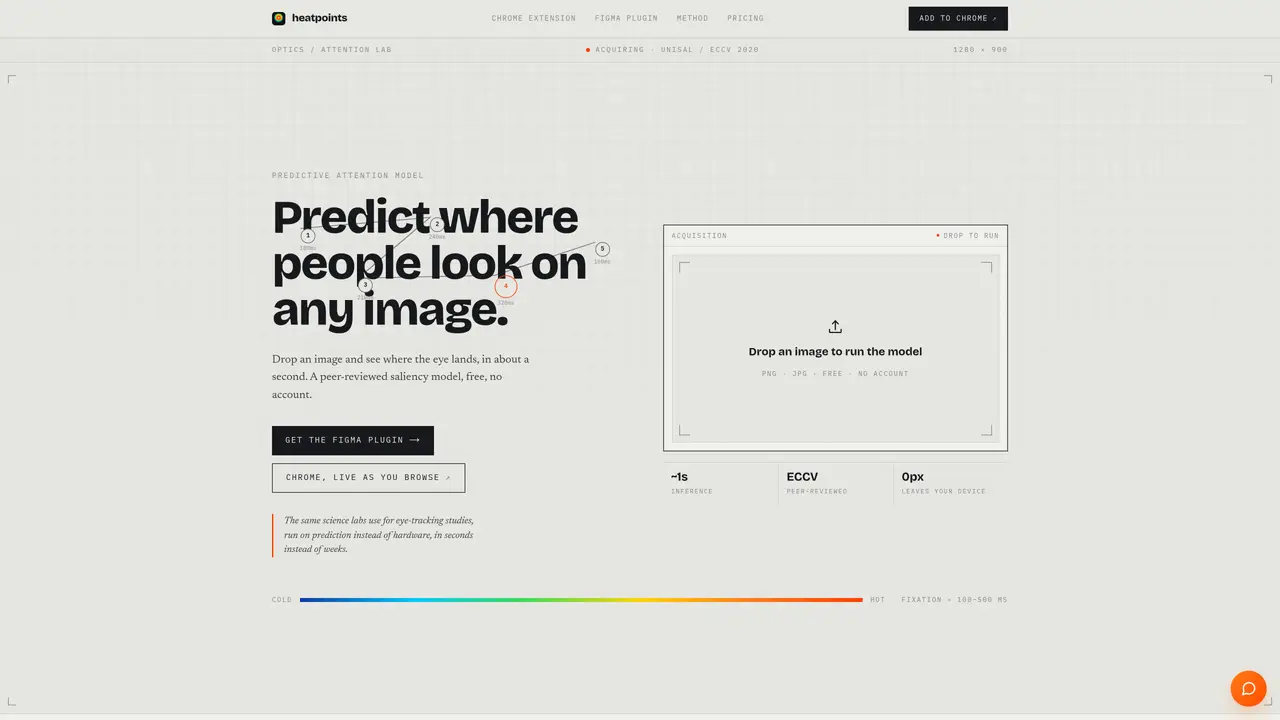
Heatpoints predicts where people look on any image using a peer-reviewed saliency model. Users can drop an image into the tool or run it directly within a Chrome extension or Figma plugin. The model estimates fixations in about one second, producing a heatmap that highlights hot and cold zones without requiring an account. The tool is designed for quick, actionable insights rather than lengthy reports, showing attention paths and contrast gaps in real time. It supports PNG and JPG formats and provides instant feedback for thumbnails, ads, or screenshots. The Chrome extension overlays live fixations on web pages, updating as users scroll or resize, while the Figma plugin allows designers to check attention within their canvas before finalizing designs. The free tier includes basic heatmap generation, contrast analysis, and PNG downloads.
Heatpoints is an AI-powered tool that predicts where people look on any image using a peer-reviewed saliency model. Users can upload an image or use the Chrome extension or Figma plugin to generate a heatmap in about one second, highlighting hot and cold zones without requiring an account.
Heatpoints is designed for designers, marketers, and content creators who need quick, actionable insights into visual attention. It is useful for evaluating thumbnails, ads, screenshots, and web page elements before finalizing designs or campaigns.
Yes, Heatpoints offers a free tier that includes basic heatmap generation, contrast analysis, and PNG downloads. Additional features, such as batch processing and advanced tools for ad-makers, are planned for future releases.
Heatpoints provides a Chrome extension for real-time attention tracking on web pages and a Figma plugin for checking attention within design canvases. These tools allow users to see live fixations as they browse or design.
Yes, the Chrome extension overlays live fixations on any web page, including those behind logins, and updates as users scroll or resize. The Figma plugin allows designers to check attention within their canvas before finalizing designs.
Users can start by dropping an image into the Heatpoints tool, installing the Chrome extension, or adding the Figma plugin. No account is required for basic heatmap generation, and the process takes about one second to complete.
We use essential cookies to run aitoolnavio™, and optional cookies to analyze traffic and measure our marketing. You choose what we use — optional cookies stay off unless you turn them on. See our Privacy Policy.
Unleash creativity: edit photos, videos, and designs with AI-enhanced tools.
A drag-and-drop design platform for presentations and social graphics with AI photo tools and a large template library.
Create captivating, customizable presentations and easily share them across devices with a cloud-based platform.
Generate custom visuals for blogs, create unique social media images, and design eye-catching visuals for marketing campaigns.
Create stunning designs, edit photos, remove objects, make collages, and transform images with powerful AI tools and effects.
Create auto-resized campaign images and videos with DaVinci AI's generative media suite.
Create precise 3D models, collaborate on designs, and analyze simulations in real-time.
Cloudinary provides APIs and tools to integrate, manage, and optimize images and videos for AI-driven visual experiences.
Generate custom color palettes instantly with AI or from images for design projects.
Turn simple prompts into flyers, social posts, emails, event pages, and tickets using AI-powered design and marketing tools.
Generate high-quality images with flawless embedded text from text prompts, plus batch output and style control in a creative canvas.
Edit, transform, and enhance photos with text prompts using our free AI photo editor online.
Matched on what this tool does — grouped by the job you would be replacing.
matches Peer-reviewed predictive attention model · Instant heatmap generation (~1 second) · Chrome extension with live overlay
Monitor engagement, analyze data, and gain insights to optimize retention and measure campaign impact.
Predicts ad creative performance using emotion AI before media spend
One short email a week: fresh tools worth trying, honest takes and the updates that actually matter. No spam, unsubscribe any time.