Unleash creativity: edit photos, videos, and designs with AI-enhanced tools.
16M visits/mo-11.4%#6 Image & Design

AI-powered YouTube thumbnail generator creating click-worthy covers from video links
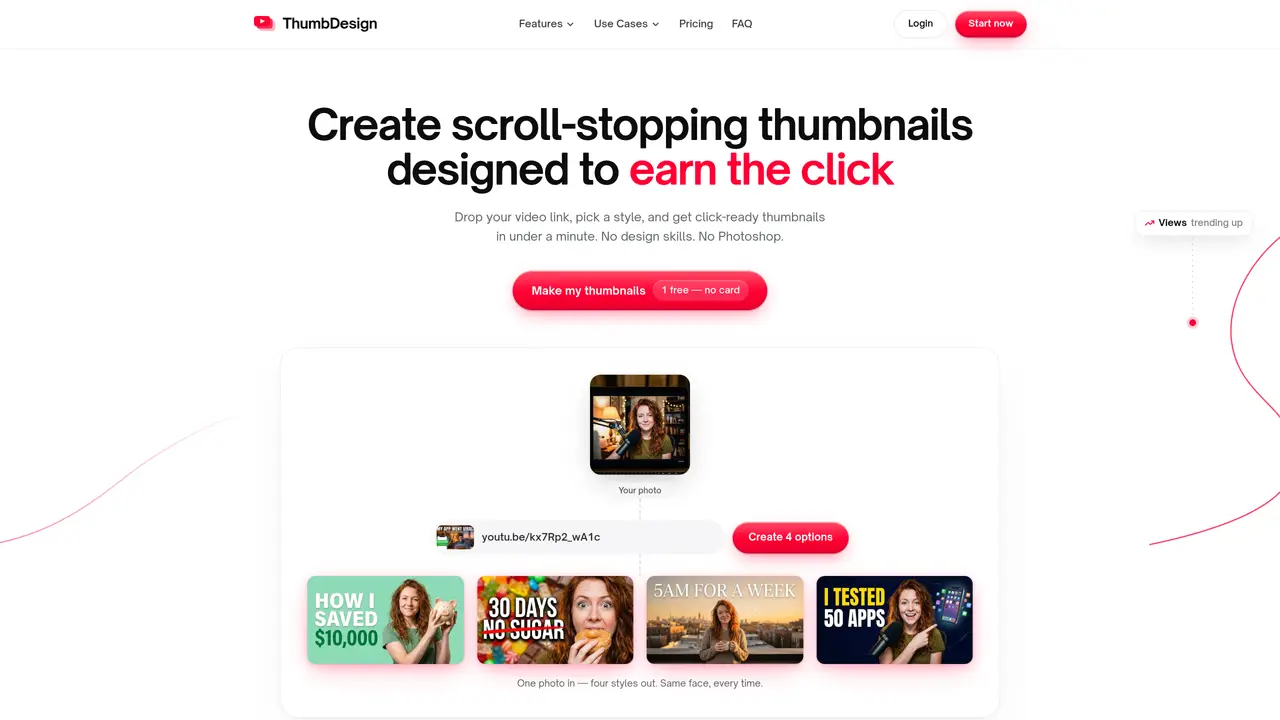
ThumbDesign is an AI tool that generates YouTube thumbnails in under a minute by analyzing video content and current click-winning trends in the niche. Users paste a video link or upload a file, and the system returns four thumbnail options in about 20 seconds. The tool maintains the creator’s likeness through uploaded photos or extracted frames and allows adjustments via text commands such as changing colors or expressions. It supports multiple formats including 16:9 for standard videos, 9:16 for Shorts and Reels, and square crops for community posts, all exported in 4K resolution under YouTube’s 2MB upload limit. The platform includes an expression editor to modify facial emotions without reshooting, A/B testing to compare thumbnail performance, and creator templates based on proven layouts like challenge, progress, money, and sports. It is designed for YouTubers, agencies, brands, short-form creators, podcasters, and teams who need consistent, on-brand thumbnails without design expertise or Photoshop skills.
Users paste a YouTube link, upload a video, or describe their idea in one sentence. The AI analyzes what wins clicks in the niche—faces, text size, contrast, layout—and returns four ready thumbnail options in about 20 seconds.
Yes. Users can upload a photo or let the tool extract frames from their video. Every generated thumbnail maintains the creator’s likeness, and the expression editor allows adjusting emotions without reshooting.
The tool provides 16:9 for standard YouTube videos (up to 4K), 9:16 for Shorts, TikTok, and Reels, and square crops for community posts. All exports are sized and compressed to meet YouTube’s 2MB upload limit without visible quality loss.
Yes. Users can edit any generated thumbnail by typing changes in plain words, such as adjusting colors or removing elements. The AI applies the changes while preserving resolution and other details.
Unlike templates that replicate existing designs, ThumbDesign generates thumbnails from scratch based on current click-winning trends in the niche. It incorporates the creator’s face and hook, ensuring unique outputs tailored to each video.
Yes. Every account starts with one free thumbnail generation, and no credit card is required. Users can try the tool without commitment before deciding to upgrade.
We use essential cookies to run aitoolnavio™, and optional cookies to analyze traffic and measure our marketing. You choose what we use — optional cookies stay off unless you turn them on. See our Privacy Policy.
One short email a week: fresh tools worth trying, honest takes and the updates that actually matter. No spam, unsubscribe any time.
Unleash creativity: edit photos, videos, and designs with AI-enhanced tools.
A drag-and-drop design platform for presentations and social graphics with AI photo tools and a large template library.
Create captivating, customizable presentations and easily share them across devices with a cloud-based platform.
Generate custom visuals for blogs, create unique social media images, and design eye-catching visuals for marketing campaigns.
Create stunning designs, edit photos, remove objects, make collages, and transform images with powerful AI tools and effects.
Create auto-resized campaign images and videos with DaVinci AI's generative media suite.
Create precise 3D models, collaborate on designs, and analyze simulations in real-time.
Cloudinary provides APIs and tools to integrate, manage, and optimize images and videos for AI-driven visual experiences.
Generate custom color palettes instantly with AI or from images for design projects.
Turn simple prompts into flyers, social posts, emails, event pages, and tickets using AI-powered design and marketing tools.
Generate high-quality images with flawless embedded text from text prompts, plus batch output and style control in a creative canvas.
Edit, transform, and enhance photos with text prompts using our free AI photo editor online.
Matched on what this tool does — grouped by the job you would be replacing.
matches Instant thumbnail generation from video links · Creator templates for proven layouts · Expression editor for facial emotion adjustments
Turns YouTube videos into click-magnet thumbnails.
AI thumbnail generator that copies style and composition from reference images to create consistent YouTube thumbnails quickly.
An AI thumbnail maker for YouTube creators that generates, edits, and recreates thumbnails from titles or descriptions using templates, AI personas, and face swaps.
AI-assisted tool for creating and evaluating YouTube thumbnails