

Remove image backgrounds instantly, save time with advanced AI, and create stunning images effortlessly.
54M visits/mo-8.6%#2 Image & Design
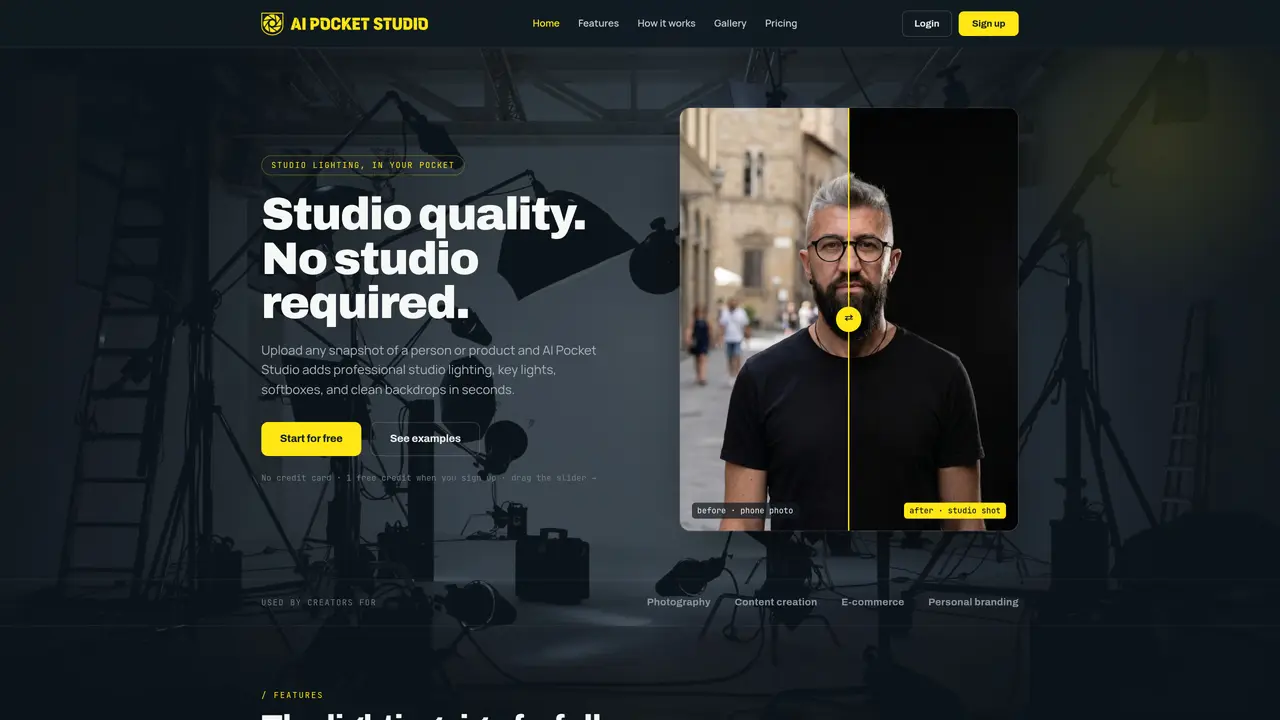
AI Pocket Studio applies professional studio lighting, key lights, softboxes, and clean backdrops to any uploaded photo in seconds. It uses a single uploaded image to simulate a full lighting rig, automatically adding key, fill, and rim lighting to sculpt subjects naturally. The tool supports both portraits and product shots, ensuring faces remain lifelike and products stay sharp. Users can select from preset looks such as beauty, e-commerce, dramatic, or editorial styles, or manually adjust light direction, softness, and background. Backgrounds can be replaced with clean seamless backdrops, kept as the original scene, or set to pure white for e-commerce use. The process involves uploading a photo, choosing lighting settings with a live preview, and exporting high-resolution, retouched images ready for stores, portfolios, or social media feeds.
AI Pocket Studio enhances uploaded photos with professional studio lighting, including key, fill, and rim lights, as well as clean backdrops. It transforms ordinary snapshots into high-quality studio images suitable for portraits, product shots, and various creative uses.
The tool is designed for creators, photographers, e-commerce sellers, and individuals focused on personal branding or content creation. It suits users who need studio-quality images without access to a physical studio or professional lighting equipment.
AI Pocket Studio operates on a pay-as-you-go model using one-time credit packs. Users can start with a free credit and purchase additional credits as needed, with no subscription required. Pricing tiers offer varying numbers of credits and features.
The tool allows users to upload images from phones, cameras, or catalogs and export high-resolution images for use in stores, portfolios, or social media feeds. It does not explicitly mention integrations with third-party software or platforms.
The tool may not perfectly replicate all studio lighting scenarios, especially for highly complex scenes. Users should expect some manual adjustments for optimal results, and the free tier includes a small watermark on generated images.
To get started, users can sign up for a free account to receive one free credit, upload a photo, choose lighting settings with a live preview, and then download the enhanced image. No credit card is required for the initial free trial.
We use essential cookies to run aitoolnavio™, and optional cookies to analyze traffic and measure our marketing. You choose what we use — optional cookies stay off unless you turn them on. See our Privacy Policy.
One short email a week: fresh tools worth trying, honest takes and the updates that actually matter. No spam, unsubscribe any time.
Remove image backgrounds instantly, save time with advanced AI, and create stunning images effortlessly.
AI platform for upscaling images, enhancing photos, and generating high-quality creative assets with contextual detail.
Remove backgrounds, adjust colors, add text, filters, and shapes with ease.
Unleash creativity: edit photos, videos, and designs with AI-enhanced tools.
Transform photos effortlessly with AI: edit, enhance, and remove backgrounds.
Web and mobile AI platform for generating, editing, and training custom visuals from prompts with community models and face-swap tools.
Convert raster images into scalable vector graphics within seconds.
Create stunning designs, edit photos, remove objects, make collages, and transform images with powerful AI tools and effects.
Create stunning visuals, access image recognition and processing, and express creatively with natural language processing.
Cloudinary provides APIs and tools to integrate, manage, and optimize images and videos for AI-driven visual experiences.
All-in-one AI suite for creators to automate workflows, edit media, and generate content across video, design, and productivity tools.
Identify stolen identities, uncover copyright infringements, and find unauthorized use of images with precision.
Matched on what this tool does — grouped by the job you would be replacing.
matches Studio-grade lighting simulation · Automatic key, fill, and rim lighting · Preset lighting styles (beauty, e-commerce, dramatic, editorial)
AI photo editing platform for facial expression edits, portrait relighting, background replacement, and photo-to-video animations.
Turn a single product photo into multiple high-converting e-commerce visuals with AI, optimized for real-world selling scenarios.
AI-powered tool that transforms apparel images into professional e-commerce product photos like ghost mannequin, on-model, and flat lay shots.
AI-powered product photo generation with curated styles