
Remove image backgrounds instantly, save time with advanced AI, and create stunning images effortlessly.
54M visits/mo-8.6%#2 Image & Design
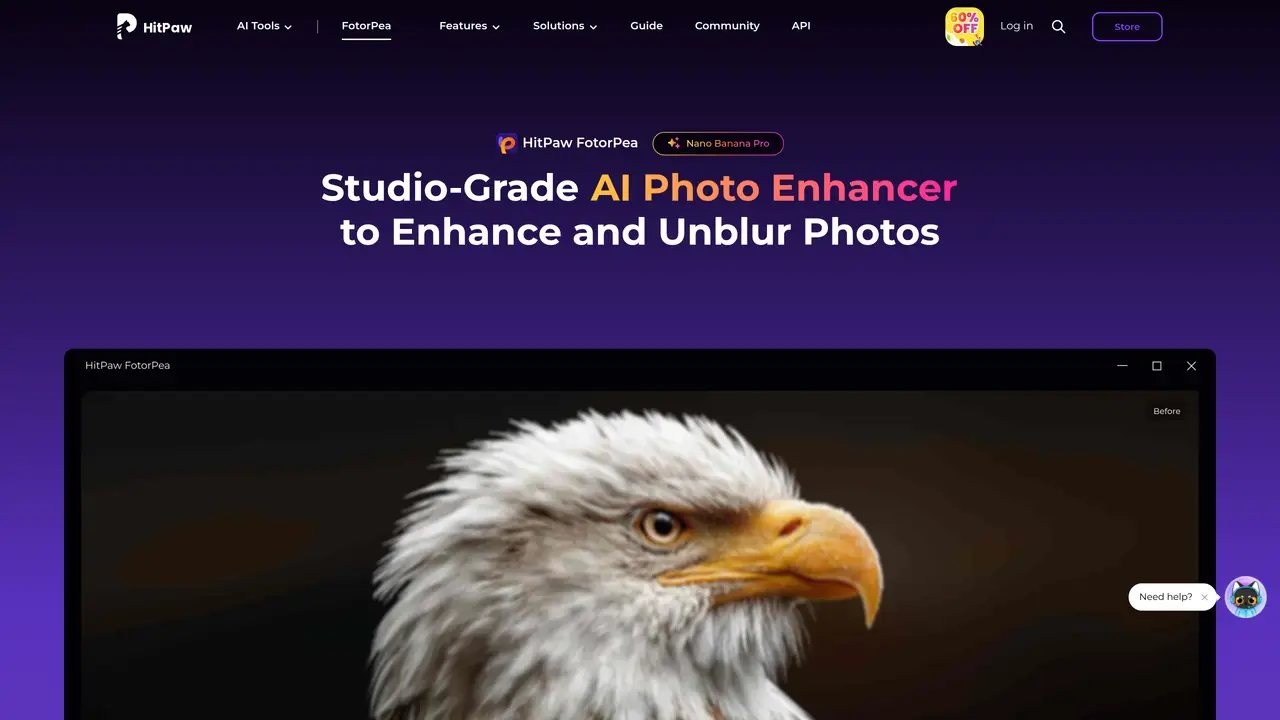
HitPaw FotorPea is an AI photo enhancer for desktop, mobile, and web that focuses on repairing, upscaling, and creatively reworking images. It uses multiple AI models, including the Nano Banana Pro generative engine, to unblur photos, remove noise, restore old prints, colorize black and white shots, and even generate new artwork. The tool supports Windows, macOS, iOS, Android, an online version, and a dedicated Photoshop plugin, so photographers and creators can fit it into varied workflows. Key Features: Multi model AI enhancement: Nine specialized AI models (General, Face, Sharpen, Denoise, Low light, Colorize, Scratch Repair, Upscale, and more) handle everything from smartphone snaps to RAW files, up to 4K, 8K, and even 16K output. Nano Banana Pro generative tools: Text and image prompts can generate portraits, anime styles, landscapes, and concept art, plus AI Canvas with chat style editing for iterative refinements. Restoration and repair suite: Dedicated models revive faded or damaged photos, repair scratches, fix motion blur, and restore natural color with auto calibration tuned for skin tones and historical palettes.
HitPaw FotorPea is an AI-powered photo enhancer designed to repair, upscale, and creatively rework images using multiple specialized AI models. It supports desktop, mobile, and web platforms, including a Photoshop plugin.
The tool is suitable for photographers, creators, and general users looking to enhance, restore, or generate images. It caters to lifestyle, portrait, wedding, animal, and landscape photography, as well as cartoon illustrators and interior designers.
Yes, HitPaw FotorPea provides a free trial option for users to test its features before purchasing. The tool is available for download on Windows, macOS, iOS, and Android, as well as an online version.
The tool utilizes nine specialized AI models, including General, Face, Sharpen, Denoise, Low Light, Colorize, Scratch Repair, and Upscale. It also features the Nano Banana Pro generative engine for creating and editing images via text or image prompts.
Yes, HitPaw FotorPea offers a dedicated Photoshop plugin, allowing users to integrate its AI enhancement features directly into their Photoshop workflow.
The tool can enhance a wide range of images, including smartphone photos, RAW files, old or damaged prints, black-and-white images, and low-light shots. It supports output resolutions up to 4K, 8K, and 32K.
We use essential cookies to run aitoolnavio™, and optional cookies to analyze traffic and measure our marketing. You choose what we use — optional cookies stay off unless you turn them on. See our Privacy Policy.
One short email a week: fresh tools worth trying, honest takes and the updates that actually matter. No spam, unsubscribe any time.
Remove image backgrounds instantly, save time with advanced AI, and create stunning images effortlessly.
AI platform for upscaling images, enhancing photos, and generating high-quality creative assets with contextual detail.
Remove backgrounds, adjust colors, add text, filters, and shapes with ease.
Unleash creativity: edit photos, videos, and designs with AI-enhanced tools.
Transform photos effortlessly with AI: edit, enhance, and remove backgrounds.
Web and mobile AI platform for generating, editing, and training custom visuals from prompts with community models and face-swap tools.
Convert raster images into scalable vector graphics within seconds.
Create stunning designs, edit photos, remove objects, make collages, and transform images with powerful AI tools and effects.
Create stunning visuals, access image recognition and processing, and express creatively with natural language processing.
Cloudinary provides APIs and tools to integrate, manage, and optimize images and videos for AI-driven visual experiences.
All-in-one AI suite for creators to automate workflows, edit media, and generate content across video, design, and productivity tools.
Identify stolen identities, uncover copyright infringements, and find unauthorized use of images with precision.
Matched on what this tool does — grouped by the job you would be replacing.
matches Restoration and repair suite · Background remover · Object remover
Enhance and edit photos with 15+ professional-grade tools, delivering HD quality results on both desktop and Android.
Restore faded images, enhance photo quality, and add color to black-and-white images effortlessly.
One-click AI tool to upscale, unblur, denoise, colorize, and restore photos while preserving quality.
Online AI tool to enhance image quality by sharpening, restoring, and upscaling photos
matches Multi model AI enhancement · Nano Banana Pro generative tools
AI platform for upscaling images, enhancing photos, and generating high-quality creative assets with contextual detail.
All-in-one AI platform for face swapping, image generation, upscaling, and art creation with free access and batch processing.
Web-based AI image generation, editing and enhancement tools
Unified workspace for generating, editing and organizing AI photos and videos