



Remove image backgrounds instantly, save time with advanced AI, and create stunning images effortlessly.
54M visits/mo-8.6%#2 Image & Design

Retouch, enhance, and restyle your photos with text prompts for studio-quality results in seconds.
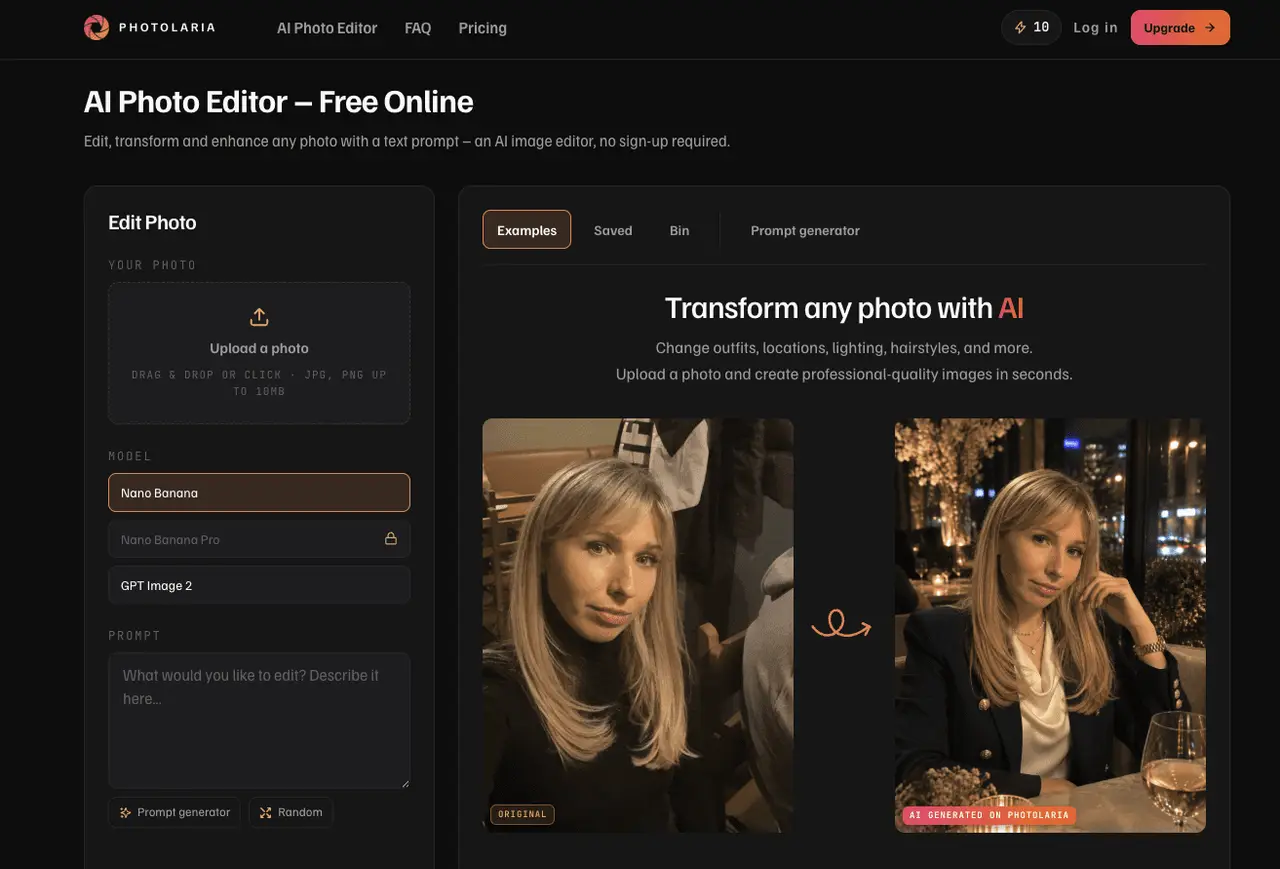
Photolaria is an online AI photo editor and image generator that turns plain text prompts into real edits. Upload a photo and describe the change – enhance lighting and detail, add or remove objects, restyle a scene, or generate entirely new images from scratch. No design skills, no software install, and no sign-up required to start: every visitor gets free daily credits to try it instantly. What makes Photolaria different is the built-in prompt wizard. Instead of leaving you to guess at the right wording, it builds model-aware prompts for you, so you get sharp, predictable results from the first try – even on advanced models like Nano Banana Pro at 2K resolution. Galleries are private on every plan, source photos auto-delete on a short cycle, and a one-click “delete my data” control lives right inside the editor. There are no passwords to leak – login is a simple one-time code sent to your email.
Photolaria is a free online AI photo editor and image generator that allows users to edit, transform, and enhance photos using text prompts without requiring sign-up. It supports tasks like changing outfits, backgrounds, lighting, or generating entirely new images from scratch.
Photolaria suits individuals and professionals who need quick, high-quality image edits or generations without design skills or software installation. It is useful for content creators, marketers, photographers, and casual users.
Photolaria offers free daily credits for guests and free account holders, with additional monthly or one-time purchased credits for higher usage. Free daily credits reset daily, while monthly credits are tied to subscription plans and do not roll over.
Yes, Photolaria allows usage without an account, but guest sessions are limited to personal use and images expire after 7 days. Free daily credits are available to guests, and data can still be deleted permanently.
Photolaria supports multiple AI models, including Nano Banana, Nano Banana 2 Pro, GPT Image 2, and Seedream 5.0 Pro, each with different costs per generation and varying capabilities like speed, resolution, and text rendering.
Users can delete individual images by moving them to the Bin for 30 days or permanently removing them. A one-click 'Delete my data' option is available to permanently wipe all images and history from every editor and tool, including guest sessions.
photolaria.com · third-party estimates from Similarweb
Traffic figures are third-party estimates, good for scale and trends; they can differ from a company's own numbers. Updated monthly.
We use essential cookies to run aitoolnavio™, and optional cookies to analyze traffic and measure our marketing. You choose what we use — optional cookies stay off unless you turn them on. See our Privacy Policy.
One short email a week: fresh tools worth trying, honest takes and the updates that actually matter. No spam, unsubscribe any time.
Remove image backgrounds instantly, save time with advanced AI, and create stunning images effortlessly.
AI platform for upscaling images, enhancing photos, and generating high-quality creative assets with contextual detail.
Remove backgrounds, adjust colors, add text, filters, and shapes with ease.
Unleash creativity: edit photos, videos, and designs with AI-enhanced tools.
Transform photos effortlessly with AI: edit, enhance, and remove backgrounds.
Web and mobile AI platform for generating, editing, and training custom visuals from prompts with community models and face-swap tools.
Convert raster images into scalable vector graphics within seconds.
Create stunning designs, edit photos, remove objects, make collages, and transform images with powerful AI tools and effects.
Create stunning visuals, access image recognition and processing, and express creatively with natural language processing.
Cloudinary provides APIs and tools to integrate, manage, and optimize images and videos for AI-driven visual experiences.
All-in-one AI suite for creators to automate workflows, edit media, and generate content across video, design, and productivity tools.
Identify stolen identities, uncover copyright infringements, and find unauthorized use of images with precision.
A web-based AI photo editor that edits and generates images from text prompts with a credit-based system and optional commercial licensing.
Photogenerator is a free AI photo generator that turns text prompts into stunning, high-resolution photos in seconds.
A free online AI picture editor that lets you remove backgrounds, erase objects, restore old photos, and apply artistic styles — just describe what you want, no signup or download needed.
Remove backgrounds, erase objects and text, and upscale images with a single click using AI-powered editing.










