AI chatbot for conversation, work, research, coding, and content creation.

MemePhoto AI
$9Starting price
0Popularity
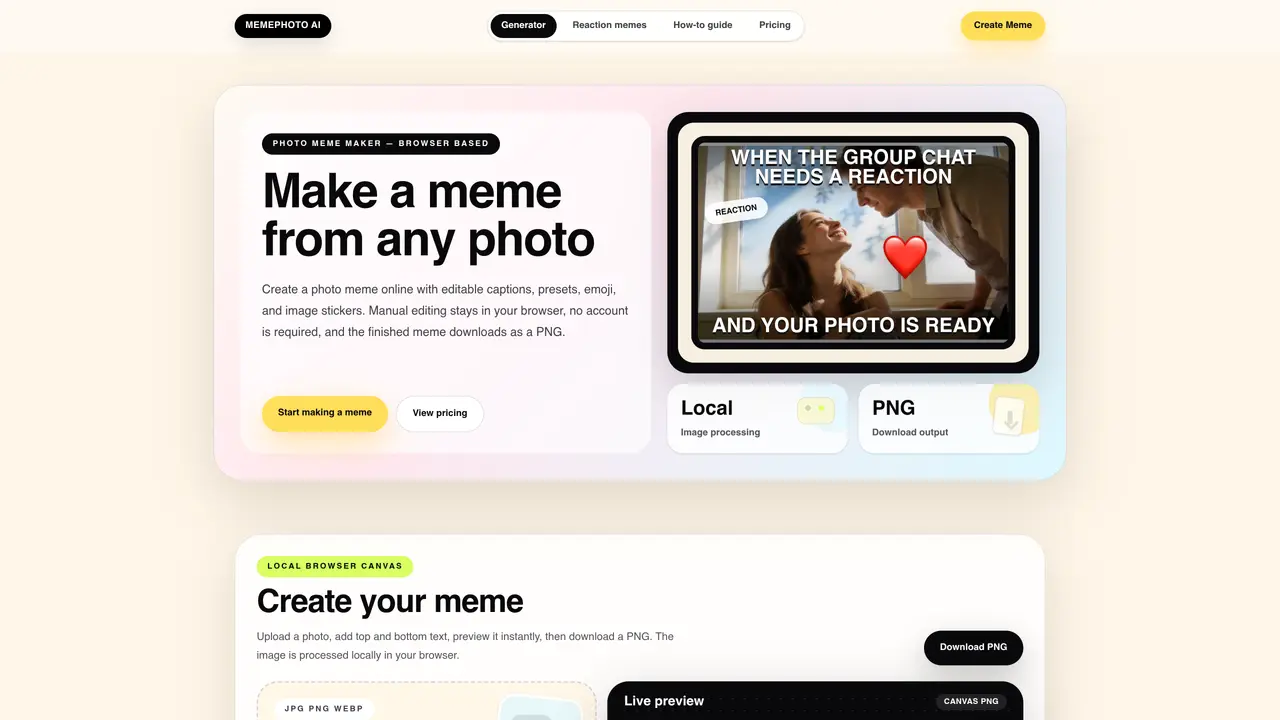
About MemePhoto AI
MemePhoto AI is a browser-based tool that converts any photo into a meme with editable top and bottom captions, presets, emoji, and image stickers. The application processes images locally in the user’s browser, ensuring no uploads to external servers unless optional AI caption features are used with consent. Users can preview changes in real time and export the finished meme as a PNG in square, portrait, or story formats. The interface includes a live preview canvas, a toolbar for text and sticker adjustments, and a selection of 30 preset caption pairs for common joke structures. No account is required for basic use, and the free version includes a watermark on exports. A one-time paid plan removes the watermark and allows activation across up to three browsers.
Key features
- Upload JPG, PNG, or WEBP photos
- Editable top and bottom text with rotation and sizing
- 30 preset caption pairs
- Emoji and image sticker library
- Live preview canvas
- PNG export in multiple aspect ratios
- Local browser processing
- Watermark-free exports with Creator Plan
Use cases
- Social media posts
- Group chat reactions
- Product or brand jokes
Pros
- Browser-based with no account required
- Local image processing with no server uploads
- Editable captions, presets, emoji, and stickers
- Multiple export formats (square, portrait, story)
- One-time purchase for watermark removal
Cons
- Free version includes a watermark
- Optional AI caption feature may send compressed image data
- No mobile app; desktop browser only
Frequently asked questions about MemePhoto AI
What is MemePhoto AI?
MemePhoto AI is a browser-based tool that converts any photo into a meme with editable top and bottom captions, presets, emoji, and image stickers. The application processes images locally in the user’s browser.
Who is MemePhoto AI for?
The tool is designed for anyone looking to quickly create visual jokes, social media posts, group chat reactions, or inside jokes using personal photos or product images.
Does MemePhoto AI require an account?
No account is required for basic use. Users can start creating memes immediately without signing up.
Can I remove the watermark on exports?
Yes, the Creator Plan is a one-time purchase that removes the watermark from live previews and PNG exports. One license can be activated on up to three browsers.
What image formats does MemePhoto AI support?
The tool supports uploading JPG, PNG, or WEBP files, and exports finished memes as PNG in square, portrait, or story formats.
Does MemePhoto AI upload my photos to external servers?
Manual editing stays in your browser, and nothing is uploaded to a server unless optional AI caption features are used with consent.