
AI chatbot for conversation, work, research, coding, and content creation.
5.9B visits/mo+5%#1 Chatbots & Assistants
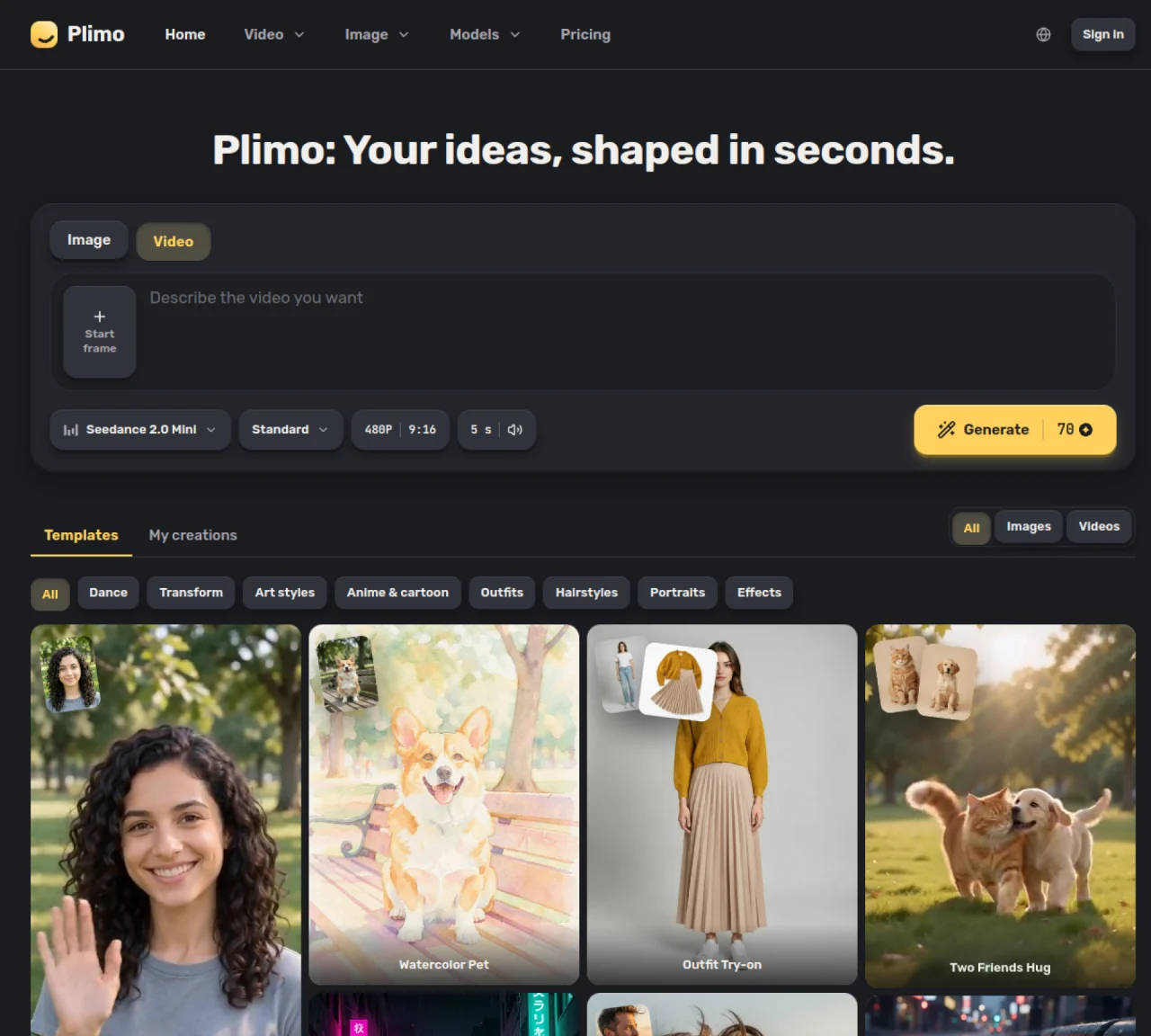
Plimo aggregates multiple AI image and video models from different providers into a single web interface. Users can generate images from text descriptions, edit existing photos, or create short video clips from text, photos, or reference videos. The platform supports tasks such as changing outfits or hairstyles on photos, converting images to animated videos, and generating anime-style artwork. It also offers specialized tools like a dance generator and motion control for animating still images. Results are stored in a user’s creation library and can be downloaded or shared. The service operates on a credit-based system where each generation consumes credits based on the model and settings chosen. Free accounts receive 100 credits upon signup, while paid plans offer higher monthly credit allowances and additional features such as commercial use rights and longer retention of creations.
Plimo is a web-based platform that aggregates multiple AI image and video generation models from different providers into a single interface. It allows users to create images, edit photos, generate videos, and animate still images using text prompts or reference media.
Plimo suits creators, marketers, designers, and casual users who need quick access to diverse AI models for generating or editing visual content without switching between multiple tools.
Plimo operates on a credit-based system where each generation consumes credits based on the model and settings chosen. Free accounts receive 100 credits upon signup, while paid plans offer higher monthly credit allowances and additional features.
Members with paid plans can use their generated images and videos commercially. Free accounts do not have commercial use rights.
Plimo supports models from providers like Google, OpenAI, ByteDance, and Kuaishou, including Image Nano Banana, GPT Image, FLUX, Seedream, Qwen Image, Video Kling, Veo, Seedance, Hailuo, Grok Imagine, Wan Vidu, SkyReels, and HappyHorse.
Users can start by signing up for an account to access the generator, choose between image or video tools, select a model, adjust settings, and generate content. Templates are available to simplify the process.
We use essential cookies to run aitoolnavio™, and optional cookies to analyze traffic and measure our marketing. You choose what we use — optional cookies stay off unless you turn them on. See our Privacy Policy.
One short email a week: fresh tools worth trying, honest takes and the updates that actually matter. No spam, unsubscribe any time.
AI chatbot for conversation, work, research, coding, and content creation.
Generate captions, optimize content, and enhance with custom images for maximum engagement.
xAI builds Grok frontier AI models for reasoning, coding, voice, images, video, enterprise workflows, and developer APIs.
Explore and test Google’s experimental AI tools and prototypes before they become products.
Creates licensed videos, images, music.
Privacy-focused AI chatbot that generates uncensored text, code, images, and translations without storing conversations or requiring an account.
Web and mobile AI platform for generating, editing, and training custom visuals from prompts with community models and face-swap tools.
A drag-and-drop design platform for presentations and social graphics with AI photo tools and a large template library.
Generate unique artwork, customize with an intuitive interface, and push creative boundaries with AI-generated art.
Generate unique AI art, share your creations, and explore a vast selection of AI artwork.
Generate custom visuals for blogs, create unique social media images, and design eye-catching visuals for marketing campaigns.
Easily find and explore diverse AI art and prompts with a vast library of 10 million+ creations.
Matched on what this tool does — grouped by the job you would be replacing.
matches Text-to-image generation · Image-to-image transformation · Background removal and replacement
Web-based AI image generation, editing and enhancement tools
AI image editor for creators and marketers that removes backgrounds, erases objects, swaps faces, enhances images, and generates visuals from text.
Online AI tool for generating, editing, and optimizing images and videos
Web-based AI studio for generating and editing images and videos from text or images
matches Image-to-video animation · Text to video generation · Video templates
matches AI photo editing and background replacement · Headshot and professional portrait creation · Facial expression editing with AI-driven controls
AI video generation platform that turns text prompts or images into short, high-quality 8-second videos with consistent characters.
AI platform that turns text or images into high-quality videos with multiple aspect ratios and styles.
Generates videos from text prompts or images using multiple AI models
AI platform for generating videos and images from text or images
AI platform for upscaling images, enhancing photos, and generating high-quality creative assets with contextual detail.
AI photo editing platform for facial expression edits, portrait relighting, background replacement, and photo-to-video animations.
Converts photos to line drawings, sketches, or anime styles online