
Creates licensed videos, images, music.
11M visits/mo+8.9%#2 Video & Animation
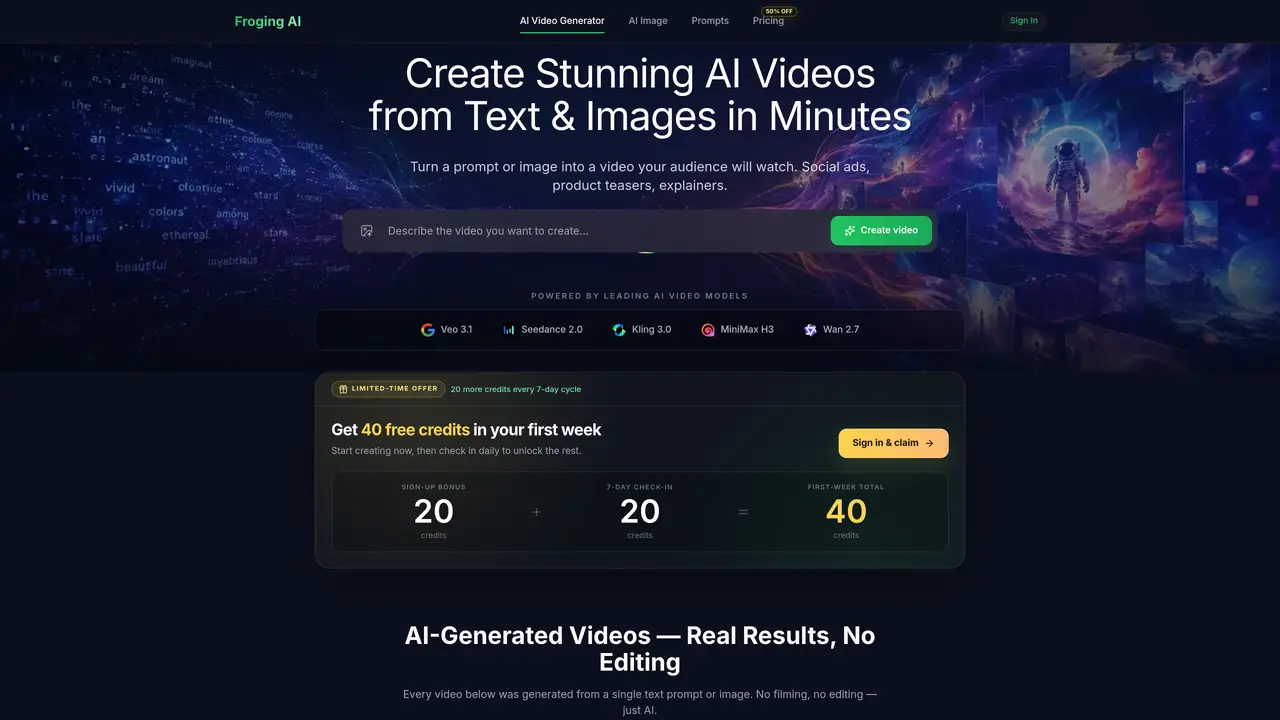
Froging AI converts text descriptions or static images into short videos using several underlying AI models. Users describe a scene or upload an image and specify desired motion, lighting, or camera movement. The platform then renders the input into a video with natural physics, lighting, and depth without requiring filming or manual editing. Outputs are delivered in HD with multiple aspect ratios and no watermark. The service supports social media content, product demonstrations, marketing campaigns, educational explainers, and creative storytelling. It integrates models such as Kling 3.0, Veo 3.1, MiniMax H3, Wan 2.7, and Seedance 2.0, each optimized for different visual styles and use cases. Users can switch models freely to match the needs of each project.
Froging AI is an all-in-one creative studio that generates images and videos from text or existing visuals using leading AI models like Kling 3.0, Veo 3.1, Seedance 2.0, and others.
It suits creators, professionals, and teams looking to produce AI-generated images and videos for marketing, social media, product demonstrations, or storytelling without manual editing.
Yes, some models like Veo 3.1 and MiniMax H3 include native audio in generated videos, while others allow optional audio integration depending on the workflow.
Froging AI offers Starter, Pro, and Enterprise plans with varying credit allowances, resolution outputs, and features such as faster generation speeds and priority support.
Yes, all plans allow commercial-use downloads with no watermarks, and outputs are designed for professional applications like marketing campaigns or product demonstrations.
Sign up to receive initial credits, then use the workspace to generate images or videos from text or images, selecting models and settings to match your project needs.
froging.ai · third-party estimates from Similarweb
Traffic figures are third-party estimates, good for scale and trends; they can differ from a company's own numbers. Updated monthly.
We use essential cookies to run aitoolnavio™, and optional cookies to analyze traffic and measure our marketing. You choose what we use — optional cookies stay off unless you turn them on. See our Privacy Policy.
One short email a week: fresh tools worth trying, honest takes and the updates that actually matter. No spam, unsubscribe any time.
Creates licensed videos, images, music.
AI video generation platform that turns text prompts or images into short, high-quality 8-second videos with consistent characters.
AI-powered text-to-video generator that creates videos from text prompts.
AI-powered video generator that converts text, images, or video prompts into high-quality videos without technical skills.
Generates AI videos, images and audio from text prompts, photos or audio
Transform text and images into stunning videos.
Create stunning videos and images using artificial intelligence.
Generates high-quality videos and images from text or images with cinematic controls and native 4K output.
Create lifelike videos from text and images.
An all-in-one creative suite specializing in Image-to-Video animation.
Free online AI video editor for beginners to create videos with text, music, animations, and effects.
AI platform that converts text, images, or videos into dynamic video content with minimal technical skill required.
Matched on what this tool does — grouped by the job you would be replacing.
matches Text-to-video generation from plain English prompts · HD output in 1080p with 16:9, 9:16, and 1:1 aspect ratios · Style guidance for consistent visual output
AI platform that turns text or images into high-quality videos with multiple aspect ratios and styles.
Converts text or still images into short cinematic videos using multiple AI models
Generates short videos from text prompts or images with optional audio
Wan 2.6 – Unified AI Video Generator with Native Audio
matches Image-to-video conversion with motion control · HD output in 1080p with 16:9, 9:16, and 1:1 aspect ratios · Style guidance for consistent visual output
matches Optional audio generation · HD output in 1080p with 16:9, 9:16, and 1:1 aspect ratios · Style guidance for consistent visual output
Converts still images into short AI-generated videos with adjustable motion and aspect ratio
Converts still images into short videos using AI motion prompts
AI video generator that animates still images into short clips
Online AI video generator from text prompts, images, keyframes or references
Converts text, images or audio into multi-shot cinematic videos up to 4K resolution
AI video generation platform that turns text or images into professional videos using multiple models with flexible policies and commercial use.
AI tool that converts text or images into multi-scene videos with consistent characters
AI video generator that creates short cinematic videos from text or still images