
AI chatbot for conversation, work, research, coding, and content creation.
5.9B visits/mo+5%#1 Chatbots & Assistants
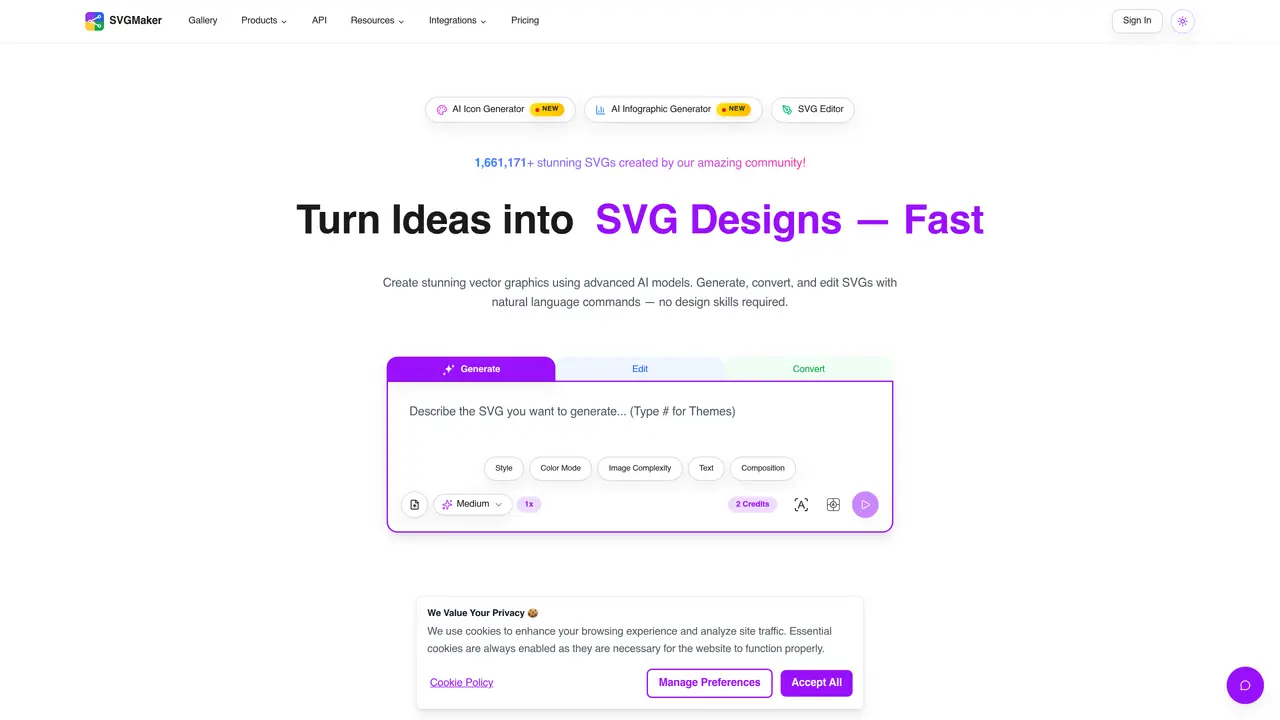
SVGMaker is an AI tool that turns ideas into vector art using text prompts or image uploads. It supports text-to-SVG, image-to-SVG, AI logo generation, and includes a built-in SVG editor for easy customization. With MCP server support, it fits into automated design and development workflows. Ideal for developers, designers, marketers, educators, and craft enthusiasts using Cricut or Silhouette, SVGMaker provides both free and premium SVG files, clean code exports, and supports vector conversion for digital or print use. From branding and web design to crafting and education, SVGMaker is the best AI SVG generator to create pixel-perfect vector graphics quickly, easily, and without installing anything. It can be used in various ways such as converting PNGs to SVG, creating SVG icons, or generating scalable graphics for web. Whether you need to automate vector creation via SVGMaker MCP server directly connected to IDEs like Cursor or make SVG cut files and access digital cut files for every occasion, SVGMaker offers a fast, browser-based solution—no design experience needed. It is suitable for various industries including web development, crafting, and education. The tool provides both free and premium features, making it accessible to users with different needs and budgets. With its user-friendly interface and powerful capabilities, SVGMaker is an essential tool for anyone looking to create professional-grade vector graphics quickly and easily.
SVGMaker is an AI-powered tool that generates, converts, and edits scalable vector graphics (SVG) from text prompts or uploaded images. It supports features like AI logo generation, background removal, color editing, and conversion between various image formats.
The tool is designed for creators, designers, developers, marketers, educators, and craft enthusiasts. It is particularly useful for those working with digital design, web development, print-on-demand, and crafting tools like Cricut or Silhouette.
Yes, SVGMaker provides integrations through a REST API and an MCP server for direct use in code editors like Cursor, VS Code, and Claude Code. It also supports exports compatible with Adobe Illustrator, Figma, and other design tools.
Yes, SVGMaker supports automation through its MCP server and API, allowing developers to integrate vector generation and editing directly into their IDEs or custom applications for streamlined workflows.
SVGMaker allows exporting in vector formats such as SVG, PDF, EPS, AI, and DXF, as well as raster formats like PNG, JPG, and WebP. It also supports JSX components for React and basic web code formats like HTML and CSS.
The AI-powered SVG editor enables users to create and edit precise, scalable vector designs using natural language prompts. It includes tools for drawing, path manipulation, color adjustments, and background removal, making it accessible even without design experience.
svgmaker.io · third-party estimates from Similarweb
Last 4 months · grows by one month every month
Share of visits · estimated visits
Other countries: 65.1%
How people reach this site from other AI tools
200 a month · 0.2% of all visits
Image & Design · Sep 2026
Traffic figures are third-party estimates, good for scale and trends; they can differ from a company's own numbers. Updated monthly.
We use essential cookies to run aitoolnavio™, and optional cookies to analyze traffic and measure our marketing. You choose what we use — optional cookies stay off unless you turn them on. See our Privacy Policy.
One short email a week: fresh tools worth trying, honest takes and the updates that actually matter. No spam, unsubscribe any time.
AI chatbot for conversation, work, research, coding, and content creation.
Generate captions, optimize content, and enhance with custom images for maximum engagement.
xAI builds Grok frontier AI models for reasoning, coding, voice, images, video, enterprise workflows, and developer APIs.
Explore and test Google’s experimental AI tools and prototypes before they become products.
Creates licensed videos, images, music.
Privacy-focused AI chatbot that generates uncensored text, code, images, and translations without storing conversations or requiring an account.
Web and mobile AI platform for generating, editing, and training custom visuals from prompts with community models and face-swap tools.
A drag-and-drop design platform for presentations and social graphics with AI photo tools and a large template library.
Generate unique artwork, customize with an intuitive interface, and push creative boundaries with AI-generated art.
Generate unique AI art, share your creations, and explore a vast selection of AI artwork.
Generate custom visuals for blogs, create unique social media images, and design eye-catching visuals for marketing campaigns.
Easily find and explore diverse AI art and prompts with a vast library of 10 million+ creations.
Matched on what this tool does — grouped by the job you would be replacing.
matches Text-to-SVG conversion · AI logo generation
AI-powered logo generation and redesign with multiple creation methods including text, image, sketch, and 3D conversion.
Online AI-powered logo generator for brands
An AI logo generator that creates custom logos from text prompts for individuals and small businesses, with PNG/SVG export options.
Generates and refines brand logos from text prompts in minutes
matches Image-to-SVG conversion · Vector conversion for digital or print use
matches Built-in SVG editor for customization · Clean code exports
Convert low-res logos to clean vectors, enhance small-sized images, generate high-quality SVG vectors of noisy bitmaps.
Convert raster images to full-color high-quality vectors online without any downloads.
Online AI-powered converter between raster images and vector formats
Free online tool that converts PNG and JPG images to scalable SVG vector graphics instantly with no software installation required.
AI-powered platform to generate, edit, and animate vector graphics from text or images with clean, production-ready SVGs.
Create logos, illustrations, and web graphics effortlessly; share and export work seamlessly.