
Remove image backgrounds instantly, save time with advanced AI, and create stunning images effortlessly.
54M visits/mo-8.6%#2 Image & Design
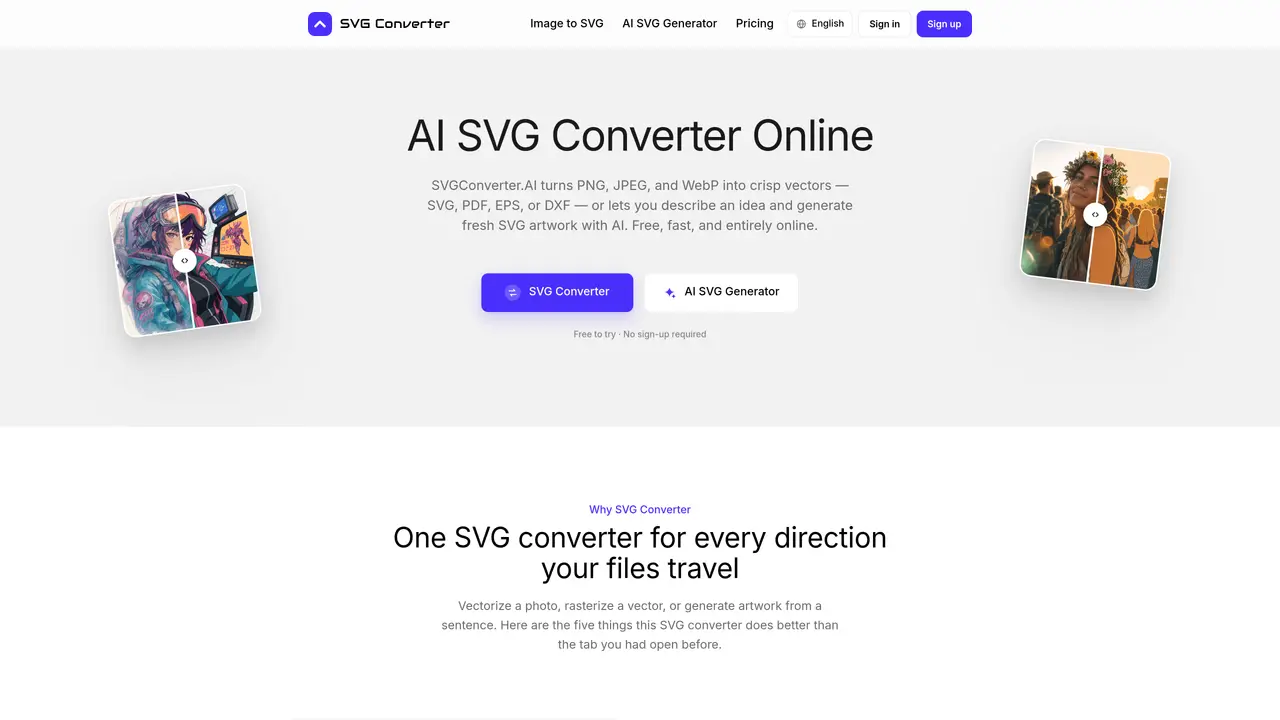
SVG Converter is an online tool that converts raster images such as PNG, JPEG, and WebP into vector formats like SVG, PDF, EPS, or DXF, and vice versa. It also generates fresh vector artwork from text descriptions using AI. The service operates entirely in the browser without requiring software installation or sign-up for initial use. It supports bidirectional workflows, allowing users to vectorize photos, rasterize vectors, or create new designs from text prompts. The tool maintains color accuracy, edge quality, and proportions during conversions, making it suitable for tasks like logo vectorization, print preparation, and icon design. Output files are editable in common design applications and can be exported in multiple formats for different use cases.
You can complete three uses without signing up or adding a card. After that, one Pro subscription unlocks unlimited normal website use across every tool, with no watermarks or per-conversion credits.
Upload PNG, JPG, or WebP to get SVG, PDF, EPS, or DXF back. Upload SVG, PDF, EPS, or DXF to get PNG, JPG, GIF, WebP, or AVIF. The AI side generates fresh SVG artwork from a text prompt with no upload required.
No. The SVG converter runs entirely in your browser, so there is nothing to download, license, or keep updated. It works the same on macOS, Windows, Linux, ChromeOS, tablets, and phones.
Vector output is fully editable. Open an SVG converter download in Illustrator, Affinity Designer, Figma, Inkscape, or a CAD program and you can move nodes, recolor fills, and rescale with no loss. Raster exports are finished images, so keep the vector as your master file.
They travel over an encrypted connection and are processed to provide the requested result. Files and results may be stored with the related job so you can retrieve them; review the Privacy Policy before uploading confidential material.
Pick a direction and try three complete uses without signing up. For unlimited access, sign up later to remove per-conversion limits and keep work connected to your account.
We use essential cookies to run aitoolnavio™, and optional cookies to analyze traffic and measure our marketing. You choose what we use — optional cookies stay off unless you turn them on. See our Privacy Policy.
One short email a week: fresh tools worth trying, honest takes and the updates that actually matter. No spam, unsubscribe any time.
Remove image backgrounds instantly, save time with advanced AI, and create stunning images effortlessly.
AI platform for upscaling images, enhancing photos, and generating high-quality creative assets with contextual detail.
Remove backgrounds, adjust colors, add text, filters, and shapes with ease.
Unleash creativity: edit photos, videos, and designs with AI-enhanced tools.
Transform photos effortlessly with AI: edit, enhance, and remove backgrounds.
Web and mobile AI platform for generating, editing, and training custom visuals from prompts with community models and face-swap tools.
Convert raster images into scalable vector graphics within seconds.
Create stunning designs, edit photos, remove objects, make collages, and transform images with powerful AI tools and effects.
Create stunning visuals, access image recognition and processing, and express creatively with natural language processing.
Cloudinary provides APIs and tools to integrate, manage, and optimize images and videos for AI-driven visual experiences.
All-in-one AI suite for creators to automate workflows, edit media, and generate content across video, design, and productivity tools.
Identify stolen identities, uncover copyright infringements, and find unauthorized use of images with precision.
Matched on what this tool does — grouped by the job you would be replacing.
matches Image to vector conversion (PNG, JPG, WebP to SVG, PDF, EPS, DXF) · Vector to image conversion (SVG, PDF, EPS, DXF to PNG, JPG, WebP, AVIF, GIF)
Convert low-res logos to clean vectors, enhance small-sized images, generate high-quality SVG vectors of noisy bitmaps.
Convert raster images to full-color high-quality vectors online without any downloads.
Transform PNG images into crisp, scalable SVG vectors effortlessly with our AI-powered online converter.
Free online tool that converts PNG and JPG images to scalable SVG vector graphics instantly with no software installation required.
matches AI-generated vector artwork from text prompts
matches Background removal with vectorization
Turns ideas into vector art using text prompts or image uploads.
A web-based text-to-SVG generator that creates downloadable, editable vector graphics with multiple AI models, styles, and aspect ratios.
Free online AI tool that removes backgrounds from images instantly
Removes backgrounds from JPG, PNG, or WebP images using AI
Free online background removal tool with no signup or watermark
Online AI-powered background remover for JPG, PNG and WebP images