AI-powered website builder that generates a professional site in under a minute and includes tools for content, SEO, and analytics.
52M visits/mo+0.7%#4 Coding & Development

Create a professional logo that fits your brand with AI-powered design tool.
Logo Rank is an automated AI-powered tool designed to help you create a professional logo that stands out. With Logo Rank, you can quickly get a selection of professionally designed logos tailored to fit your brand. The tool uses machine learning to analyze your logo design and provide you with a list of options that match your style. Logo Rank also provides you with a detailed breakdown of how the design has been scored, so you can make an informed decision about which logo is right for you. With its easy-to-use interface and advanced features, Logo Rank makes logo creation fast and easy. Get the perfect logo that encapsulates the essence of your brand today with Logo Rank.
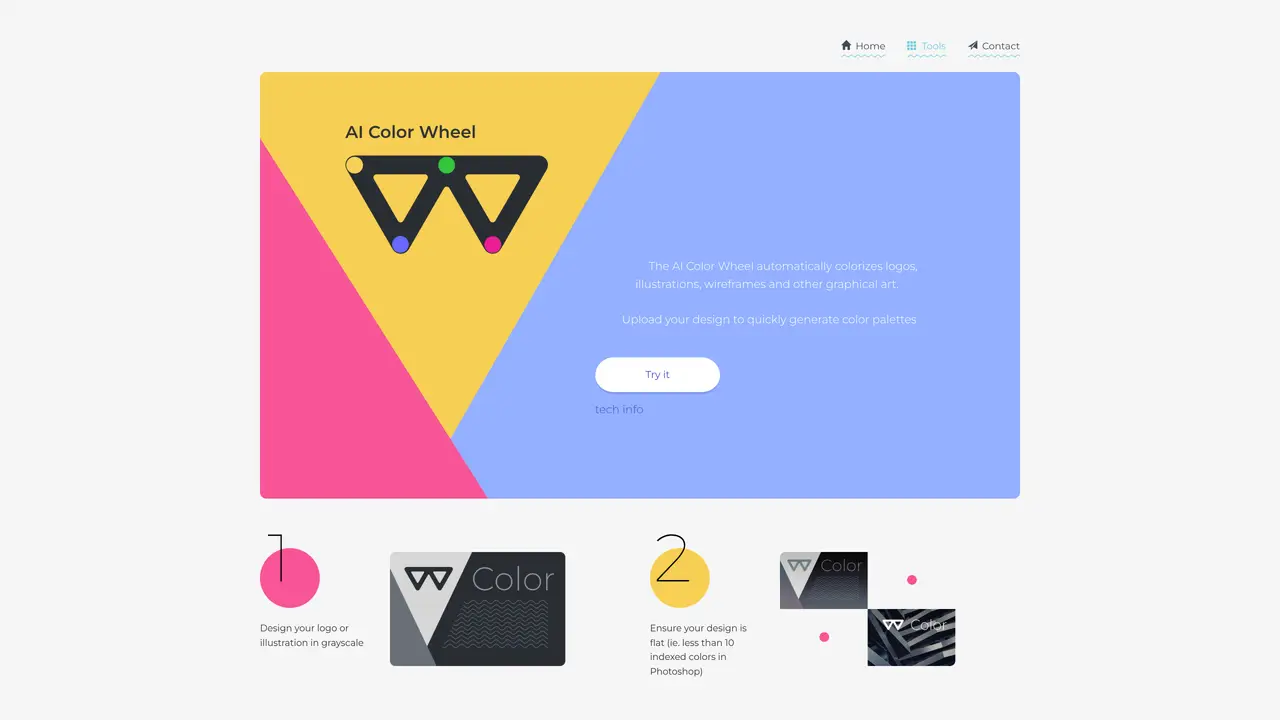
The AI Color Wheel automatically colorizes logos, illustrations, wireframes, and other graphical art by generating color palettes based on uploaded designs. It allows users to tweak color schemes and see their designs re-colorized in various artistic styles.
The tool is designed for designers, illustrators, and anyone creating visual content such as logos or web designs who needs quick color palette inspiration and variations for their projects.
Users can upload a flat design in grayscale with fewer than 10 indexed colors, then adjust the color wheel to generate different palettes and color schemes. No registration is required, and designs are saved in the browser.
Yes, the tool offers a free API for non-commercial use, which can be accessed via GitHub. This allows developers to incorporate colorization features into their applications.
The tool works best with flat designs in grayscale, such as logos or illustrations with limited indexed colors. Complex or multi-layered designs may not produce optimal results.
Yes, users can subscribe to receive notifications when Brandmark adds new design tools to its deep learning toolbox.
We use essential cookies to run aitoolnavio™, and optional cookies to analyze traffic and measure our marketing. You choose what we use — optional cookies stay off unless you turn them on. See our Privacy Policy.
One short email a week: fresh tools worth trying, honest takes and the updates that actually matter. No spam, unsubscribe any time.
AI-powered website builder that generates a professional site in under a minute and includes tools for content, SEO, and analytics.
Generate custom color palettes instantly with AI or from images for design projects.
Renderforest is an AI-driven platform for creating videos, logos, and branding assets quickly using templates and automation.
Convert low-res logos to clean vectors, enhance small-sized images, generate high-quality SVG vectors of noisy bitmaps.
Generate brandable business names, find unique and memorable names, and create aesthetically pleasing searchable domains.
Zawa is your dedicated Creative AI Agent for Branding, helping small businesses and creators build professional brand identities and generate high-conversion marketing materials.
Generate original logos with customizable styles, colors, fonts, and images effortlessly.
Create logos, customize visuals, and explore AI-driven image creation with a free platform.
Create logos instantly, streamline design process, and produce professional visuals with easy-to-use AI-powered technology.
AI-driven branding: logos, websites, and full identity kits.
Streamline business setup, branding, and management with AI-powered tools.
AI-powered logo maker and brand identity design tool with customization options and templates.
Matched on what this tool does — grouped by the job you would be replacing.
matches AI-powered design tool · Quickly create a logo that fits your brand · Detailed breakdown of how designs have been scored
Create a unique logo, experiment with colors/fonts, and get a professional-looking logo in minutes.
Choose any logo you like to generate similar designs with AI
Create a modern logo in seconds, customize it, and enjoy a professional-looking logo redesign effortlessly.
Generate stunning visuals, logos, posters, and visuals effortlessly with a vast library of assets and editing suite.