Trace your ancestry, explore your family's history, and discover how your genes influence your health with a simple saliva sample.
3.2M visits/mo+6.3%#31 Image & Design

Discover your past and future self with AI Age Filter, uploading a photo to see hyper-realistic younger or older versions of yourself.
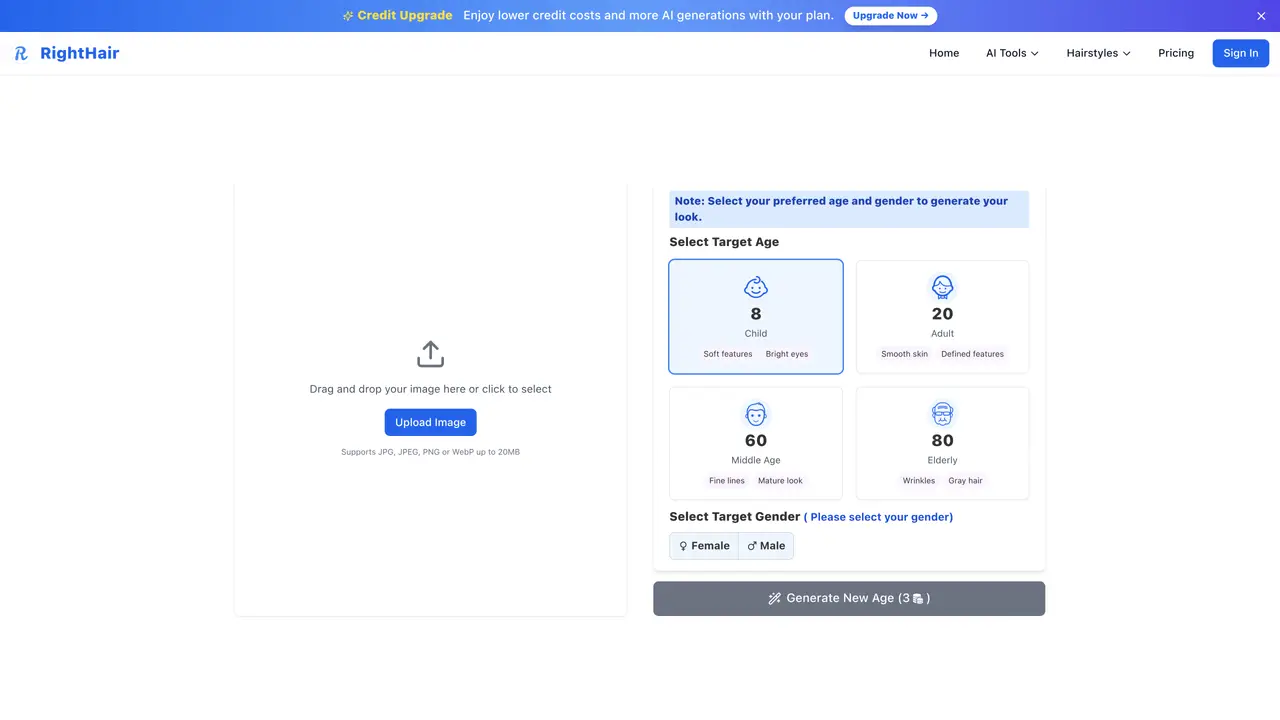
AI Age Filter transforms a selfie into realistic images representing how a person looked at different ages, such as childhood, adulthood, middle age, or old age. Users upload a photo and select a target age and gender to generate personalized, hyper-realistic results. The tool is designed for entertainment and exploration, allowing individuals to visualize their past or future appearance. It operates locally, ensuring full privacy by processing images on-device without storing or sharing them externally. Supported image formats include JPG, PNG, and WebP, making it accessible for most users. The process is straightforward: upload a photo, choose the desired age and gender, and receive the transformed image instantly. While the tool is intended for personal curiosity and fun, it does not provide medical or professional aging predictions. It is suitable for anyone interested in playful self-exploration or creative projects involving age transformation.
The AI model achieves high accuracy using scientifically-verified aging patterns and advanced machine learning algorithms, with results based on thousands of real aging progressions and facial analysis data.
Photos are processed locally in your browser and are never uploaded to or stored on the servers, ensuring complete privacy protection.
Supported formats include JPG, JPEG, PNG, and WebP with a maximum file size of 20MB. Clear, well-lit photos with a visible, forward-facing face yield the best results.
Yes, generated images can be used, shared, and downloaded without watermarks or usage restrictions.
Most age progressions are completed in under 3 seconds due to optimized AI models, though complex images may take slightly longer.
RightHair uses Stable Diffusion models trained on aging patterns, offers local processing for privacy, provides instant results, and is free with no hidden costs or subscriptions.
We use essential cookies to run aitoolnavio™, and optional cookies to analyze traffic and measure our marketing. You choose what we use — optional cookies stay off unless you turn them on. See our Privacy Policy.
One short email a week: fresh tools worth trying, honest takes and the updates that actually matter. No spam, unsubscribe any time.
Trace your ancestry, explore your family's history, and discover how your genes influence your health with a simple saliva sample.
AI-powered headshot creator, helping you stand out to recruiters with professional-looking photos.
Generate realistic avatars, online store models, and unique faces for web design projects.
Generate personalized AI portraits and videos from a single photo for content creation and digital presence.
Enhance facial features, apply age filters, transform photos with 60+ filters, add virtual makeup, and change hairstyles.
An AI portrait generator and photo enhancer that creates professional headshots, styled portraits, and realistic AI faces from photos or text.
Get professional headshots effortlessly with 120+ styles, 4K quality, and customizable backdrops and clothing.
Create stunning profile pictures & AI-generated photos, easily customizable to your exact specifications.
Turn simple selfies into styled shoots and videos.
Create 4K professional AI headshots from selfies & casual photos
Transform your look instantly with our free AI hairstyle changer!
Generate professional headshots in minutes using AI from a few uploaded photos, ideal for LinkedIn, resumes, and business profiles.
Matched on what this tool does — grouped by the job you would be replacing.
matches Instant age progression · Hyper-realistic younger or older versions of yourself
AI baby generator that predicts what your future child will look like.
Create captivating, customizable images of future babies with OurBabyAI.
AI tool that predicts how you will look as you age by transforming a photo into an older version of yourself.
matches Supports major image formats (JPG, PNG, WebP) · Local processing for full privacy
Remove image backgrounds locally in the browser without uploading files
Online AI tool that removes unwanted objects from images
AI tool that removes backgrounds from photos and outputs transparent PNGs
Online AI background remover that generates transparent PNGs from images