
Enhance learning with AI-driven flashcards, tests, and games.
72M visits/mo+70.8%#1 Lifestyle & Education

AI teaching assistant for computer science students integrated into the terminal
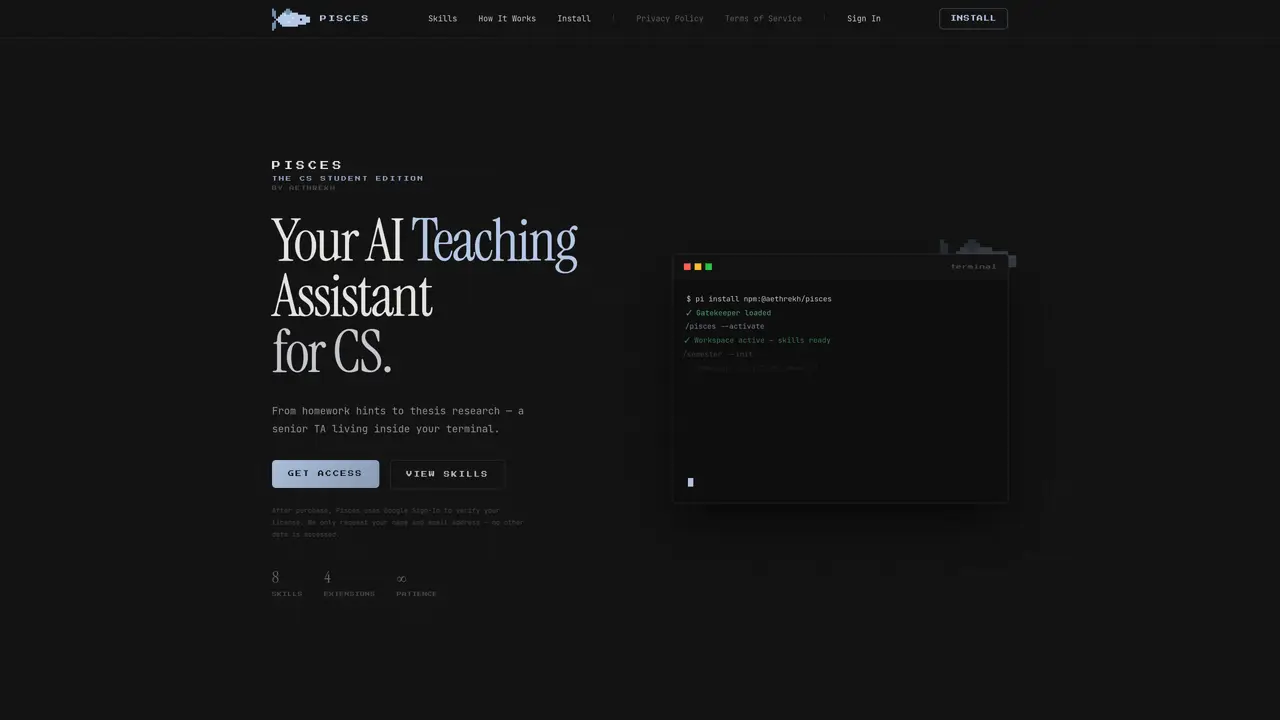
Pisces functions as an AI teaching assistant embedded within the terminal environment, designed specifically for computer science students. It offers eight distinct skills accessible through terminal commands, covering tasks from homework guidance to thesis research support. The tool maintains semester context by reading a SEMESTER.md file, enabling it to provide course-aware assistance and personalized feedback. It provides Socratic hints for assignments without completing them, offers Feynman-style explanations with diagrams, and assists with LeetCode problems through complexity analysis and optimal solution guidance. Pisces also supports project initiation, code review, exam preparation, and academic research with citation generation. The system emphasizes academic integrity by redirecting potential integrity violations to guided learning paths. Installation requires Node.js 18 or higher and Pisces version 0.78.0 or later.
Pisces is an AI teaching assistant embedded in the terminal, specifically designed for computer science students. It provides course-aware assistance, personalized feedback, and guided learning through terminal commands.
Pisces reads a SEMESTER.md file in your project root to detect your academic context, including courses, week number, and active projects. This allows it to tailor responses to your syllabus and current workload.
Pisces provides eight skills: /semester for context management, /homework for Socratic hints, /explain for Feynman-style explanations, /leetcode for problem-solving, /project for kickstarting codebases, /review for TA-level code reviews, /exam for exam prep, and /research for academic paper support.
Yes, Pisces includes an academic integrity system that provides hints and guided learning instead of direct solutions. It avoids completing graded assignments, submitting work, or bypassing honor code detection.
Pisces requires Node.js 18 or higher and version 0.78.0 or later. Installation is done via a one-line command, and activation involves running /pisces --activate to load the skills in your workspace.
Pisces offers four extensions and integrates with terminal environments. It uses Google Sign-In for secure account access, requesting only your name and email address for license verification.
We use essential cookies to run aitoolnavio™, and optional cookies to analyze traffic and measure our marketing. You choose what we use — optional cookies stay off unless you turn them on. See our Privacy Policy.
One short email a week: fresh tools worth trying, honest takes and the updates that actually matter. No spam, unsubscribe any time.
Enhance learning with AI-driven flashcards, tests, and games.
Automatically check student papers for plagiarism, generate originality reports, and offer powerful grading tools.
Create interactive lessons, track student progress, deliver assessments for personalized learning.
Practice coding challenges, improve technical skills, get detailed explanations, compare performance with peers.
AI-powered homework help with step-by-step textbook solutions, expert Q&A, writing tools, and exam prep.
Easily create and track training courses, design learning environments, and access from any device with an intuitive interface.
AI-generated text detector with 99.98% verified accuracy, supporting 20+ languages and integrations with LMS platforms.
Solve math problems, learn topics from basic to advanced, and get hints and insights for difficult problems.
Revolutionize education with AI: lesson planning, IEPs, assessments, enhanced communication.
Online language-learning platform offering interactive courses, progress tracking, rewards, and personalized feedback for all skill levels.
IB and MYP exam prep platform with 35k+ practice questions, AI grading, flashcards, and study tools for students and schools.
AI-powered learning app that helps students and pupils organize study materials, stay motivated, and improve grades with smart tools and features.
Matched on what this tool does — grouped by the job you would be replacing.
matches Socratic homework hints without completing assignments · Feynman-style explanations with Mermaid diagrams
Help students solve homework and assignments by providing step-by-step explanations and guided reasoning.
AI study companion that tracks weak spots and drills them before exams
AI study assistant and exam prep platform for students and exam aspirants
AI-powered study companion for Class 10 board exam preparation
matches LeetCode problem solving with complexity analysis
matches Project scaffolding and architecture guidance
matches TA-level code review with severity ratings · Exam preparation with quiz mode and flashcards
AI interview copilot that provides live, undetectable assistance during coding and technical interviews via screengrabs or selected text.
Autonomous AI assistant for writing, debugging, and running code with step-by-step guidance.
Create, edit, and debug code effortlessly with tutorials, support, and an intuitive design for novice coders.
Unreal Engine 5 plugin that adds AI assistance for C++, Blueprints, and level creation directly inside the editor.
AI-guided workspace for Computer Science and IT students to complete graduation projects
Collaboration and version control platform for software development and AI model hosting.
Personalized support for essay writing, coding help, AI-driven resources, tailored advice to boost job applications.