
Generate content, correct spelling, suggest synonyms to enhance writing.
173M visits/mo+0.1%#1 Productivity & Office
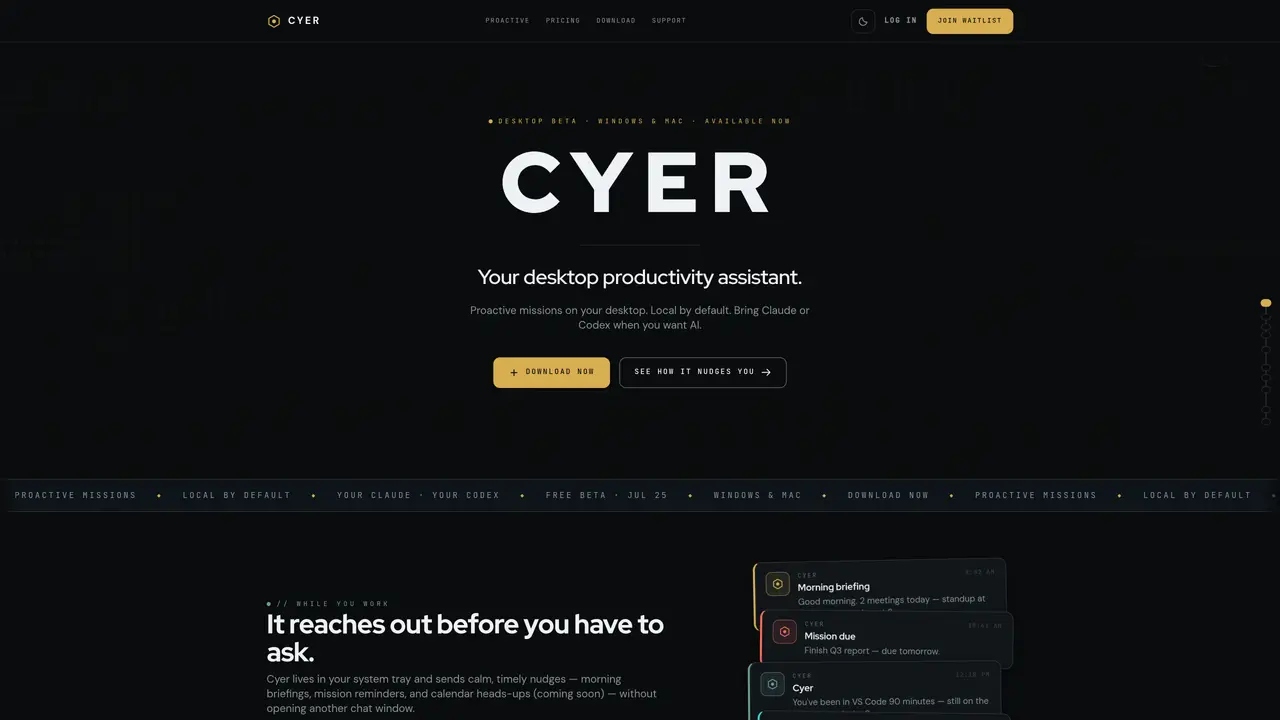
Cyer is a desktop productivity assistant that runs in the system tray and sends timely, non-intrusive nudges such as morning briefings, mission reminders, and calendar heads-ups. It operates locally by default, storing notes, missions, and daily history on the user’s machine without requiring an account for basic functionality. Users can connect their own AI models—Claude Code CLI, Codex CLI, or Ollama—to perform tasks while keeping existing subscriptions intact. The tool includes a command palette for quick note or mission capture from any application without switching windows. A morning summary consolidates notes, missions, and upcoming events into a single local console, reducing the need for multiple apps. Cyer is available as a free beta for Windows and Mac, with paid plans scheduled to begin on August 8, offering advanced features and priority support.
Cyer is a desktop productivity assistant that provides proactive missions, calm nudges, and morning briefings directly in the system tray. It operates locally by default, storing notes, missions, and daily history on the user’s machine without requiring an account for basic functionality.
Unlike chat AIs, Cyer lives in the system tray and sends timely, non-intrusive notifications such as mission reminders and calendar heads-ups without opening another chat window. It focuses on proactive assistance rather than reactive conversations.
No, a Cyer subscription is not required to use AI. Users can connect their own AI models—such as Claude Code CLI, Codex CLI, or Ollama—and Cyer does not mark up the AI costs. The free beta is available without a subscription.
Yes, Cyer supports integration with existing AI tools like Claude Code CLI, Codex CLI, or Ollama. It can also bridge to Claude Desktop via an optional MCP server, allowing users to leverage their current subscriptions without additional fees.
Download the beta version for Windows or Mac, install it, and follow the onboarding steps to set up proactive missions, capture notes, and configure AI integration if desired. The setup process takes a few minutes.
Cyer is available for Windows 10 or 11 (64-bit) and macOS 13 or later. It requires about 200 MB of free disk space and can be downloaded or built from source on GitHub.
We use essential cookies to run aitoolnavio™, and optional cookies to analyze traffic and measure our marketing. You choose what we use — optional cookies stay off unless you turn them on. See our Privacy Policy.
One short email a week: fresh tools worth trying, honest takes and the updates that actually matter. No spam, unsubscribe any time.
Generate content, correct spelling, suggest synonyms to enhance writing.
Markdown-based note-taking and personal knowledge management app that turns notes into a connected system of ideas.
Capture, organize, and share ideas, notes, and documents effortlessly.
Easily create and track training courses, design learning environments, and access from any device with an intuitive interface.
An AI-powered note-taking app for students and professionals to write, sketch, annotate PDFs, record audio, and generate summaries, quizzes, and flashcards.
Handwritten note-taking app with searchable ink, PDF annotation, synced audio, and AI-powered study tools.
AI-powered process documentation tool that captures workflows into visual step-by-step guides with screenshots, editing, and exports.
AI web app that transcribes audio, video, and YouTube links into text in 98 languages with summaries, mind maps, and export formats for students and teams.
A note-taking and spaced-repetition flashcard app for students and learners, with PDF annotation plus AI tools for generating cards, quizzes, and study summaries.
AI-powered research assistant for organizing, analyzing, and synthesizing information from notes and documents.
Capture thoughts, create documents, and access on any device for convenient organization and productivity.
AI-powered PDF editor with built-in agents for summarization, translation, and document analysis.
Matched on what this tool does — grouped by the job you would be replacing.
matches Proactive morning briefings and mission reminders · Local storage for notes, missions, and daily history · Command palette for quick note or mission capture
Captures and organizes personal notes into a searchable memory of contacts
Local-first AI assistant for Mac that captures notes, transcribes meetings, and provides context-aware chat
Private AI assistant running locally with end-to-end encryption for managing files, notes, emails and tasks
Open-source macOS app that quietly builds a private, searchable timeline of your Mac activity for on-device work tracking and AI agent queries.
matches Command palette for quick note or mission capture · Keyboard shortcut for instant capture
Mac command center with local AI, window management and clipboard history
A Mac pinboard for saving text, code, links, tables and screenshots to reuse in AI sessions