
Create stunning visuals, develop ideas with AI-powered tools, and instantly share content without coding or formatting.
21M visits/mo+6.5%#6 Writing & Content

Create stunning slides in seconds, customize with templates, and set up in 8 minutes, no cost.
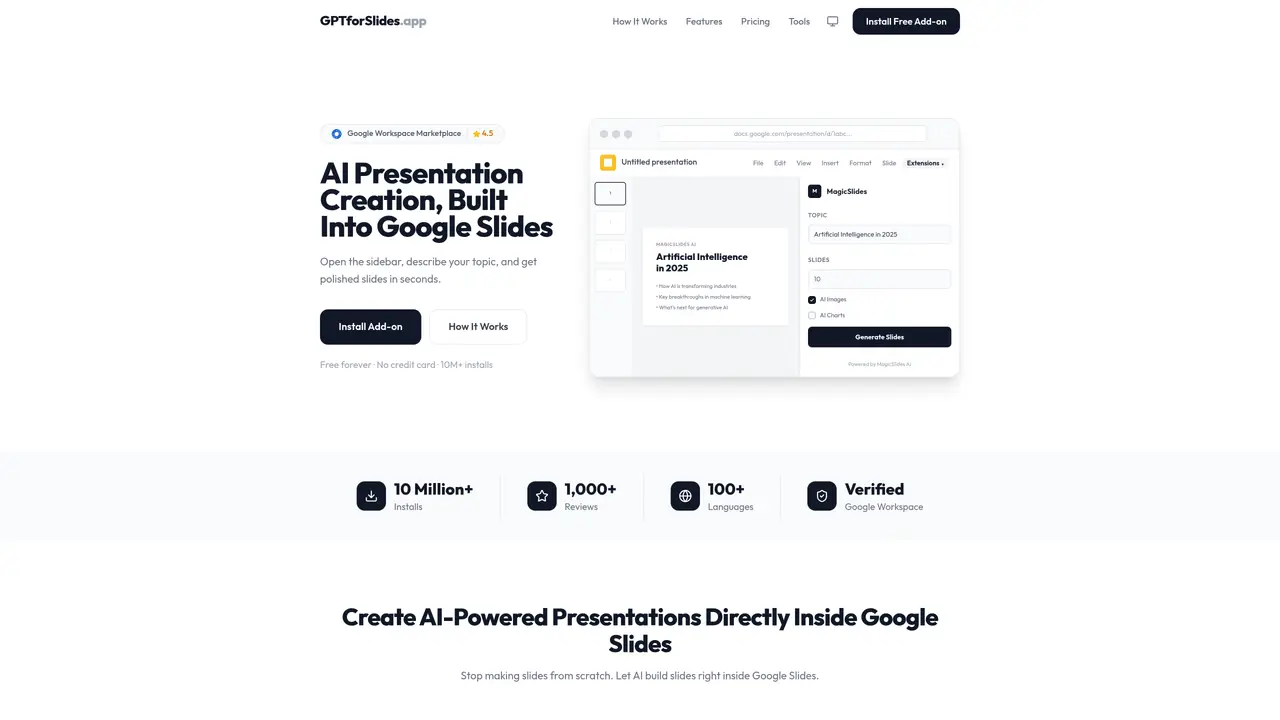
GPT for Slides is a revolutionary AI-powered tool that helps users create stunning presentation slides from any text in seconds. With GPT for Slides, creating professional-looking slides is as easy as entering a few words. This Google Slides add-on is easy to install and can be set up in just 8 minutes, no money required. All you need is a Google account and an OpenAI account. With GPT for Slides, you can quickly and effortlessly create impressive slides that are sure to grab the attention of your audience and make your presentation stand out. With its intuitive design, you can easily customize your slides to your exact specifications. Plus, GPT for Slides also provides users with a range of pre-made templates to help get you started. With GPT for Slides, you can quickly and easily create professional-looking slides that are sure to captivate your audience and drive your message home.
GPT for Slides is an AI-powered add-on for Google Slides that generates polished presentations directly within Google Slides. Users can create slides by entering a topic, pasting text, uploading documents, or providing links to videos and webpages.
The tool is designed for anyone who needs to create professional presentations quickly, including students, educators, business professionals, and content creators. It is particularly useful for those who want to save time on design and formatting.
After installing the add-on from the Google Workspace Marketplace, users open the sidebar in Google Slides, input their topic or content, and click generate. The AI creates a structured presentation with slides, images, and charts automatically.
The tool can convert keywords, documents, PDFs, Word files, YouTube videos, website URLs, and even uploaded images or video files into structured presentations with relevant slides and visuals.
No technical setup is required. The add-on installs in one click and integrates seamlessly with Google Slides, allowing users to start creating presentations immediately without additional tools or learning curves.
Yes, the tool supports instant translation of slides into over 100 languages, making it useful for multilingual presentations or international audiences.
gptforslides.app · third-party estimates from Similarweb
Last 4 months · grows by one month every month
Share of visits · estimated visits
Productivity & Office · Sep 2026
Traffic figures are third-party estimates, good for scale and trends; they can differ from a company's own numbers. Updated monthly.
We use essential cookies to run aitoolnavio™, and optional cookies to analyze traffic and measure our marketing. You choose what we use — optional cookies stay off unless you turn them on. See our Privacy Policy.
One short email a week: fresh tools worth trying, honest takes and the updates that actually matter. No spam, unsubscribe any time.
Create stunning visuals, develop ideas with AI-powered tools, and instantly share content without coding or formatting.
Create captivating, customizable presentations and easily share them across devices with a cloud-based platform.
Engage audience with interactive polls, quizzes, and surveys, and monitor responses with powerful analytics.
All-in-one AI workspace for creating presentations, essays, images, videos, podcasts, and AI-powered chat responses from a single platform.
Visual collaboration platform for creating diagrams, mind maps, wireframes, and workflows with real-time teamwork.
Skywork Super Agents: Workspace productivity suite with specialized AI for research-grade documents, slides & spreadsheets + multimedia tools.
AI-powered design tool that turns templates into professional presentations, infographics, and timelines with no graphic design skills required.
AI-powered platform for creating presentations, infographics, reports, and social media graphics from text prompts with built-in brand management and collaboration tools.
Visualize processes, design network diagrams, and collaborate in real-time with templates and easy-to-use interface.
AI-powered presentation tool that generates professional slides from text with a vast library of templates, images, and customization options.
AI-powered presentation maker that generates PowerPoint and Google Slides decks from prompts, documents, or URLs for professionals, educators, and students.
Generate presentations, create interactive slideshows, and customize with themes, fonts, and colors.
Matched on what this tool does — grouped by the job you would be replacing.
matches Create stunning slides in seconds · Customize slides with pre-made templates · Easy to install as a Google Slides add-on
AI-powered presentation tool that generates professional slides from text with a vast library of templates, images, and customization options.
Create engaging presentations with AI-powered technology, add animation, sound effects, and customize slides with dynamic content.
Generate engaging presentations, visuals for marketing campaigns, and educational content quickly.
Generate slides with text, customize with clicks, and add multimedia effortlessly.