AI assistant for safe, reliable productivity with code, collaboration, and integrations.

AnkiPlus
$1/CoinStarting price
0Popularity
About AnkiPlus
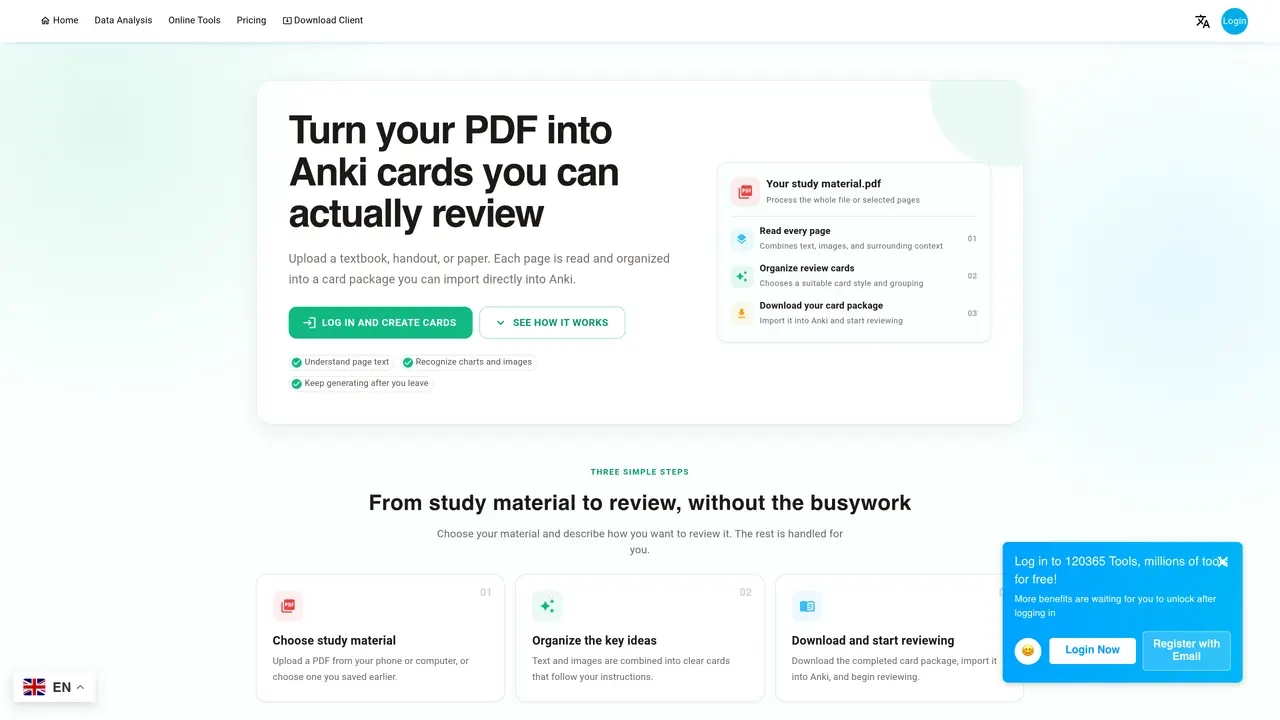
AnkiPlus automates the conversion of PDF documents into Anki flashcard decks. Users upload a PDF such as a textbook, lecture notes, research paper, or exam material, and the service processes each page to extract text and images. The extracted content is organized into structured card packages that can be imported directly into Anki for review. The tool supports both searchable and scanned PDFs, with optical character recognition applied to image-based pages to extract text where possible. Users can select specific page ranges for processing or process the entire document. The generated card package includes cards formatted with context and grouped according to the user’s instructions. The service operates in the background, allowing users to close the page or leave the site while processing continues. Completed tasks are saved in a personal workspace where users can download the card package and import it into Anki to begin reviewing. The tool offers separate progress tracking for reading, organizing, card creation, and packaging stages, with updates provided on task completion.
Key features
- PDF upload and selection
- Optical character recognition for scanned pages
- Text and image extraction with context preservation
- Selective page range processing
- Structured card package generation
- Background task processing
- Progress tracking for each stage
- Multi-language card generation support
Use cases
- Converting textbooks into Anki flashcards for study
- Transforming lecture notes into review decks
- Creating flashcards from research papers for memorization
Pros
- Processes both searchable and scanned PDFs
- Supports selective page range conversion
- Background processing allows task continuation after leaving the page
- Generates structured card packages compatible with Anki
- Separate progress tracking for each processing stage
Cons
- Requires payment based on page count
- No free tier or trial available
- Limited to PDF input format
- Output depends on PDF text quality and structure
Frequently asked questions about AnkiPlus
What kinds of PDFs work well for creating Anki cards?
Textbooks, lecture notes, research papers, exam material, and reference documents work well, especially when their text is searchable and selectable. Clear structure and complete pages make it easier to create accurate cards with useful context.
Can AnkiPlus process scanned PDFs?
Yes. When a page has too little text, the service tries to recognize text from its image and continues using the page image as context. Scanned pages may take longer, and recognition may be incomplete.
What file do I get, and how do I import it into Anki?
When the task is complete, you can download an Anki card package. In Anki, choose Import and open that file to add the cards to your decks and continue reviewing.
Can I convert only selected pages from a PDF?
Yes. Leave the page field empty to process everything, or enter one or more ranges such as 1-3,5,8-10. Overlapping ranges are merged automatically.
How is the cost calculated, and when is it charged?
The cost is based on the pages selected for this task. After choosing the material and page range, you can review the page count, cost, and available payment methods. The task starts only after a second confirmation.
Can I close or leave the page while cards are being generated?
Yes. The task is saved in your personal workspace and keeps running. Return later to check progress or download the result; pages already completed do not restart because you left.