Summarizes, extracts, and rewrites content from files.
89M visits/mo+8.7%#2 Productivity & Office

All-in-one PDF toolkit with AI-powered features and client-side processing
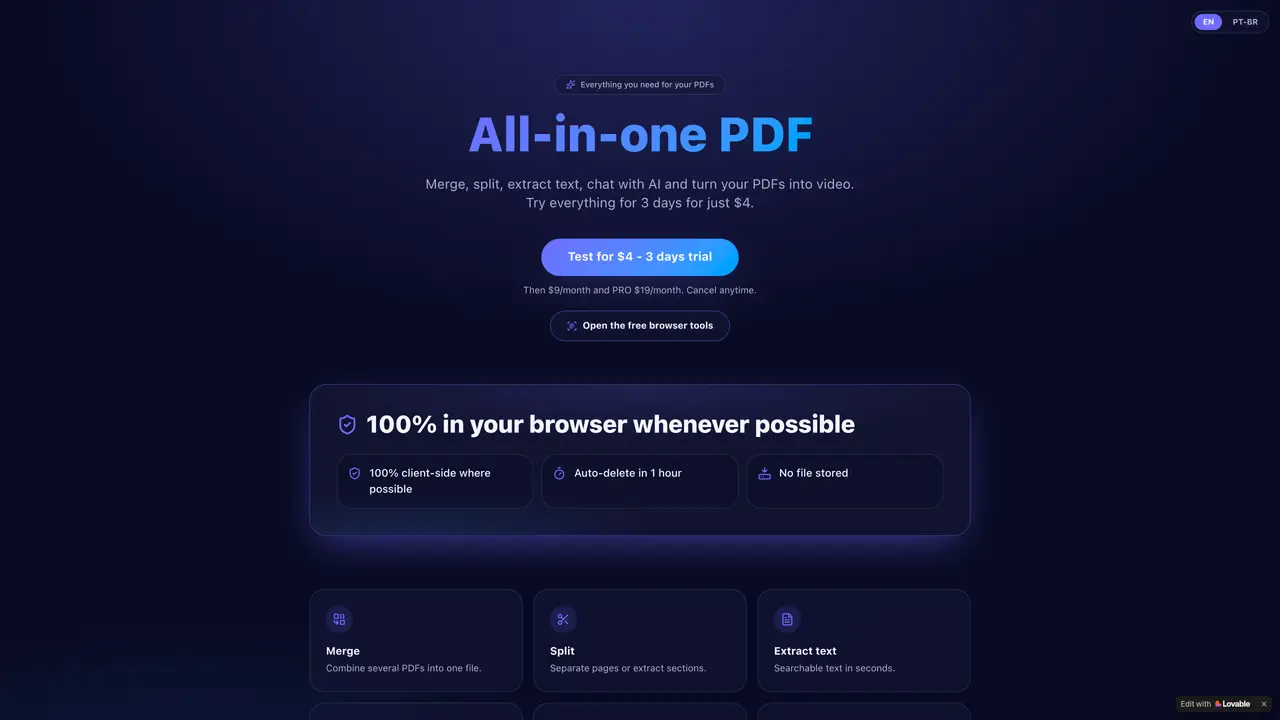
PDFMagic AI provides a suite of PDF-related tools accessible directly through a web browser. The platform allows users to merge, split, and extract text from PDF files, including scanned documents via OCR. It includes an AI chat feature for querying document content and a function to convert PDFs into video format. The service operates primarily client-side to minimize data storage, with files auto-deleted after one hour. A free tier offers browser-based tools, while paid plans provide extended functionality and additional features. The interface is designed to be accessible without requiring software installation.
PDFMagic AI is an all-in-one browser-based platform for handling PDF files, offering tools to merge, split, extract text, perform OCR on scanned documents, chat with AI about document content, and convert PDFs into videos.
The tool suits individuals or professionals who frequently work with PDFs and need quick, client-side solutions for merging, splitting, extracting text, or interacting with document content without installing software.
The service operates primarily client-side, with files auto-deleted after one hour to minimize data storage and enhance privacy.
Yes, it includes OCR functionality to recognize and extract text from scanned PDF documents.
Yes, a free tier is available with browser-based tools, while paid plans offer extended functionality and additional features.
Users can open the free browser tools directly in their browser and start using the PDF tools without requiring installation or setup.
We use essential cookies to run aitoolnavio™, and optional cookies to analyze traffic and measure our marketing. You choose what we use — optional cookies stay off unless you turn them on. See our Privacy Policy.
One short email a week: fresh tools worth trying, honest takes and the updates that actually matter. No spam, unsubscribe any time.
Summarizes, extracts, and rewrites content from files.
Free tool to collect, organize, cite and share research sources
An AI-powered PDF editor and converter for editing, OCR, signing, annotating, merging, and chatting with documents across devices.
Browser-based PDF editor that edits, signs, converts, merges, compresses, and shares files, with AI for form filling, document chat, and PDF creation.
Streamline PDF interaction with AI summarization, batch processing, and secure Q&A.
Efficiently find data, extract key topics, map entities, analyze sentiment, and highlight important points in your PDF documents.
All-in-one AI platform for writing, image, music, and analysis.
AI-powered PDF editor with built-in agents for summarization, translation, and document analysis.
Obtain information, navigate documents, and customize responses with an AI-powered chatbot and user-friendly interface.
Summarize, chat with, and clean up PDFs.
Find sections, analyze & extract content, and interact with documents efficiently using AI-powered technology.
Generate comprehensive PDF reports, leverage NLP and ML to understand documents, save time and money with faster decision-making.
Matched on what this tool does — grouped by the job you would be replacing.
matches Edit text in original font, size, color and alignment · Convert scanned PDFs and images to editable text with OCR · Reorder, merge, split and delete pages
An AI-powered PDF editor and converter for editing, OCR, signing, annotating, merging, and chatting with documents across devices.
AI-powered PDF editor that lets users edit text in original fonts and convert scans to editable files
Lightweight AI-powered PDF editor for macOS with on-device processing
Privacy-first online PDF toolkit with 90+ browser-based tools and 4 AI features
matches Merge multiple PDFs into one file · Split PDFs by pages or sections · Convert PDFs to video
matches AI chat for document queries · Summarize PDFs in seconds · Analyze PDF content
Convert PDFs to Word, Excel, PowerPoint, HTML, merge multiple PDFs, and extract images.
Free online PDF tools for merging, splitting, compressing and converting files without signup
Browser-based PDF processing and conversion tools
Suite of 37 browser-based tools for PDF and image editing without uploads
Summarizes, extracts, and rewrites content from files.
AI-powered PDF editor with built-in agents for summarization, translation, and document analysis.
Read smarter with Free AI PDF Reader!