AI assistant for safe, reliable productivity with code, collaboration, and integrations.

ChatShelf
FreeStarting price
0Popularity
About ChatShelf
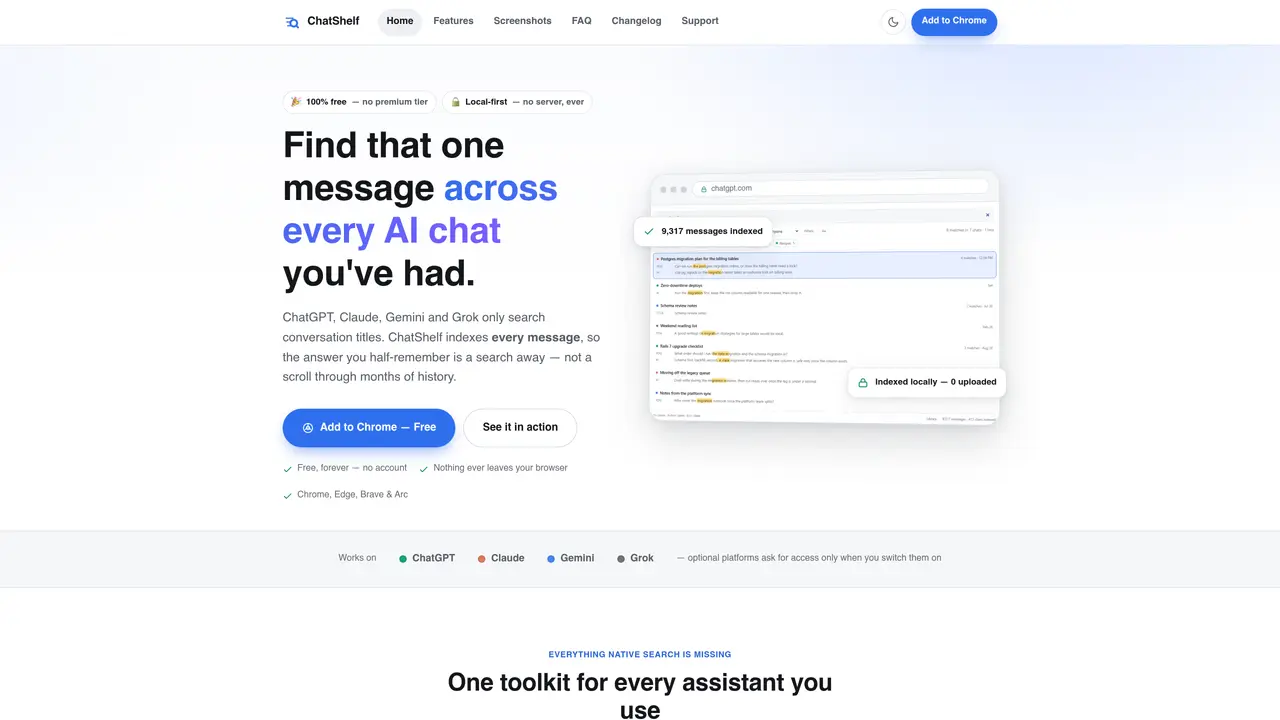
ChatShelf is a browser extension that indexes and enables full-text search across conversations from ChatGPT, Claude, Gemini, and Grok without sending data to external servers. It builds a local index of every message in the user’s browser storage, allowing searches that native platform tools cannot perform, such as searching quoted phrases, excluding words, or filtering by platform, topic, folder, author, or date. The tool provides cross-platform folders to organize threads from different assistants together, smart tags generated from conversation content, and a prompt library with placeholders and chaining capabilities. Users can bookmark messages with notes, monitor context window limits, and export data in multiple formats including TXT, Markdown, JSON, or ZIP. A command palette and keyboard shortcuts offer quick access to features like search, prompts, and diagnostics directly within chat interfaces.
Key features
- Full-text search with phrase matching and filters
- Cross-platform folder organization
- Smart tagging by conversation topic
- Prompt library with placeholders and chaining
- Message bookmarking with notes and colors
- Context window meter with local estimation
- Multi-format export (TXT, Markdown, JSON, ZIP)
- Command palette with keyboard shortcuts
Use cases
- Locating specific details in long AI chat histories
- Organizing project-related conversations across multiple assistants
- Reusing saved prompts and past conversations in new chats
Pros
- Local-first indexing with no server storage or telemetry
- Full-text search across messages, not just titles
- Supports ChatGPT, Claude, Gemini, and Grok with optional platform access
- Cross-platform folder organization and smart tagging
- Export options including Markdown with YAML frontmatter for note-taking apps
Cons
- Requires Chrome, Edge, Brave, or Arc browser
- No mobile or desktop app outside browser extension
- Optional platforms must be enabled manually per session
- Uninstallation removes all local data
Frequently asked questions about ChatShelf
Is ChatShelf really free?
Yes, ChatShelf is completely free with no premium tier, usage limits, or account required. All features are available to every user indefinitely.
Which AI platforms does ChatShelf support?
ChatShelf supports ChatGPT, Claude, Gemini, and Grok (including Grok on x.com). ChatGPT is enabled by default, while the others can be turned on or off via the extension popup.
Where is my data stored?
All data is stored locally in your browser's IndexedDB storage on your device. ChatShelf has no servers, so your conversations never leave your machine.
Does ChatShelf slow down the websites I use it on?
No, indexing occurs quietly in the background and only reads the page you already have open. There is no continuous polling of external services.
What happens to my data if I uninstall ChatShelf?
Uninstalling the extension deletes its local storage, including folders, prompts, bookmarks, and the search index. Your original conversations on the AI platforms remain unaffected.
Does ChatShelf collect analytics or telemetry?
No, ChatShelf does not collect any analytics or telemetry. It operates entirely locally without tracking user activity or storing data externally.