Generate content, correct spelling, suggest synonyms to enhance writing.
173M visits/mo+0.1%#1 Productivity & Office

Browser extension adding folders, prompt library and export to Google Gemini
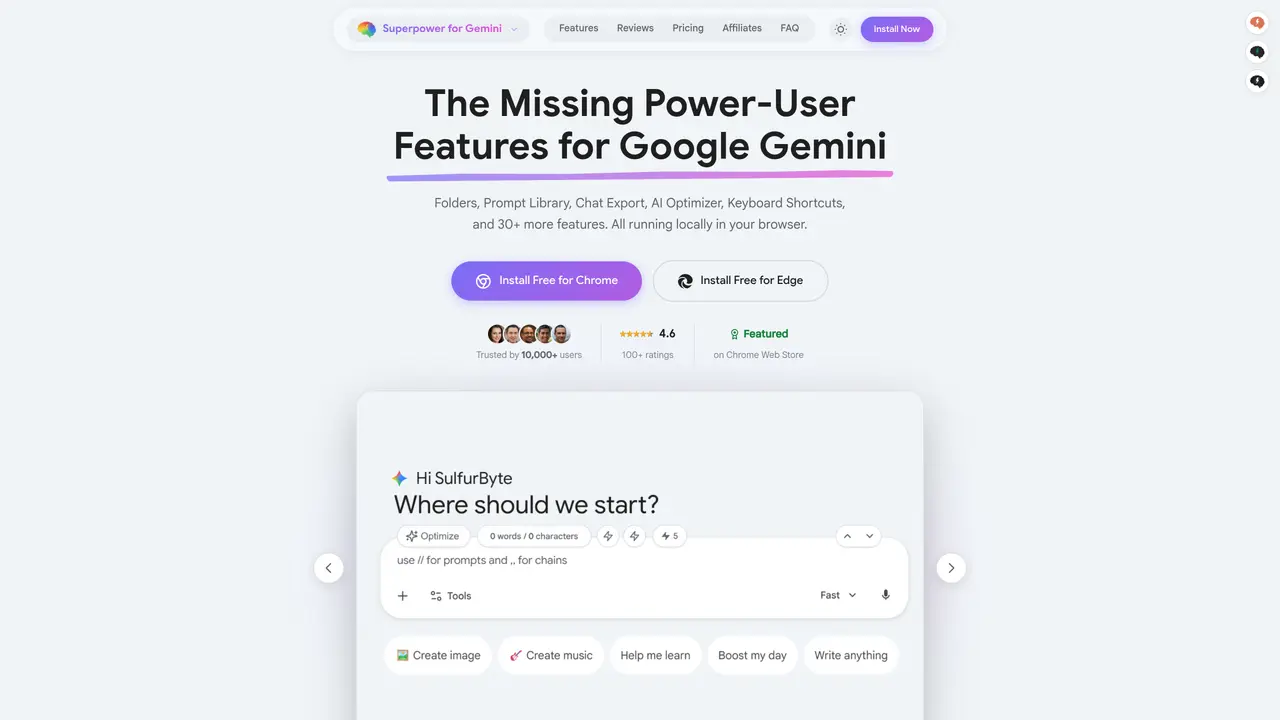
Browser extension that adds missing productivity features to Google Gemini. It provides native folders and subfolders for organizing chats, a prompt library for saving and reusing prompts with slash commands, and one-click universal export to PDF, Word or plain text. Real-time counters display word, character and daily prompt counts while typing, and fully customizable keyboard shortcuts allow faster navigation without mouse use. The AI Prompt Optimizer automatically rewrites prompts for better results, and prompt chains enable multi-step automated workflows. Additional features include message queuing, bookmarking replies, model switching shortcuts, UI decluttering and full-width chat view. All functionality runs locally in the browser with no server processing.
Superpower for Gemini is a browser extension that adds productivity features to Google Gemini, such as folders for organizing chats, a prompt library with slash commands, and one-click exports to PDF, Word, or plain text.
It suits power users of Google Gemini who need better organization, reusable prompts, and advanced workflows without relying on external tools or servers.
Yes, the core extension is free with generous limits, while the Pro version removes restrictions and adds exclusive features like chat referencing and custom optimization prompts.
You can export any Gemini chat as plain text (.txt), Markdown (.md), PDF, Word (DOCX), or plain text directly from the extension.
Yes, the extension includes prompt chains for multi-step automated workflows and a message queue for sending multiple prompts sequentially.
Install the extension from the Chrome Web Store or Edge Add-ons, then customize features like keyboard shortcuts and folders to suit your workflow.
We use essential cookies to run aitoolnavio™, and optional cookies to analyze traffic and measure our marketing. You choose what we use — optional cookies stay off unless you turn them on. See our Privacy Policy.
One short email a week: fresh tools worth trying, honest takes and the updates that actually matter. No spam, unsubscribe any time.
Generate content, correct spelling, suggest synonyms to enhance writing.
Turn messy team ideas into actionable plans with Miro's visual workspace.
Leverage analytics, automate tasks, share documents, and coordinate projects.
Integrates AI into Airtable to analyze data, summarize insights, draft content, and automate workflows without prior AI experience.
Cloud accounting software that automates bookkeeping, invoicing, and financial reporting for small and growing businesses.
Streamline teamwork, manage projects, automate tasks efficiently.
Automate code, research, and documents using agents.
AI assistant for safe, reliable productivity with code, collaboration, and integrations.
Create customizable tables, databases, and spreadsheets, share data securely with team members.
Easy-to-use CRM platform that automates lead capturing, prioritizes tasks, and provides sales pipeline analytics for businesses of all sizes.
Transforms thoughts into actions, enhancing productivity and efficiency.
Write & run code in 50+ languages, auto-complete with AI, and code faster with an intuitive interface.
Matched on what this tool does — grouped by the job you would be replacing.
Paid placement · similar tools from listings that support aitoolnavio™
Instant lead response for home-service pros: your phone rings on every new lead, plus 14 days of follow-up
matches Prompt library with slash command access · Prompt chains for multi-step automated workflows · Message queue for batch prompt sending
matches Native folders and subfolders with trash bin and sorting · Universal export to PDF, Word or plain text · Real-time word, character and daily prompt counters
Chrome extension that organizes and exports AI chat histories across platforms
Your All-in-one Prompt Management Tool
A Chrome extension to save, organize, and reuse AI prompts across chatbots with shortcuts and prompt chains.
Browser extension enhancing Microsoft Copilot with prompt templates, folders, canvas mode and code inspection
Browser extension organizing AI chat conversations into folders with text highlights and links
Export chats, merge conversations, set permissions, search keywords, and filter chats by date, time, or user.
Browser extension to export AI chat histories into PDF, Word, TXT, images, or Markdown