Generate content, correct spelling, suggest synonyms to enhance writing.
173M visits/mo+0.1%#1 Productivity & Office

Browser extension enhancing Microsoft Copilot with prompt templates, folders, canvas mode and code inspection
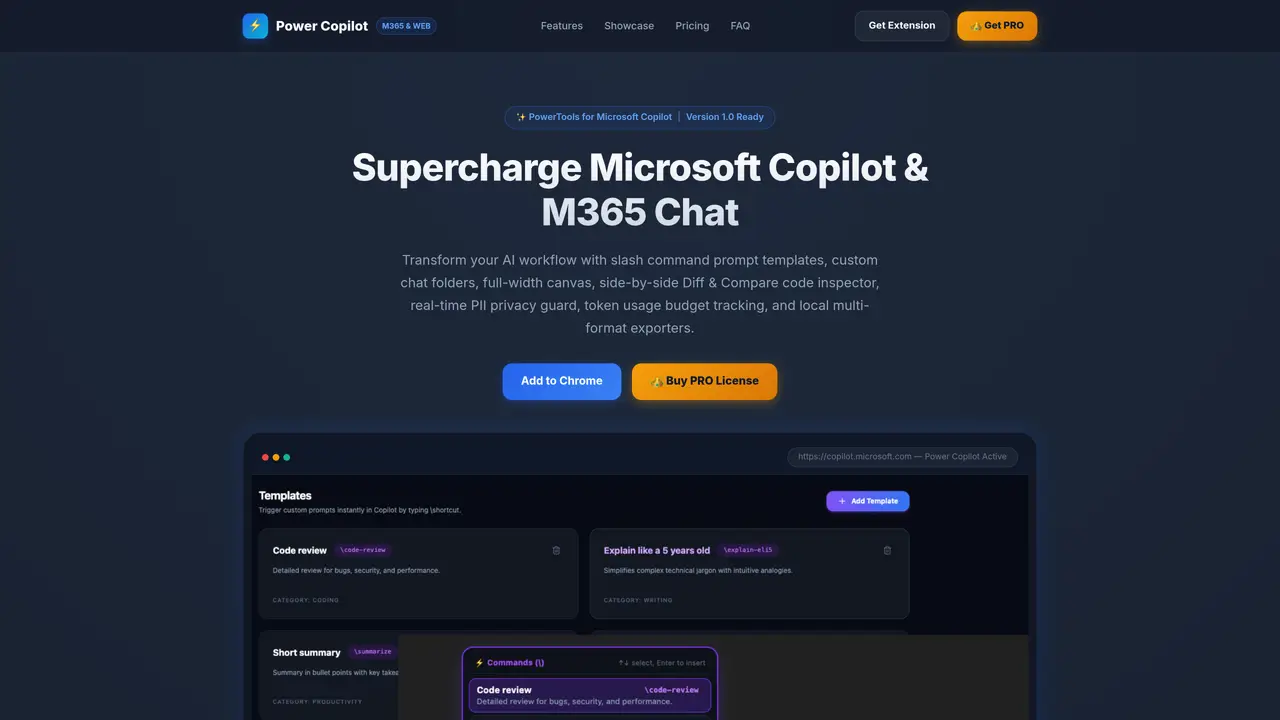
Power Copilot is a Chrome extension that enhances productivity within Microsoft Copilot and M365 Enterprise Chat by offering a suite of productivity-focused tools. The extension allows users to organize conversations into custom color-coded folders, streamlining workflows and making it easier to locate and manage discussions. It includes reusable prompt templates with real-time autocomplete, enabling faster and more consistent interactions with AI chat systems. Users can adjust the chat interface for improved readability, including a full-width canvas mode for expanded viewing and a side-by-side diff and compare tool for inspecting code or text changes. A real-time PII redaction system masks sensitive data before it reaches the LLM, ensuring privacy and compliance. Additional features include token usage tracking with configurable budget limits, local exporters for saving conversations in Markdown or JSON, and a side panel workspace for managing templates and folders. Power Copilot operates entirely client-side, ensuring data privacy and security, and supports five languages, making it suitable for both individual users and enterprise environments seeking to optimize AI interactions while maintaining control over their data.
Power Copilot is a Chrome extension that enhances Microsoft Copilot and M365 Enterprise Chat with productivity tools such as prompt templates, conversation organization, full-width canvas mode, side-by-side diff and compare, real-time PII redaction, token usage tracking, and local data exporters.
Power Copilot is designed for users of Microsoft Copilot and M365 Enterprise Chat who want to improve their workflow efficiency, organize conversations, manage reusable prompts, and maintain data privacy while working with AI.
Power Copilot operates entirely client-side, meaning all data processing and PII redaction occurs locally on the user's device, ensuring sensitive information never leaves the user's control.
Power Copilot supports five languages: English, German, Polish, Spanish, and Bulgarian, with full localization for its interface and features.
Installation takes less than 60 seconds. Users can download the extension package and enable it via chrome://extensions or edge://extensions in their browser.
Power Copilot offers a free version with essential features and a PRO version that unlocks unlimited folders, templates, advanced PII scanning, and custom token budget limits. The PRO version is available via a monthly or yearly subscription.
We use essential cookies to run aitoolnavio™, and optional cookies to analyze traffic and measure our marketing. You choose what we use — optional cookies stay off unless you turn them on. See our Privacy Policy.
One short email a week: fresh tools worth trying, honest takes and the updates that actually matter. No spam, unsubscribe any time.
Generate content, correct spelling, suggest synonyms to enhance writing.
Markdown-based note-taking and personal knowledge management app that turns notes into a connected system of ideas.
Capture, organize, and share ideas, notes, and documents effortlessly.
Easily create and track training courses, design learning environments, and access from any device with an intuitive interface.
An AI-powered note-taking app for students and professionals to write, sketch, annotate PDFs, record audio, and generate summaries, quizzes, and flashcards.
Handwritten note-taking app with searchable ink, PDF annotation, synced audio, and AI-powered study tools.
AI-powered process documentation tool that captures workflows into visual step-by-step guides with screenshots, editing, and exports.
AI web app that transcribes audio, video, and YouTube links into text in 98 languages with summaries, mind maps, and export formats for students and teams.
A note-taking and spaced-repetition flashcard app for students and learners, with PDF annotation plus AI tools for generating cards, quizzes, and study summaries.
AI-powered research assistant for organizing, analyzing, and synthesizing information from notes and documents.
Capture thoughts, create documents, and access on any device for convenient organization and productivity.
AI-powered PDF editor with built-in agents for summarization, translation, and document analysis.
Matched on what this tool does — grouped by the job you would be replacing.
matches Slash command prompt templates with autocomplete · Custom color-coded chat folders with reordering · Full-width canvas mode for expanded viewing
Chrome extension that organizes and exports AI chat histories across platforms
Browser extension adding folders, prompt library and export to Google Gemini
Centralized workspace for chatting with multiple AI models and managing prompts
Local-first desktop workspace for managing multiple AI agents with policy controls
matches Side-by-side diff and compare for code and text
matches Real-time PII redaction with custom RegEx support
matches Token usage budget tracking with configurable limits
macOS desktop app that builds structured AI prompts from local code repos for developers, with file selection, token estimates, and diff-based edits.
Browser extension that integrates Claude Code into the live webpage editing workflow
Redacts secrets in logs and configs before pasting into AI tools
Browser extension that redacts sensitive data from AI prompts before they leave the user's device
Browser extension that automatically redacts sensitive data from AI assistant prompts
Desktop workspace and usage tracker for AI coding agents
Monitors and logs token usage and execution traces for coding agents including Claude Code
Enterprise platform for governing AI spend, access and security in one console