AI-powered website builder that generates a professional site in under a minute and includes tools for content, SEO, and analytics.
52M visits/mo+0.7%#4 Coding & Development

Browser extension that integrates Claude Code into the live webpage editing workflow
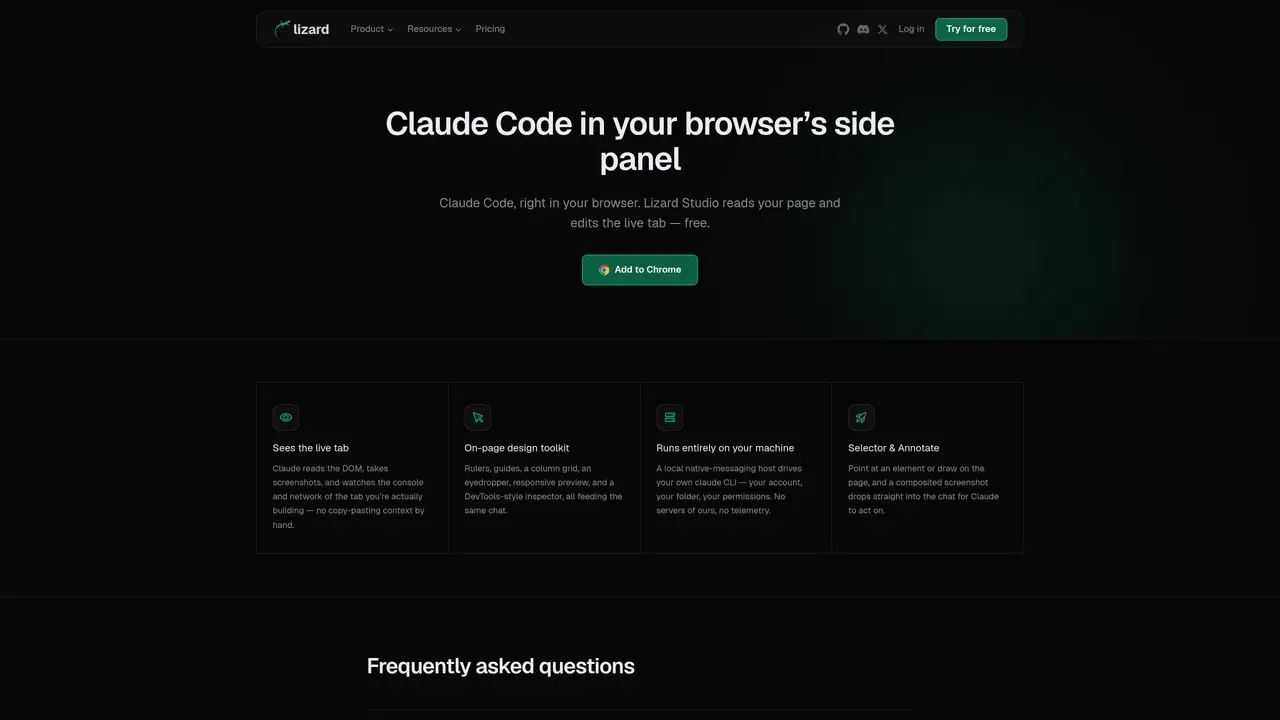
Lizard Studio is a Chrome extension that embeds a Claude Code chat interface in the browser’s side panel, connected to the currently open webpage. It reads the live DOM, captures screenshots, monitors console and network activity, and can interact with the page directly. The extension operates entirely locally through a native-messaging host that connects to the user’s own Claude Code CLI, Anthropic account, and project folder. No Lizard servers are involved, and no user data is transmitted to external services beyond standard Claude usage. It includes an on-page design toolkit with rulers, guides, a column grid, eyedropper, responsive preview, and a DevTools-style inspector, all feeding into the same chat session. Installation requires loading the extension unpacked and running a one-time CLI command to establish the local connection. The tool is designed for developers building or debugging web pages who want AI assistance without manual context copying.
Lizard Studio is a Chrome extension that embeds a Claude Code chat interface in the browser’s side panel, connected to the currently open webpage. It reads the live DOM, captures screenshots, monitors console and network activity, and can interact with the page directly.
No. It drives your own local Claude Code CLI with your own Anthropic account and your own project folder — there is no Lizard login involved in using the extension.
No. Everything runs locally through a small native-messaging host on your machine. Lizard Studio does not operate any server and receives no user data beyond standard Claude usage.
Load the extension unpacked from chrome://extensions in Developer mode, then run 'npx @lizard-build/lizard-studio-host install' once to connect it to your local Claude Code CLI. Full setup steps are available in the GitHub repository.
Yes. It can read the live DOM, take screenshots, watch console and network activity, and interact with the page directly, such as clicking elements or typing into inputs.
The extension includes an on-page design toolkit with rulers, guides, a column grid, an eyedropper, responsive preview, and a DevTools-style inspector, all integrated with the chat session.
We use essential cookies to run aitoolnavio™, and optional cookies to analyze traffic and measure our marketing. You choose what we use — optional cookies stay off unless you turn them on. See our Privacy Policy.
One short email a week: fresh tools worth trying, honest takes and the updates that actually matter. No spam, unsubscribe any time.
AI-powered website builder that generates a professional site in under a minute and includes tools for content, SEO, and analytics.
AI-powered coding platform that uses agents to plan, write, and test software with real-time feedback and verifiable artifacts.
Automate code, research, and documents using agents.
AI-powered code assistant that generates, reviews, optimizes, and debugs code with natural language prompts and editor integrations.
AI assistant for safe, reliable productivity with code, collaboration, and integrations.
AI-powered IDE for autonomous coding tasks and agentic development workflows
Privacy-focused AI chatbot that generates uncensored text, code, images, and translations without storing conversations or requiring an account.
A free web-based AI chatbot and agent for writing, coding, research, and content creation with multilingual support.
Write & run code in 50+ languages, auto-complete with AI, and code faster with an intuitive interface.
An IDE that automates legacy-to-modern code migration using autonomous coding agents.
AI models that return typed decisions with calibrated confidence for software automation
Practice coding challenges, improve technical skills, get detailed explanations, compare performance with peers.
Matched on what this tool does — grouped by the job you would be replacing.
matches Claude Code integration in browser side panel · Live DOM and network inspection · On-page design toolkit with rulers and guides
Pieces auto-captures your workflow context across tools and surfaces it via a privacy-first AI assistant for faster recall and reuse.
A no-code AI tool that lets users create custom Chrome extensions and browser automations by describing needs in plain language.
Manifest converts any webpage into a structured JSON action map for AI agents, eliminating manual interaction guesswork.