

Generate content, correct spelling, suggest synonyms to enhance writing.
173M visits/mo+0.1%#1 Productivity & Office
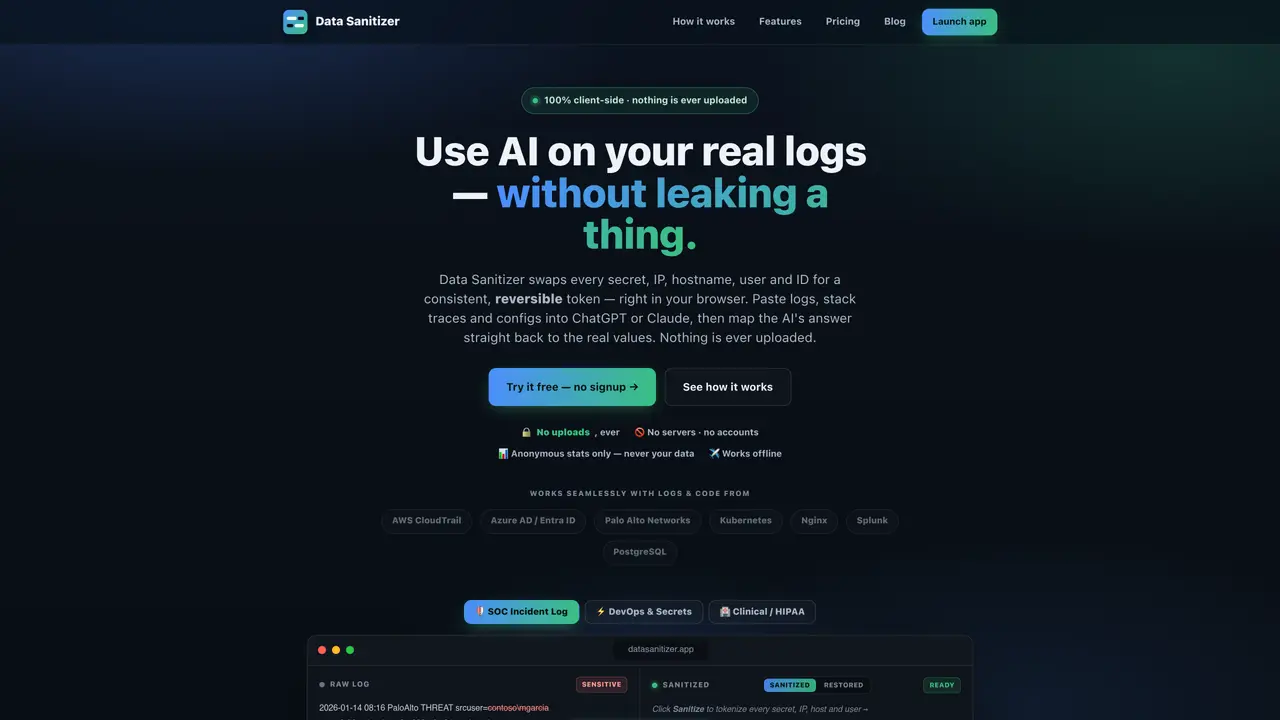
A browser-based tool that tokenizes sensitive data such as secrets, IP addresses, hostnames, user IDs, and PII in logs, stack traces, or configuration files before pasting them into AI assistants like ChatGPT or Claude. All processing occurs client-side, ensuring no data is uploaded or stored externally. The tool replaces real values with consistent, reversible tokens that maintain relationships for AI reasoning, then allows users to restore the original values after receiving AI responses. It supports common log formats from AWS CloudTrail, Azure AD, Palo Alto Networks, Kubernetes, Nginx, Splunk, and PostgreSQL, and includes presets for compliance needs like HIPAA or GDPR. The application works offline and integrates via a Chrome extension for streamlined workflows.
Data Sanitizer tokenizes sensitive data such as secrets, IP addresses, hostnames, user IDs, and PII in logs, stack traces, or configuration files before pasting them into AI assistants like ChatGPT or Claude. It replaces real values with consistent, reversible tokens while maintaining relationships for AI reasoning.
The tool is designed for developers, DevOps & SRE teams, SOC/security professionals, IT & sysadmins, data analysts, and support engineers who handle sensitive logs or datasets and need to use AI tools without risking data leaks.
No, all processing occurs client-side in the browser, and nothing is ever uploaded or stored externally. The tool works fully offline and does not require accounts or servers.
After receiving an AI response, you can paste it back into Data Sanitizer and click 'Restore' to map the tokens back to their original values. The mapping remains on your device and is never shared.
It supports common log formats from AWS CloudTrail, Azure AD/Entra ID, Palo Alto Networks, Kubernetes, Nginx, Splunk, and PostgreSQL, among others. The tool also includes presets for compliance needs like HIPAA or GDPR.
Yes, the Pro version allows users to create custom regex patterns, define their own watch lists, and set up allowlists for values that should never be redacted. It also supports sharing team configurations.
We use essential cookies to run aitoolnavio™, and optional cookies to analyze traffic and measure our marketing. You choose what we use — optional cookies stay off unless you turn them on. See our Privacy Policy.
One short email a week: fresh tools worth trying, honest takes and the updates that actually matter. No spam, unsubscribe any time.
Generate content, correct spelling, suggest synonyms to enhance writing.
Turn messy team ideas into actionable plans with Miro's visual workspace.
Leverage analytics, automate tasks, share documents, and coordinate projects.
Integrates AI into Airtable to analyze data, summarize insights, draft content, and automate workflows without prior AI experience.
Cloud accounting software that automates bookkeeping, invoicing, and financial reporting for small and growing businesses.
Streamline teamwork, manage projects, automate tasks efficiently.
Automate code, research, and documents using agents.
AI assistant for safe, reliable productivity with code, collaboration, and integrations.
Create customizable tables, databases, and spreadsheets, share data securely with team members.
Easy-to-use CRM platform that automates lead capturing, prioritizes tasks, and provides sales pipeline analytics for businesses of all sizes.
Transforms thoughts into actions, enhancing productivity and efficiency.
Write & run code in 50+ languages, auto-complete with AI, and code faster with an intuitive interface.
Matched on what this tool does — grouped by the job you would be replacing.
Paid placement · similar tools from listings that support aitoolnavio™
Instant lead response for home-service pros: your phone rings on every new lead, plus 14 days of follow-up
matches Reversible tokenization of secrets, IPs, hostnames, and PII · Presets for logs, cloud services, Windows/AD, and compliance · Custom regex and watch lists for internal identifiers
Browser-based tool that redacts and restores sensitive data in text for safe AI usage while meeting privacy compliance.
Browser extension that redacts sensitive data from AI prompts before they leave the user's device
Browser extension that automatically redacts sensitive data from AI assistant prompts
Local-first AI data loss prevention tool that scans prompts for secrets and PII before they reach AI services