Discover personalized fashion, receive expert advice, and enjoy convenient shopping with free shipping and returns.
6.8M visits/mo+15.2%#5 Lifestyle & Education

Export chats, merge conversations, set permissions, search keywords, and filter chats by date, time, or user.
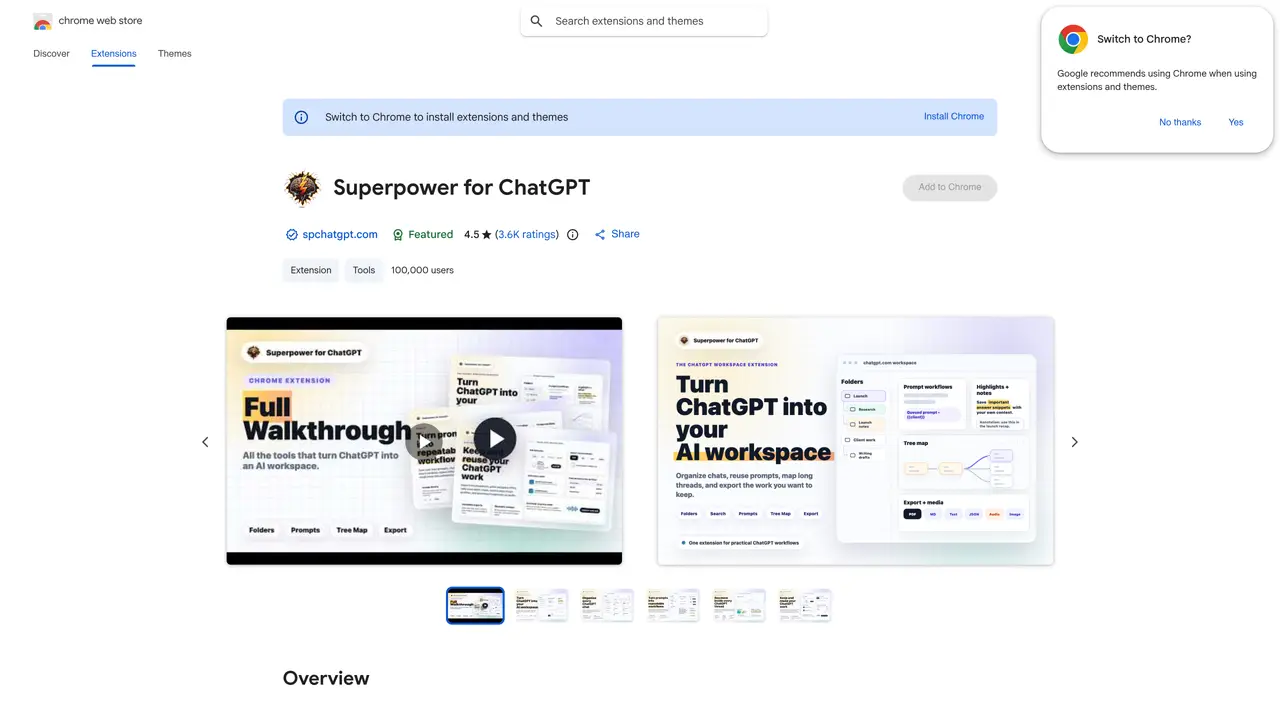
Superpower GPT is a powerful and intuitive Chrome extension designed to enhance the ChatGPT user experience. With this tool, you can easily export your chats into multiple formats, such as txt, HTML, and PDF. You can also create and merge multiple conversations, set permissions for who can view and edit different conversations, and quickly search for keywords. Moreover, you can filter chats by date, time, or user, making it easier than ever to find the information you need. Use Cases And Features include: 1. Easily export chats into multiple formats such as TXT, HTML, and PDF. 2. Create and merge multiple conversations and set permissions for who can view and edit. 3. Quickly search for keywords and filter chats by date, time, or user.
Superpower GPT is a Chrome extension that enhances the ChatGPT experience by providing tools for organizing, managing, and exporting conversations. It allows users to create folders, search chats, highlight text, export conversations in multiple formats, and manage prompts efficiently.
The tool is designed for ChatGPT users who need better organization, searchability, and management of their conversations and prompts. It suits researchers, professionals, and casual users who want to save time and improve productivity with ChatGPT.
Yes, users can export ChatGPT conversations in multiple formats, including PDF, TXT, JSON, and Markdown. It also allows exporting individual messages or bulk exporting conversations.
Yes, the extension includes a prompt manager for saving, optimizing, queuing, and sharing prompts. Users can create prompt chains, mark favorites, and access a public library of community prompts.
Yes, it provides an image gallery to view, search, and download ChatGPT-generated images. Users can also create public showcase pages to share images with titles, descriptions, and reusable prompt recipes.
Install the Chrome extension from the Chrome Web Store, then access its features directly within the ChatGPT interface. No additional setup is required beyond installation.
We use essential cookies to run aitoolnavio™, and optional cookies to analyze traffic and measure our marketing. You choose what we use — optional cookies stay off unless you turn them on. See our Privacy Policy.
One short email a week: fresh tools worth trying, honest takes and the updates that actually matter. No spam, unsubscribe any time.
Discover personalized fashion, receive expert advice, and enjoy convenient shopping with free shipping and returns.
Personal assistant that coordinates tasks across apps and devices via text or call
Quickly narrow searches by category, control results by country or language, and find relevant, accurate results with ease.
Optimizes schedules by auto-organizing tasks and meetings.
AI assistant that drafts, reviews, and researches legal documents for lawyers and law firms.
Real-time task tracking, project management, collaboration, and task assignment.
An AI voice assistant that delivers emotionally intelligent, context-aware conversations with natural timing and personal engagement.
Identify technologies, analyze data, and refine search criteria with AI-powered tools for patent research and trend analysis.
Automate audio and video transcription, timestamps, speaker labels, diarization, and export with customizations.
An AI chat platform for immersive, personalized interactions with virtual companions, including image generation.
Customer relations assistant in Gmail
AI-driven app personalizing adaptive workouts for continuous improvement.
Matched on what this tool does — grouped by the job you would be replacing.
matches Export chats into multiple formats (txt, HTML, PDF) · Create and merge multiple conversations · Set permissions for who can view and edit different conversations
Chrome extension that organizes and exports AI chat histories across platforms
A chatbot platform to save, organize, and share conversations with voice input and text-to-speech features.
Browser extension adding folders, prompt library and export to Google Gemini
Browser extension organizing AI chat conversations into folders with text highlights and links