Create marketing videos quickly, customize with templates, music, and photos, optimize for different platforms with AI.
4.4M visits/mo-5%#12 Video & Animation

AI Video Cut transforms long videos into engaging, viral clips with AI-driven features.
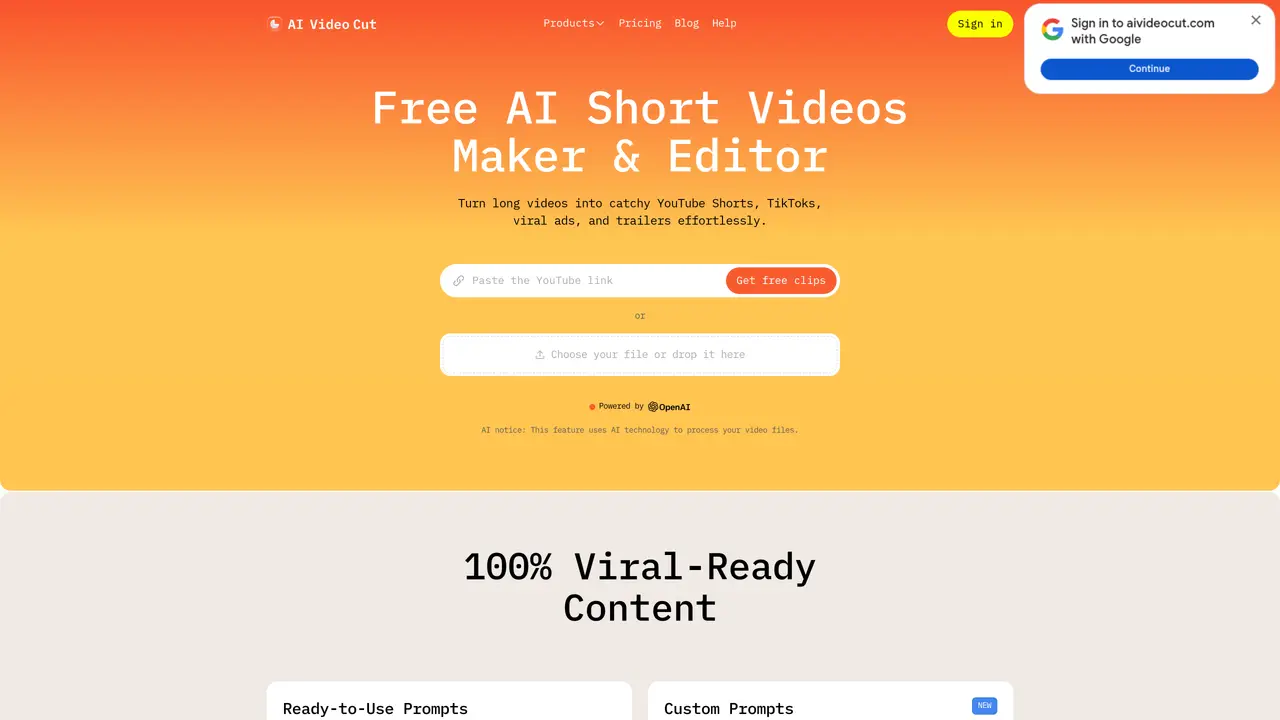
AI Video Cut revolutionizes video content creation with AI-driven features that transform long videos into engaging trailers, YouTube Shorts, TikTok clips, and video ads. Perfect for content creators, digital marketers, social media managers, and e-commerce businesses, it simplifies the process of producing viral content with ease and precision. Key Features: 100% Viral Content: Create captivating trailers, topic-based clips, or ads with effective calls to action. Tone-of-Voice Options: Choose from various tones such as persuasive, emotional, or attention-grabbing, with customizable CTAs (coming soon). Flexible Length: Set content duration with options for 5, 10, or 20 phrases. Precision: High transcription accuracy and advanced AI prompts for top-quality video output. Aspect Ratios: Export content in multiple sizes, including 9:16, 4:3, or original (coming soon). Convenient Telegram Bot: Access video clipping through a dedicated Telegram bot (coming soon). AI Video Cut stands out with its ability to create 100% viral content using advanced AI, offering precision in transcription and flexible content length. Its unique features ensure high-quality, tailored outputs for various platforms and audiences.
AI Video Cut calculates video upload minutes based on the duration of videos uploaded each month. Each paid plan includes a set monthly allowance of upload minutes, and the duration of each uploaded video is deducted from this limit.
You can view your remaining upload minutes in the Usage section of your account profile.
For paid plans, upload minutes refresh at the beginning of each billing cycle. The Free plan includes a one-time set of 50 minutes that does not refresh.
The regeneration feature allows you to create new clips from the same uploaded video by applying different prompts or caption styles, generating fresh results without re-uploading the video.
To cancel your subscription, go to your account profile and click the Cancel Plan button.
Navigate to your account profile, click the Upgrade Plan button, and select the Pro plan to upgrade.
aivideocut.com · third-party estimates from Similarweb
Last 4 months · grows by one month every month
Share of visits · estimated visits
Other countries: 65.3%
Video & Animation · Sep 2026
Traffic figures are third-party estimates, good for scale and trends; they can differ from a company's own numbers. Updated monthly.
We use essential cookies to run aitoolnavio™, and optional cookies to analyze traffic and measure our marketing. You choose what we use — optional cookies stay off unless you turn them on. See our Privacy Policy.
One short email a week: fresh tools worth trying, honest takes and the updates that actually matter. No spam, unsubscribe any time.
Create marketing videos quickly, customize with templates, music, and photos, optimize for different platforms with AI.
AI video clipping and editing tool that turns long videos into short clips with captions, reframing, and one-click social publishing.
Boost social media engagement, produce AI music videos, and remix videos with any style effortlessly.
Create promotional videos effortlessly with WeVideo's intuitive drag-and-drop interface.
An AI creation platform for turning images into videos, adding twist endings, and building interactive roleplay stories.
Drag-and-drop video maker for creating professional product demos, explainer videos, and ads without coding skills.
AI-powered video clipping and editing tool that extracts viral moments, adds captions, and schedules shorts for TikTok, YouTube, and Instagram.
Submagic is an AI tool that helps content creators create viral reels and shorts 10 times faster than any other video editing tool.
Turn text or links into short, viral-ready videos for TikTok, Instagram, and YouTube without editing skills.
Turns long videos into ready-to-post short clips for TikTok, Reels, and YouTube Shorts in minutes.
AIReel lets creators make AI-generated videos from text or image in minutes.
AI-powered tool for accurate captions, video clipping, and impactful face centering.
Matched on what this tool does — grouped by the job you would be replacing.
matches Transforms long videos into engaging trailers · Creates YouTube Shorts, TikTok clips, and video ads · Flexible content length options (5, 10, or 20 phrases)
Turns long videos into ready-to-post short clips for TikTok, Reels, and YouTube Shorts in minutes.
AI tool that converts long videos into branded short clips for social media platforms.
AI video editing platform that turns long-form videos into TikTok, Instagram Reels, and YouTube Shorts with auto cuts, B-roll, and subtitles.
AI video repurposing tool that converts long-form videos into YouTube Shorts, TikTok, and Instagram Reels with auto clipping, smart cropping, and captions.
matches Tone-of-voice options for persuasive, emotional, or attention-grabbing tones · Export content in multiple aspect ratios (9:16, 4:3, or original)
matches High transcription accuracy with advanced AI prompts · Tone-of-voice options for persuasive, emotional, or attention-grabbing tones
An AI video generator for faceless creators that turns scripts or prompts into YouTube videos and short clips with voiceovers, captions, visuals, and templates.
Turn long videos or text into viral short-form clips with AI avatars, captions, and auto-scheduling for TikTok, Reels, and YouTube Shorts.
UGC Maker is an AI-powered UGC video generator that helps brands create viral-ready short-form videos using AI avatars, voiceovers, subtitles, and automated ad generation workflows.
AI-powered tool to generate faceless split-screen reels and talking avatar videos from text prompts
Turn text or links into short, viral-ready videos for TikTok, Instagram, and YouTube without editing skills.
Turn text scripts into engaging shorts and mini-movies without video editing expertise.
Generate viral-worthy scripts, fresh video ideas, and engaging content in minutes.
AI short-form video tool that generates scripts, edits clips, adds transcription, and optimizes posts for TikTok, YouTube Shorts, and Reels.