Create marketing videos quickly, customize with templates, music, and photos, optimize for different platforms with AI.
4.4M visits/mo-5%#12 Video & Animation

Converts podcasts and videos into subtitled vertical clips with highlights and captions
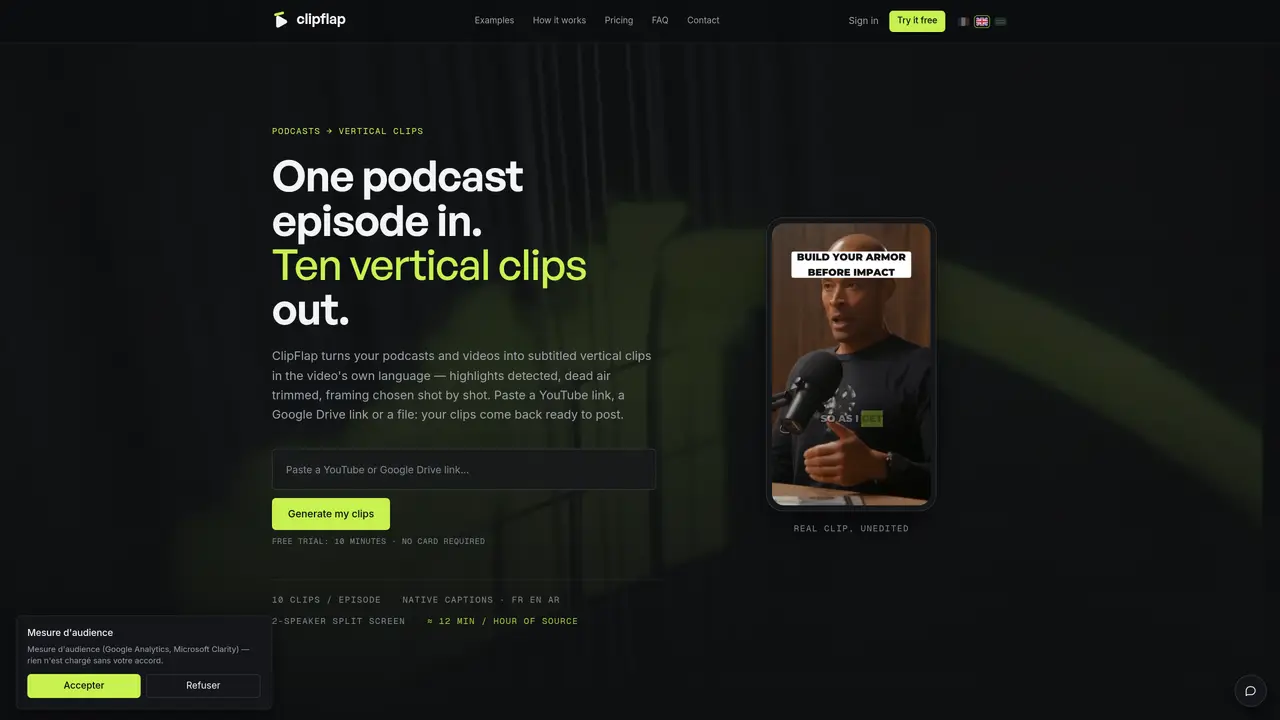
ClipFlap automates the creation of vertical video clips from podcasts and videos. It processes source material by detecting highlights, trimming silences, and selecting framing shot by shot. The tool supports multiple languages including French, English, and Arabic, generating native captions and cover cards without rewriting dialects. Users can upload content via YouTube links, Google Drive links, or files up to 8 GB. The output consists of ready-to-post clips with detailed viral scores, captions, and hashtags. Clips are produced in three formats—9:16, 1:1, and 16:9—and include features like split-screen for two-speaker podcasts and keyword highlighting. The built-in editor allows minor adjustments such as trimming bounds, with changes applied in approximately 30 seconds. Clips can be downloaded or published directly to platforms like TikTok, Reels, Shorts, or YouTube Shorts in one click.
ClipFlap automates the creation of vertical video clips from podcasts and videos by detecting highlights, trimming silences, and selecting framing shot by shot. It generates native captions, cover cards, and viral scores in the video's original language.
ClipFlap is designed for podcasters, video creators, and agencies looking to repurpose long-form content into short, engaging vertical clips for platforms like TikTok, Instagram Reels, YouTube Shorts, and more.
ClipFlap charges based on the minutes of episode processed, with no hidden credits or packs. Plans start at a monthly fee, and users can cancel anytime without commitment.
Users can upload content via YouTube links, Google Drive links, or files up to 8 GB. ClipFlap also offers a 'Watched Channel' feature to automatically clip new episodes from a YouTube channel.
Yes, ClipFlap includes a built-in editor where users can adjust trimming bounds, with changes applied in approximately 30 seconds. Clips are ready to publish as-is or can be fine-tuned.
Start by pasting a YouTube link, Google Drive link, or uploading a file. ClipFlap processes the content, generates clips, and provides options to download or publish directly to social platforms.
We use essential cookies to run aitoolnavio™, and optional cookies to analyze traffic and measure our marketing. You choose what we use — optional cookies stay off unless you turn them on. See our Privacy Policy.
One short email a week: fresh tools worth trying, honest takes and the updates that actually matter. No spam, unsubscribe any time.
Create marketing videos quickly, customize with templates, music, and photos, optimize for different platforms with AI.
AI video clipping and editing tool that turns long videos into short clips with captions, reframing, and one-click social publishing.
Boost social media engagement, produce AI music videos, and remix videos with any style effortlessly.
Create promotional videos effortlessly with WeVideo's intuitive drag-and-drop interface.
An AI creation platform for turning images into videos, adding twist endings, and building interactive roleplay stories.
Drag-and-drop video maker for creating professional product demos, explainer videos, and ads without coding skills.
AI-powered video clipping and editing tool that extracts viral moments, adds captions, and schedules shorts for TikTok, YouTube, and Instagram.
Submagic is an AI tool that helps content creators create viral reels and shorts 10 times faster than any other video editing tool.
Turn text or links into short, viral-ready videos for TikTok, Instagram, and YouTube without editing skills.
Turns long videos into ready-to-post short clips for TikTok, Reels, and YouTube Shorts in minutes.
AIReel lets creators make AI-generated videos from text or image in minutes.
AI-powered tool for accurate captions, video clipping, and impactful face centering.
Matched on what this tool does — grouped by the job you would be replacing.
matches Turns long videos into ready-to-post short clips for TikTok, Reels, and YouTube Shorts in minutes · Automatic vertical reframing with dynamic cropping · Multi-language transcription and captioning
AI video clipping and editing tool that turns long videos into short clips with captions, reframing, and one-click social publishing.
Turns long videos into ready-to-post short clips for TikTok, Reels, and YouTube Shorts in minutes.
AI-powered tool that extracts and formats short, vertical clips from long videos with auto-subtitles
Converts long videos into viral clips using AI for TikTok, Reels and Shorts
matches Converts podcasts and videos into subtitled vertical clips with highlights and captions · Automated transcription and translation · Silence trimming and pacing adjustment
Quickly generate content, transcribe audio/videos in multiple languages, and perfect transcripts with GPT-assisted editor.
AI-powered tool that converts podcast episodes into transcripts, show notes, clips, and ready-to-publish content assets automatically.