Create marketing videos quickly, customize with templates, music, and photos, optimize for different platforms with AI.
4.4M visits/mo-5%#12 Video & Animation

AI-powered tool that automatically extracts short clips from long videos and adds captions, optimized for YouTube Shorts and TikTok.
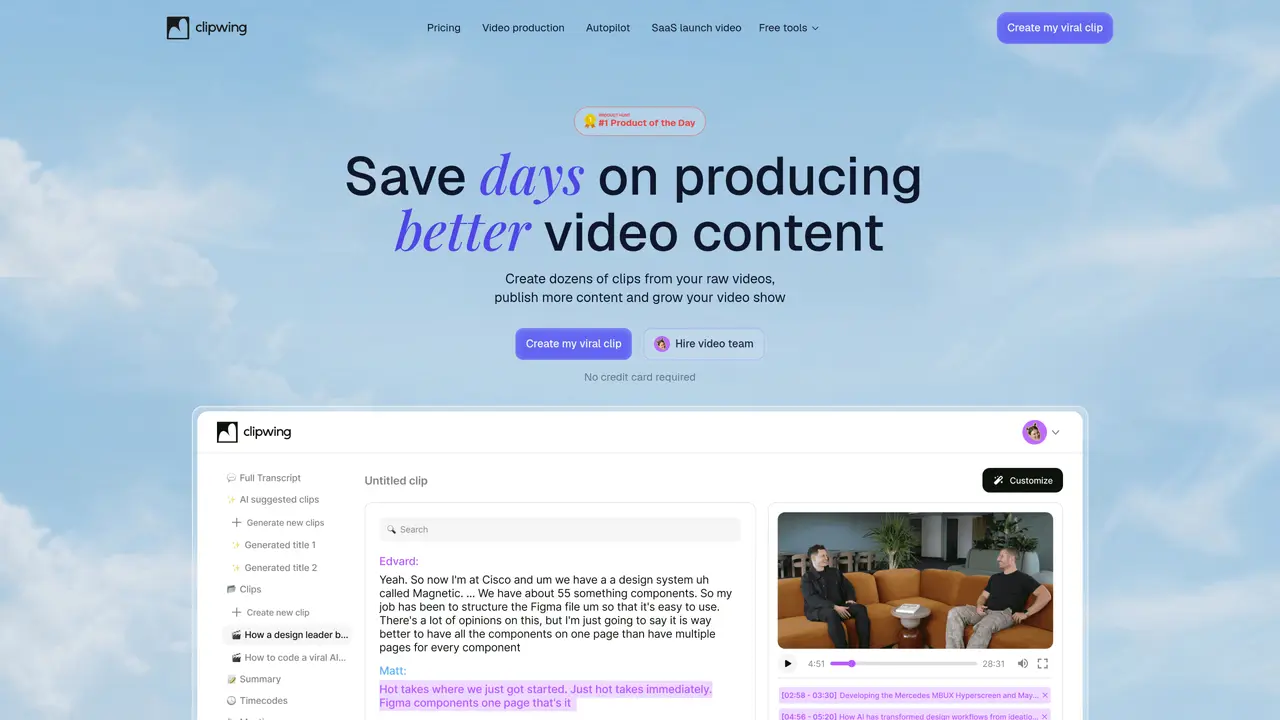
Clipwing is an AI-driven tool that transforms long videos into multiple short clips suitable for platforms like YouTube Shorts and TikTok. It automatically segments videos, detects speakers, and generates captions for each clip. Users can further refine the clips by cropping, resizing, and adding audio to enhance their content. The tool supports batch processing, allowing creators to generate up to 100 short videos from a single long video. Clipwing is designed for influencers, video editors, and YouTube creators who need to repurpose existing video content efficiently. Its automated workflow reduces manual editing time while maintaining high-quality output. The platform also offers basic editing features to adjust clips before publishing. Clipwing is particularly useful for podcasters, interviewers, and educators looking to create engaging short-form content from longer recordings.
Clipwing transcribes videos using AI to identify the most engaging segments. Users can then select these fragments, and the tool automatically adds dynamic subtitles to create short clips.
Clipwing is optimized for talking videos such as podcasts, interviews, product demos, educational lectures, and similar content where key moments can be extracted.
Short-form video content is a primary marketing tool that increases views and helps grow an audience by catering to platform algorithms and user preferences.
Yes, Clipwing offers a Magic Crop feature that allows users to convert landscape videos into square or portrait formats suitable for platforms like TikTok, Instagram Reels, or YouTube Shorts.
Clipwing supports 9 languages, including English, Spanish, German, French, Russian, Portuguese, Dutch, Japanese, and Polish.
Yes, Clipwing offers a free plan with all features available, though it limits users to 60 video minutes per month.
clipwing.pro · third-party estimates from Similarweb
Last 4 months · grows by one month every month
Share of visits · estimated visits
Video & Animation · Sep 2026
Traffic figures are third-party estimates, good for scale and trends; they can differ from a company's own numbers. Updated monthly.
We use essential cookies to run aitoolnavio™, and optional cookies to analyze traffic and measure our marketing. You choose what we use — optional cookies stay off unless you turn them on. See our Privacy Policy.
One short email a week: fresh tools worth trying, honest takes and the updates that actually matter. No spam, unsubscribe any time.
Create marketing videos quickly, customize with templates, music, and photos, optimize for different platforms with AI.
AI video clipping and editing tool that turns long videos into short clips with captions, reframing, and one-click social publishing.
Boost social media engagement, produce AI music videos, and remix videos with any style effortlessly.
Create promotional videos effortlessly with WeVideo's intuitive drag-and-drop interface.
An AI creation platform for turning images into videos, adding twist endings, and building interactive roleplay stories.
Drag-and-drop video maker for creating professional product demos, explainer videos, and ads without coding skills.
AI-powered video clipping and editing tool that extracts viral moments, adds captions, and schedules shorts for TikTok, YouTube, and Instagram.
Submagic is an AI tool that helps content creators create viral reels and shorts 10 times faster than any other video editing tool.
Turn text or links into short, viral-ready videos for TikTok, Instagram, and YouTube without editing skills.
Turns long videos into ready-to-post short clips for TikTok, Reels, and YouTube Shorts in minutes.
AIReel lets creators make AI-generated videos from text or image in minutes.
AI-powered tool for accurate captions, video clipping, and impactful face centering.
Matched on what this tool does — grouped by the job you would be replacing.
matches Automatically cuts long videos into short clips · Batch processing for up to 100 clips from one video · Optimized for YouTube Shorts and TikTok
AI-powered video clipping and editing tool that extracts viral moments, adds captions, and schedules shorts for TikTok, YouTube, and Instagram.
Turns long videos into ready-to-post short clips for TikTok, Reels, and YouTube Shorts in minutes.
AI-powered tool that turns long videos into ready-to-post Shorts, TikToks, and Reels by detecting high-engagement moments and adding captions.
AI-powered tool that converts long videos into short-form clips with ratings and subtitles
matches Adds captions to generated clips · Speaker detection for segmenting videos by speaker count
Revolutionize transcription with unmatched accuracy, speed, and language support.
Automate audio transcription, convert recordings to transcripts, and transcribe lectures in multiple languages.
Convert audio or video files into text and generate summaries with a speech-to-text AI tool.
AI-driven subtitle creation and editing for videos and audio files.