Cloud-based unified communications platform for secure call, video, messaging, file sharing, and automated call routing.
12M visits/mo+2.9%#14 Productivity & Office

AI studio converting text prompts or images into short videos with audio
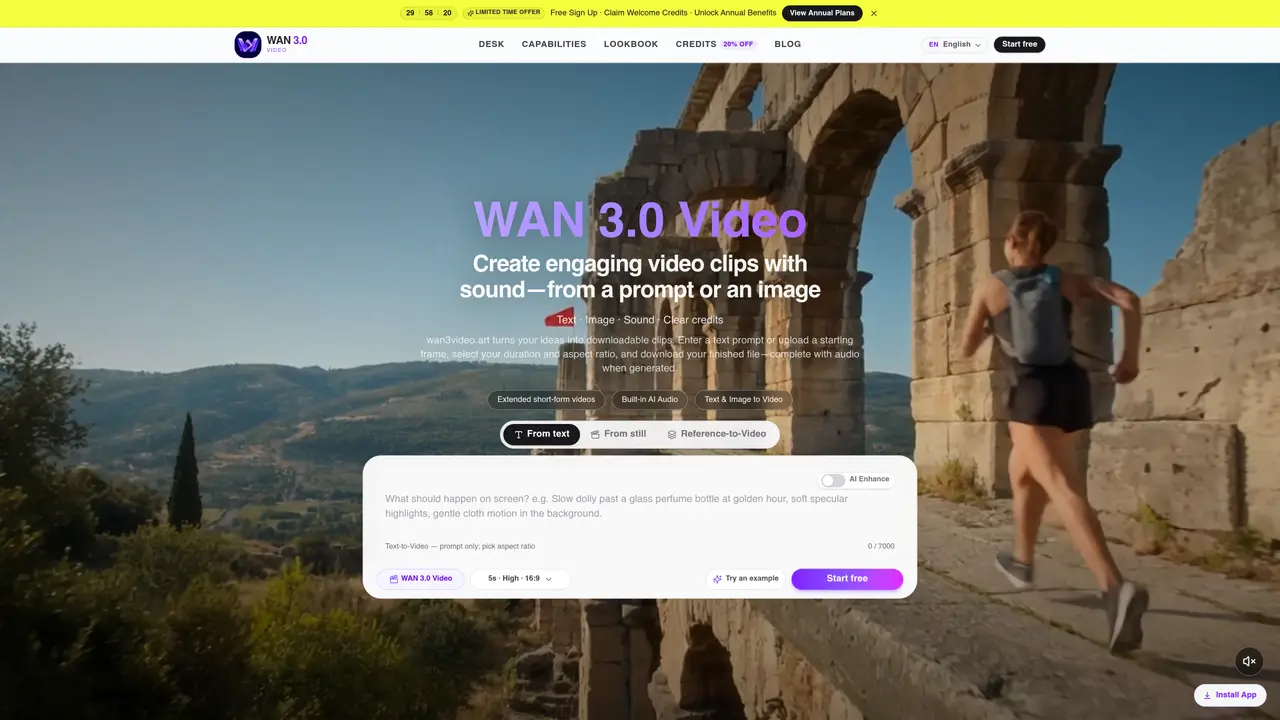
WAN 3.0 Video is a browser-based studio that generates short-form video clips from text prompts or still images. Users input a scene description or upload a starting frame, then select duration and aspect ratio before downloading a finished clip. The platform supports both text-to-video and image-to-video workflows, with synchronized audio included when generated by the model. It offers flexible clip lengths up to approximately 30 seconds, designed for feed-ready formats including landscape and portrait ratios. The workspace maintains generation history and credit management, allowing iterative refinements without reshoots. Reference images can be added to maintain character and scene consistency across clips. The tool targets creators, marketers, and teams who need rapid video production without complex editing workflows.
WAN 3.0 Video is a browser-based AI studio that converts text prompts or still images into short-form video clips, typically up to 30 seconds in length. It generates videos complete with synchronized audio when supported by the model, and allows users to download finished files directly from the platform.
The tool is built for creators, marketers, brand teams, agencies, and storytellers who need to produce short-form video content quickly without complex editing workflows. It suits those who post frequently, test creative angles, or require consistent visuals across multiple clips.
WAN 3.0 Video uses a credit-based system where users see the exact credit cost before generating a clip. Credits can be purchased in packs or through annual plans, and the workspace allows users to manage billing and forecast usage without leaving the site.
Users can input text prompts for text-to-video generation or upload still images for image-to-video animation. The platform supports flexible clip durations and multiple aspect ratios, including landscape and portrait formats tailored for social media feeds.
Yes, WAN 3.0 Video allows users to add reference images to lock character and scene consistency across clips. This feature helps maintain a cohesive visual style or subject matter throughout a series of generated videos.
To get started, users can sign up for a free account, claim welcome credits, and open the workspace to begin creating videos. The process involves entering a prompt or uploading an image, selecting duration and aspect ratio, and downloading the finished clip.
We use essential cookies to run aitoolnavio™, and optional cookies to analyze traffic and measure our marketing. You choose what we use — optional cookies stay off unless you turn them on. See our Privacy Policy.
One short email a week: fresh tools worth trying, honest takes and the updates that actually matter. No spam, unsubscribe any time.
Cloud-based unified communications platform for secure call, video, messaging, file sharing, and automated call routing.
Create engaging videos with voiceovers, music, and customizations using a library of royalty-free assets.
Create, edit, subtitle, and translate pro-grade videos instantly.
Create realistic talking avatar videos from a photo with AI-powered lip sync and text-to-speech in multiple languages.
Ultra-fast video generation with pre-designed templates and a user-friendly interface design.
Topview AI is an AI-powered video creation platform that turns your product into engaging, attention-grabbing and viral-worthy video; no editing skills or cameras needed.
Generate engaging video content with AI-powered system, professional presenters, ease, scalability, and budget-friendly.
Generate videos featuring expressive AI characters from a single photo and text prompts with creative control.
Create lifelike videos from text and images.
VTuber software suite to create and animate custom VTuber avatars with VTuber Maker.
Transform images into engaging, AI-generated videos.
AI video generator that turns scripts or stories into long-form videos up to 50 minutes with consistent characters and 1080p export.
Matched on what this tool does — grouped by the job you would be replacing.
matches Text-to-video generation · Duration and aspect ratio selection · Synchronized audio output
AI video generator that converts text prompts or images into short clips
AI video generator that creates short cinematic videos from text or still images
Browser-based AI tool converting text or images into short videos with synchronized audio
Generates short AI videos from text prompts or images
matches Image-to-video animation · Reference image binding · Synchronized audio output
matches Reference image binding · Generation history tracking · Credit cost preview
AI platform that turns text or images into high-quality videos with multiple aspect ratios and styles.
Online AI video generator from text prompts, images, keyframes or references
AI video generator creating 2K clips with synced audio from text or images
AI video generator producing 5–15 second clips with synchronized audio at 480P or 768P
AI video generator that turns text prompts, images, references, and audio into cinematic videos for creators and marketers.
AI tool for generating and directing cinematic videos and images from text or images
Wan 2.6 – Unified AI Video Generator with Native Audio