Cloud-based unified communications platform for secure call, video, messaging, file sharing, and automated call routing.
12M visits/mo+2.9%#14 Productivity & Office

A Chrome extension that enhances webcam video with AI backgrounds, beauty filters, and recording for remote workers and creators.
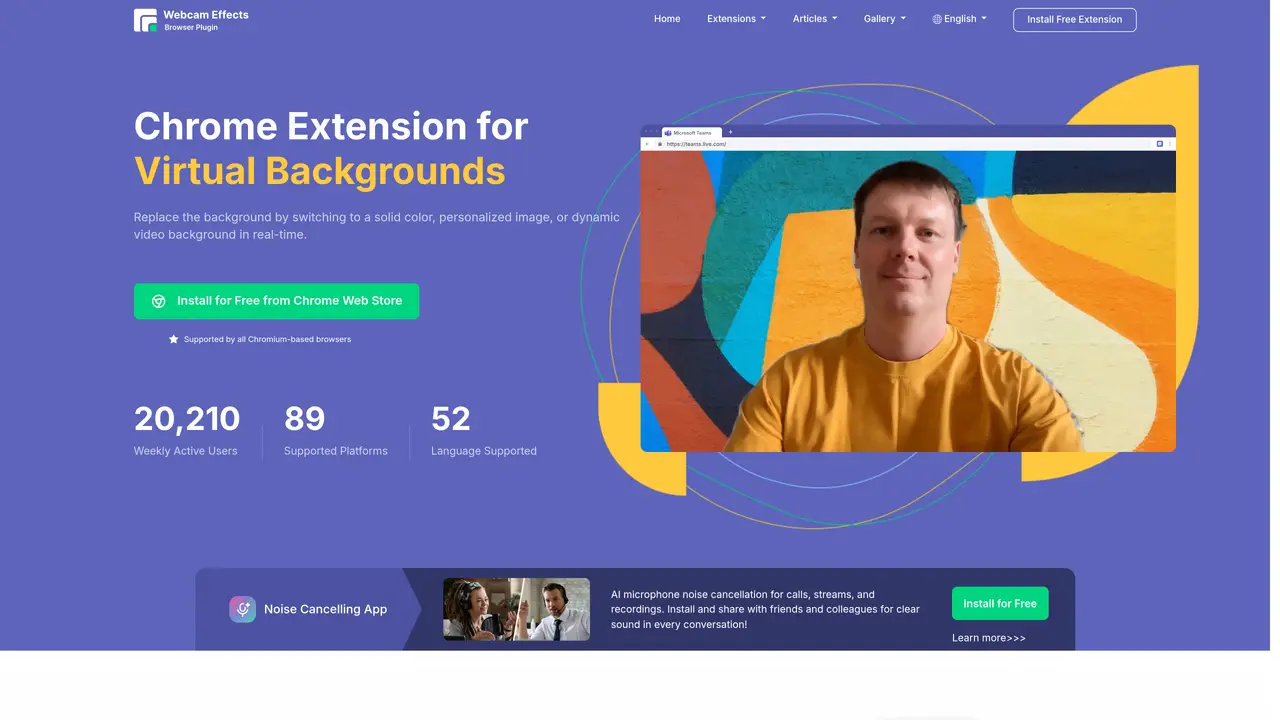
Webcam Effects is a Chromium-based browser extension designed for remote workers, streamers, and content creators who need polished webcam video during browser-based calls and live streams. It provides AI-powered background replacement or blur, adjustable beauty filters for skin smoothing and light correction, and smart framing tools like auto-zoom and picture-in-picture layouts. Users can overlay emojis, watermarks, titles, and cinematic filters, while the built-in recording feature captures webcam or screen/tab content directly in the browser. The tool supports 93 platforms including Google Meet, Zoom, Microsoft Teams, and Discord, ensuring broad compatibility across Windows, Mac, and Linux systems. A free version is available, with premium plans offering additional features and a 7-day free trial for evaluation. The extension emphasizes ease of use with no additional software installation required beyond the browser extension itself.
Webcam Effects is a Chromium-based browser extension that enhances webcam video during browser-based calls and live streams. It offers AI-powered background replacement or blur, beauty filters, smart framing tools, overlays, and built-in recording directly within the browser.
The tool is designed for remote workers, streamers, content creators, and anyone participating in video calls or live streams who wants to improve their webcam video quality, appearance, and presentation.
No, Webcam Effects operates entirely as a browser extension and does not require any additional software installation beyond the extension itself.
The extension supports 93 platforms, including Google Meet, Zoom, Microsoft Teams, Discord, YouTube, and Skype, and is compatible with Windows, Mac, and Linux systems.
Users can install the extension for free from the Chrome Web Store and configure it in seconds. No complex setup or configurations are required.
Yes, Webcam Effects provides a free version with essential features, and premium plans are available for additional capabilities.
webcameffects.app · third-party estimates from Similarweb
Last 4 months · grows by one month every month
Share of visits · estimated visits
Other countries: 21%
Video & Animation · Sep 2026
Traffic figures are third-party estimates, good for scale and trends; they can differ from a company's own numbers. Updated monthly.
We use essential cookies to run aitoolnavio™, and optional cookies to analyze traffic and measure our marketing. You choose what we use — optional cookies stay off unless you turn them on. See our Privacy Policy.
One short email a week: fresh tools worth trying, honest takes and the updates that actually matter. No spam, unsubscribe any time.
Cloud-based unified communications platform for secure call, video, messaging, file sharing, and automated call routing.
Create engaging videos with voiceovers, music, and customizations using a library of royalty-free assets.
Create, edit, subtitle, and translate pro-grade videos instantly.
Create realistic talking avatar videos from a photo with AI-powered lip sync and text-to-speech in multiple languages.
Ultra-fast video generation with pre-designed templates and a user-friendly interface design.
Topview AI is an AI-powered video creation platform that turns your product into engaging, attention-grabbing and viral-worthy video; no editing skills or cameras needed.
Generate engaging video content with AI-powered system, professional presenters, ease, scalability, and budget-friendly.
Generate videos featuring expressive AI characters from a single photo and text prompts with creative control.
Create lifelike videos from text and images.
VTuber software suite to create and animate custom VTuber avatars with VTuber Maker.
Transform images into engaging, AI-generated videos.
AI video generator that turns scripts or stories into long-form videos up to 50 minutes with consistent characters and 1080p export.
Matched on what this tool does — grouped by the job you would be replacing.
matches AI background replacement or blur with adjustable intensity · Beauty filters for skin smoothing and light correction · Smart auto-framing and picture-in-picture layouts
Capture, edit, and share stunning photos effortlessly with powerful editing tools, artistic filters, and easy sharing options.
Remove background noise, replace with virtual backgrounds, and enhance lighting for a polished appearance.
Capture stunning visuals, blur backgrounds, and create professional live broadcasts with multi-camera support.
matches Built-in webcam and screen/tab recording · Cross-platform support for 93 platforms · No installation required beyond browser extension
matches AI background replacement or blur with adjustable intensity · Cinematic filters and presentation layouts · Custom overlays including emojis, watermarks, and titles
Record lectures, create tutorials, and securely share videos with teams.
All-in-one screen recorder that captures videos, screenshots, and GIFs with AI-powered summaries and transcriptions for documentation.
Online screen recorder and AI editor for creators and teams to capture screen plus camera, auto-remove silences, add captions, and share links.
Cloud-based video editor with AI-powered clip generation, voiceovers, and auto-subtitles for fast, browser-based editing.
Web-based AI editor that upscales videos to 4K, removes backgrounds and watermarks, generates subtitles, makes clips, and translates videos.
Elevate videos with AI, intuitive edits, seamless cuts, and dynamic effects.