AI-powered video messaging tool that records, shares, and manages video messages with AI-generated titles, summaries, and tasks.
16M visits/mo-3.4%#5 Chatbots & Assistants

Edit videos fast, create stunning visuals with advanced color grading, and access an extensive library of sound effects and music.
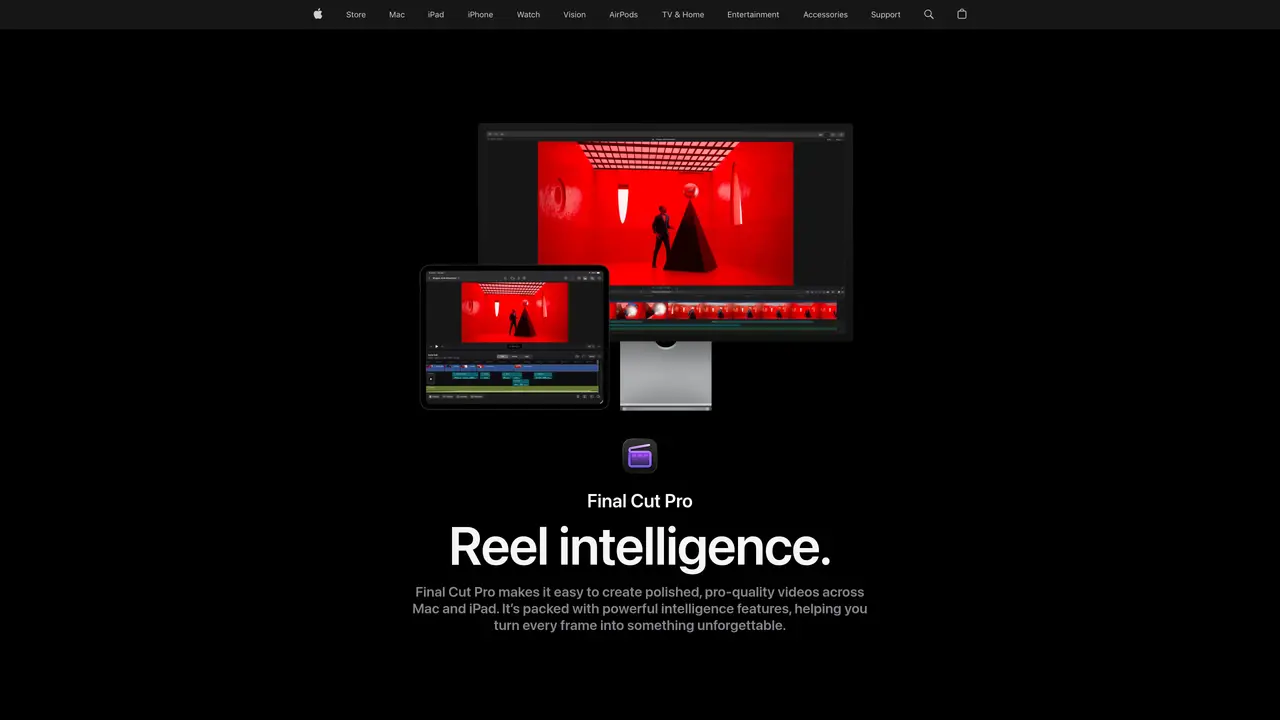
Final Cut Pro X is the ultimate video editing software for professionals. It offers a powerful suite of features that make editing videos fast, easy, and enjoyable. This program is designed for filmmakers, editors, and other creative professionals who need a robust yet intuitive tool for creating stunning video projects. Final Cut Pro X provides a range of tools for quick, efficient editing, including intuitive timeline-based editing, advanced color grading, and powerful audio tools. It also includes several built-in effects and transitions, and an extensive library of sound effects and music. With Final Cut Pro X, you can easily create stunning videos with industry-standard tools and customize each project to your exact specifications. Whether you’re creating a short film or a music video, Final Cut Pro X has the tools you need to make your project stand out.
Final Cut Pro X is a professional video editing software designed for filmmakers, editors, and creative professionals who need robust yet intuitive tools for creating high-quality video projects. It is suitable for both beginners and seasoned professionals.
Final Cut Pro X incorporates AI features that build on Apple Intelligence, such as automatic captions, object tracking, one-click color grading, and smart reframing. These tools streamline complex tasks and enhance visuals to improve workflow efficiency.
Yes, Final Cut Pro X is designed to work seamlessly across Mac and iPad, allowing users to create and edit polished, pro-quality videos on their preferred Apple devices.
Key features include the Magnetic Timeline for flexible editing, Magnetic Mask for isolating subjects without a green screen, automatic captions, Visual Search for locating clips, and advanced audio editing tools.
Yes, Final Cut Pro X allows users to expand their creative options by integrating thousands of third-party tools, effects, and templates, including those designed in Motion.
You can try Final Cut Pro X for free before purchasing it as a one-time download from the App Store. It is also available as part of the Apple Creator Studio collection, which includes other creative apps like Logic Pro.
We use essential cookies to run aitoolnavio™, and optional cookies to analyze traffic and measure our marketing. You choose what we use — optional cookies stay off unless you turn them on. See our Privacy Policy.
One short email a week: fresh tools worth trying, honest takes and the updates that actually matter. No spam, unsubscribe any time.
AI-powered video messaging tool that records, shares, and manages video messages with AI-generated titles, summaries, and tasks.
Unleash creativity: edit photos, videos, and designs with AI-enhanced tools.
Record lectures, create tutorials, and securely share videos with teams.
Create stunning videos in a few clicks, customize with powerful tools, and automate editing without experience.
Create, convert, and enhance videos effortlessly with professional effects and royalty-free music.
Create marketing videos quickly, customize with templates, music, and photos, optimize for different platforms with AI.
Automate video editing, add text-to-speech voice-overs, and optimize videos for impactful results.
Freemium, uncensored AI video and image creation for individual creators with text-to-video, image effects, and gem-based upgrades for HD and no watermarks.
Create, edit, subtitle, and translate pro-grade videos instantly.
Cloudinary provides APIs and tools to integrate, manage, and optimize images and videos for AI-driven visual experiences.
All-in-one AI suite for creators to automate workflows, edit media, and generate content across video, design, and productivity tools.
Generate cinematic video clips from text or images and refine them with AI-powered editing tools for creators and visual professionals.
Matched on what this tool does — grouped by the job you would be replacing.
matches Edit videos fast and intuitively with timeline-based editing · Create stunning visuals with advanced color grading · Access extensive library of sound effects and music
Create custom titles, 3D objects, adjust color and contrast, add special effects, transitions, and animations.
Mobile video editor that trims, merges, adds effects, transitions, and exports in 4K resolution.
Elevate videos with AI, intuitive edits, seamless cuts, and dynamic effects.
Revolutionize video editing with AI, cross-platform compatibility, and extensive effects.
matches Create stunning visuals with advanced color grading
matches Edit videos fast and intuitively with timeline-based editing · Access extensive library of sound effects and music
AI-enhanced photo and video editing software with local, secure processing.
AI-powered Photoshop plugin for one-click color grading, shadow/highlight control, and creative effects like bokeh and flares.
Apply automatic pro edits, enhance photos intuitively, and achieve the perfect look with AI-driven editing.
Create stunning images, adjust colors, retouch photos, apply effects, and edit HDR and 360° photos professionally.
AI-powered video generator that converts text, images, or video prompts into high-quality videos without technical skills.
Automatically detect and cut silences, recognize patterns, and create professional videos with suggested transitions and effects.
Create professional videos effortlessly with seamless transitions, music, and customizable templates.
Create stunning visuals, edit photos & videos with AI-powered features; make videos with customizable templates, intros & outros.