AI-powered video messaging tool that records, shares, and manages video messages with AI-generated titles, summaries, and tasks.
16M visits/mo-3.4%#5 Chatbots & Assistants

Create stunning videos effortlessly with HitPaw's intuitive interface and advanced editing features.
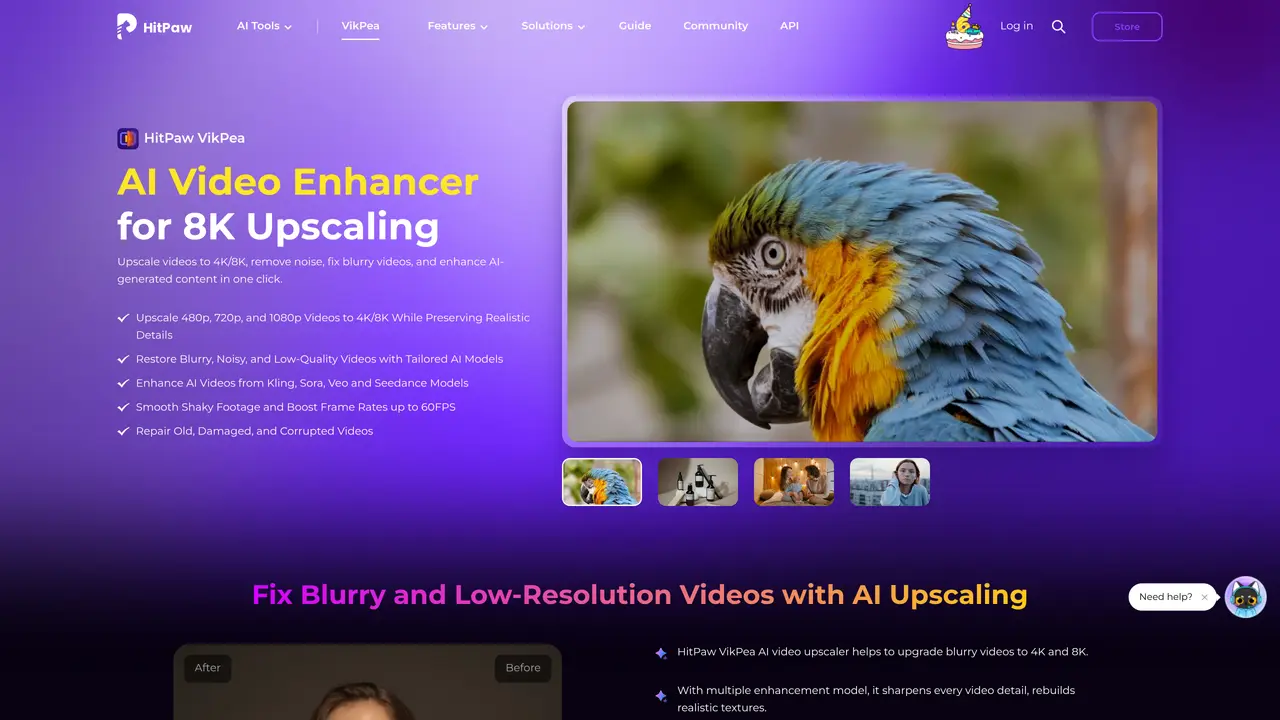
HitPaw Video Enhancer is the ultimate video editing tool for content creators of all levels and experience. This powerful software makes it easy to create stunning video content with just a few clicks. Whether you’re a novice or a pro, you can create beautiful videos that draw viewers in and keep them engaged. HitPaw Video Enhancer features a wide range of tools and options for customizing your videos. You can adjust color, brightness, contrast, and other settings with ease. Additionally, the software comes with a variety of pre-built templates and effects that make it easy to add a professional touch to your videos. For those who are more advanced, HitPaw Video Enhancer also offers advanced editing features like chroma keying and motion tracking. The software is also incredibly user-friendly. Its intuitive interface allows you to quickly and easily edit your videos, and its drag-and-drop functionality makes it even easier. With HitPaw Video Enhancer, you can create stunning videos with just a few clicks, adjust settings easily, and add professional templates and effects.
HitPaw Video Enhancer is an AI-powered tool that upscales videos to 4K or 8K resolution, reduces noise, fixes blurry footage, stabilizes shaky videos, and enhances AI-generated content such as videos created with models like Sora, Kling, Veo, or Seedance.
The tool is designed for video editors, filmmakers, e-commerce sellers, photographers, content creators, and anyone looking to improve video quality for personal, professional, or commercial use.
Yes, it supports upscaling videos from resolutions like 480p, 720p, and 1080p to 4K or 8K, and can handle various formats including AI-generated videos from platforms like Kling, Sora, Veo, and Seedance.
Yes, the software includes models specifically designed to restore old, damaged, or corrupted videos by reducing noise and recovering lost details while preserving the original footage's look.
HitPaw Video Enhancer uses tailored AI models for tasks such as video upscaling, noise reduction, sharpening, stabilization, frame interpolation, and portrait enhancement.
Users can download the software for Windows or Mac, try it online, or use mobile apps for iOS and Android. The process involves uploading a video, selecting an enhancement model, and applying the desired improvements with one click.
hitpaw.com · third-party estimates from Similarweb
Last 4 months · grows by one month every month
Share of visits · estimated visits
Other countries: 60.1%
How people reach this site from other AI tools
6.5K a month · 0.9% of all visits
Video & Animation · Sep 2026
Traffic figures are third-party estimates, good for scale and trends; they can differ from a company's own numbers. Updated monthly.
We use essential cookies to run aitoolnavio™, and optional cookies to analyze traffic and measure our marketing. You choose what we use — optional cookies stay off unless you turn them on. See our Privacy Policy.
One short email a week: fresh tools worth trying, honest takes and the updates that actually matter. No spam, unsubscribe any time.
AI-powered video messaging tool that records, shares, and manages video messages with AI-generated titles, summaries, and tasks.
Unleash creativity: edit photos, videos, and designs with AI-enhanced tools.
Record lectures, create tutorials, and securely share videos with teams.
Create stunning videos in a few clicks, customize with powerful tools, and automate editing without experience.
Create, convert, and enhance videos effortlessly with professional effects and royalty-free music.
Create marketing videos quickly, customize with templates, music, and photos, optimize for different platforms with AI.
Automate video editing, add text-to-speech voice-overs, and optimize videos for impactful results.
Freemium, uncensored AI video and image creation for individual creators with text-to-video, image effects, and gem-based upgrades for HD and no watermarks.
Create, edit, subtitle, and translate pro-grade videos instantly.
Cloudinary provides APIs and tools to integrate, manage, and optimize images and videos for AI-driven visual experiences.
All-in-one AI suite for creators to automate workflows, edit media, and generate content across video, design, and productivity tools.
Generate cinematic video clips from text or images and refine them with AI-powered editing tools for creators and visual professionals.
Matched on what this tool does — grouped by the job you would be replacing.
matches Create stunning videos with just a few clicks · Adjust color, brightness, contrast, and other settings easily · Use pre-built templates and effects to add a professional touch
Create, convert, and enhance videos effortlessly with professional effects and royalty-free music.
Create custom titles, 3D objects, adjust color and contrast, add special effects, transitions, and animations.
Restructure, trim, perfect footage; adjust lighting, color, sound; add effects, transitions, titles for a professional finish.
Drag-and-drop video maker with stock footage, text overlays, animations, and music for quick professional video creation.
matches Advanced editing features like chroma keying and motion tracking
Enhance and restore video quality up to 8K with HitPaw VikPea.
AI-powered tool that upscales videos to 4K resolution, removes noise, and enhances details for better quality.
Upscale low-res videos, stabilize shaky footage, and achieve exceptional results using advanced neural networks.
AI-powered tool to upscale, stabilize, convert, edit, and record videos and images with advanced enhancement features.