AI-powered video messaging tool that records, shares, and manages video messages with AI-generated titles, summaries, and tasks.
16M visits/mo-3.4%#5 Chatbots & Assistants

Create captions, make fast edits, and repurpose content with automated transcription and intuitive editing tools.
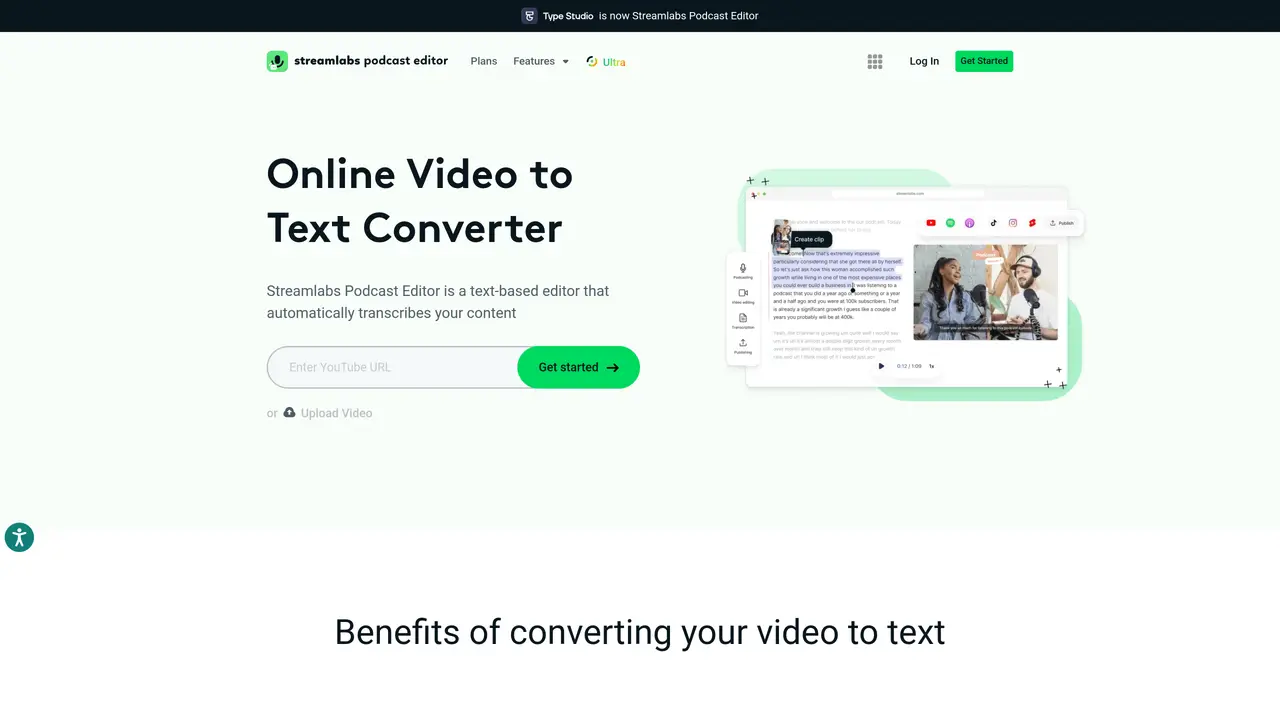
Type Studio is a comprehensive video editing platform designed to streamline the entire video creation process. With Type Studio, you can quickly and easily create stunning visuals with a few simple clicks. Utilizing its automated transcription feature, Type Studio transcribes your video into text, so you can easily add subtitles, captions, and other text effects. Additionally, its intuitive editing tools allow you to make fast edits, repurpose existing content, and record audio or video without ever leaving the platform. With Type Studio, you can confidently create professional-looking videos with minimal effort and time. Whether you’re a beginner or a professional, Type Studio enables you to make videos that stand out and capture the attention of your target audience. Get started with Type Studio today to take your video editing to the next level.
Type Studio is a video editing platform that transcribes videos into text, enabling users to add subtitles, captions, and text effects. It also provides intuitive editing tools for repurposing content, recording audio or video, and creating professional-looking videos.
Type Studio is designed for both beginners and professionals who need to streamline video editing, add text-based enhancements, or repurpose video content efficiently.
Yes, Type Studio includes an automated transcription feature that converts video content into editable text, which can then be used for subtitles, captions, or other text-based edits.
Yes, Type Studio provides intuitive editing tools that allow users to make fast edits, repurpose existing content, and record new audio or video without leaving the platform.
To get started, visit the Type Studio website, upload your video, and use the platform’s transcription and editing tools to create or enhance your video content.
Yes, Type Studio allows users to easily add subtitles and captions to their videos using the transcribed text, improving accessibility and engagement.
We use essential cookies to run aitoolnavio™, and optional cookies to analyze traffic and measure our marketing. You choose what we use — optional cookies stay off unless you turn them on. See our Privacy Policy.
One short email a week: fresh tools worth trying, honest takes and the updates that actually matter. No spam, unsubscribe any time.
AI-powered video messaging tool that records, shares, and manages video messages with AI-generated titles, summaries, and tasks.
Unleash creativity: edit photos, videos, and designs with AI-enhanced tools.
Record lectures, create tutorials, and securely share videos with teams.
Create stunning videos in a few clicks, customize with powerful tools, and automate editing without experience.
Create, convert, and enhance videos effortlessly with professional effects and royalty-free music.
Create marketing videos quickly, customize with templates, music, and photos, optimize for different platforms with AI.
Automate video editing, add text-to-speech voice-overs, and optimize videos for impactful results.
Freemium, uncensored AI video and image creation for individual creators with text-to-video, image effects, and gem-based upgrades for HD and no watermarks.
Create, edit, subtitle, and translate pro-grade videos instantly.
Cloudinary provides APIs and tools to integrate, manage, and optimize images and videos for AI-driven visual experiences.
All-in-one AI suite for creators to automate workflows, edit media, and generate content across video, design, and productivity tools.
Generate cinematic video clips from text or images and refine them with AI-powered editing tools for creators and visual professionals.
Matched on what this tool does — grouped by the job you would be replacing.
matches Automated transcription · Add subtitles and captions · Fast edits
Create, edit, subtitle, and translate pro-grade videos instantly.
Cloud-based video editor with AI-powered clip generation, voiceovers, and auto-subtitles for fast, browser-based editing.
Browser-based AI tool that auto-generates subtitles, translates captions, and dubs voiceovers in 100+ languages for video creators and teams.
Create bilingual video subtitles, label speakers for meetings, and add translations to transcripts.
matches Record audio or video · Intuitive editing tools · Fast edits
matches Automated transcription · Fast edits
Create, edit, and enhance high-quality audio/video content.
Record high-quality audio remotely, edit with integrated tools, and collaborate on projects with other users.
Web-based studio for recording high-quality remote video podcasts with 4K video, uncompressed audio, and AI-powered editing tools.
Record, edit, and share high-quality audio effortlessly with AI-powered audio processing and exporting tools.
Quickly generate content, transcribe audio/videos in multiple languages, and perfect transcripts with GPT-assisted editor.
This is a free automatic transcript tool that transforms your audio content into text with precision.
Professional SaaS audio-to-text converter that transcribes audio/video files, edits text, and exports subtitles or documents.
Transcribe, search, and translate audio/video files effortlessly with fast, accurate results in multiple languages.