Generate lifelike human videos with AI, making professional video creation fast and accessible for any user.
41M visits/mo+26.2%#1 Video & Animation
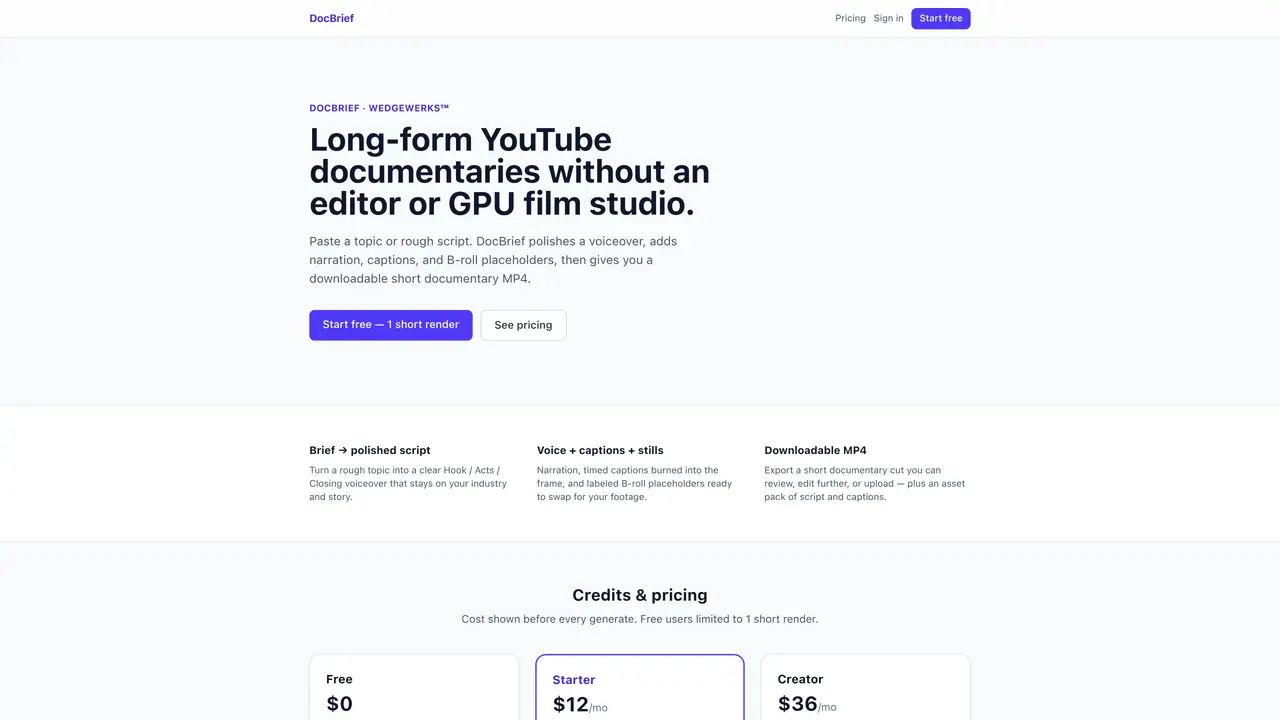
DocBrief produces short documentary-style videos for YouTube without requiring manual editing or GPU film studios. Users input a topic or rough script, and the tool generates a polished voiceover, narration, timed captions, and B-roll placeholders. The output is a downloadable MP4 file containing still images, audio, and burned-in captions. An asset pack including the script and captions is also provided for further editing. The service targets faceless creators who need quick, low-effort documentary shorts. It does not handle multi-cast productions or automate YouTube uploads.
DocBrief generates short documentary-style videos for YouTube by converting a user-provided topic or rough script into a polished voiceover, narration, timed captions, and B-roll placeholders. The output is a downloadable MP4 file containing still images, audio, and burned-in captions.
The tool targets faceless creators who need quick, low-effort documentary shorts without manual editing or GPU film studios. It is ideal for users seeking to produce content efficiently.
No, DocBrief does not handle YouTube uploads. It provides a downloadable MP4 file and an asset pack for further editing or manual upload.
DocBrief offers a subscription-based pricing model with a free tier limited to one short render. Paid plans provide additional credits per month, with costs displayed before each generation.
Yes, DocBrief provides an asset pack including the script and captions, allowing users to edit the output further before finalizing the video.
Users can start for free with one short render. After signing in, they paste a topic or rough script, and DocBrief generates the documentary-style video, which can then be downloaded or edited.
We use essential cookies to run aitoolnavio™, and optional cookies to analyze traffic and measure our marketing. You choose what we use — optional cookies stay off unless you turn them on. See our Privacy Policy.
One short email a week: fresh tools worth trying, honest takes and the updates that actually matter. No spam, unsubscribe any time.
Generate lifelike human videos with AI, making professional video creation fast and accessible for any user.
xAI builds Grok frontier AI models for reasoning, coding, voice, images, video, enterprise workflows, and developer APIs.
AI-powered video messaging tool that records, shares, and manages video messages with AI-generated titles, summaries, and tasks.
Explore and test Google’s experimental AI tools and prototypes before they become products.
Creates licensed videos, images, music.
Web and mobile AI platform for generating, editing, and training custom visuals from prompts with community models and face-swap tools.
Create stunning videos in a few clicks, customize with powerful tools, and automate editing without experience.
Create, convert, and enhance videos effortlessly with professional effects and royalty-free music.
Create engaging videos with voiceovers, music, and customizations using a library of royalty-free assets.
Create auto-resized campaign images and videos with DaVinci AI's generative media suite.
Freemium, uncensored AI video and image creation for individual creators with text-to-video, image effects, and gem-based upgrades for HD and no watermarks.
Generate cinematic video clips from text or images and refine them with AI-powered editing tools for creators and visual professionals.
Matched on what this tool does — grouped by the job you would be replacing.
matches Polished script generation from a topic · Text-to-speech or silent audio placeholder · Timed captions burned into video frames
An AI video generator for faceless creators that turns scripts or prompts into YouTube videos and short clips with voiceovers, captions, visuals, and templates.
AI-powered platform that turns research and scripts into polished videos with stock footage, voiceovers, and motion graphics.
Generates narrated, fact-grounded documentaries with AI script, voiceover, visuals, and YouTube SEO pack
AI video story generator that turns text prompts into 1080p YouTube and TikTok videos with scripts, visuals, voiceovers, and scheduling.