




Mac teleprompter that tracks spoken words and covers points in real time
— visits/moTraffic data coming soon
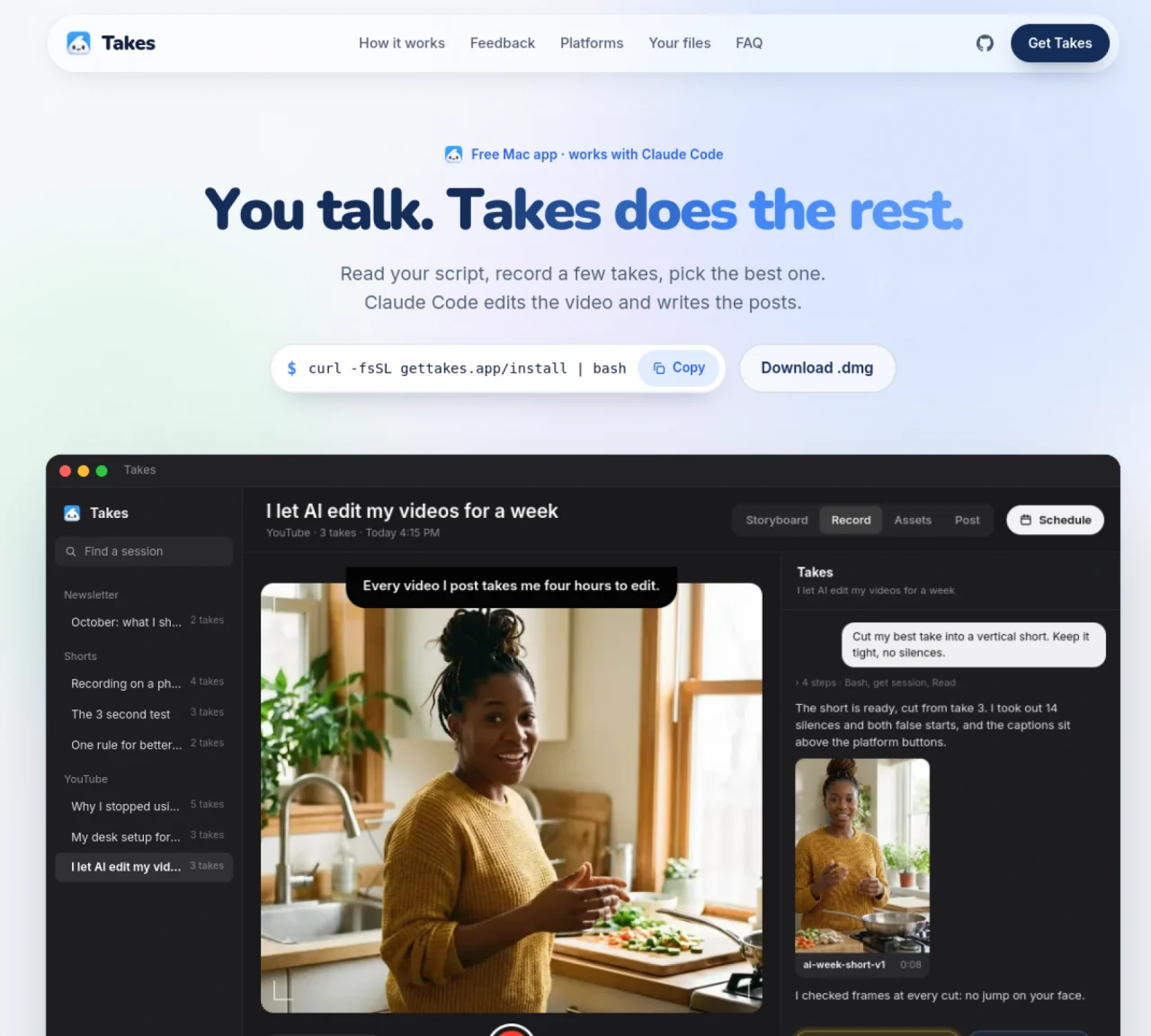
Takes for Mac is a desktop application designed for recording and editing talking-head videos with AI assistance. The tool records both camera and screen simultaneously while providing a teleprompter to guide delivery. Users can record multiple takes, mark their preferred version, and then use an integrated AI chat to refine edits, cut silences, and generate platform-specific posts. The app organizes workflows into three stages: Storyboard for script and shot planning, Record for capturing takes, and Post for previewing and scheduling videos across platforms like TikTok, YouTube, and LinkedIn. AI edits are applied locally using the user’s own agent account (Claude Code, Codex, or pi), and all files are stored in plain folders on the Mac. The application includes a feedback system where users can annotate frames to improve future edits automatically.
Takes for Mac is a desktop application that records and edits talking-head videos with AI assistance. It captures camera and screen simultaneously, provides a teleprompter, and uses an integrated AI chat to refine edits, cut silences, and generate platform-specific posts.
The tool is designed for individuals who create talking-head videos, such as content creators, educators, or professionals who need to produce polished videos efficiently. It is particularly suited for users who prefer a streamlined workflow from scripting to posting.
AI editing is performed locally using the user’s own agent account, such as Claude Code, Codex, or pi. The app organizes workflows into Storyboard, Record, and Post stages, with AI edits applied directly to files stored in plain folders on the Mac.
No, Takes for Mac operates locally on your Mac and does not require an internet connection for core functionality. However, an internet connection is needed to install the app and for the AI agent to function if it relies on cloud services.
Takes for Mac supports posting videos to platforms such as TikTok, YouTube, LinkedIn, and X (formerly Twitter). The app previews posts exactly as they will appear on each platform before scheduling.
To get started, paste a single line into Terminal to install Takes and its dependencies, or download the .dmg file and drag the app to your Applications folder. The installation process also sets up an AI agent like Claude Code if you don’t already have one.
We use essential cookies to run Aitoolnavio, and optional cookies to analyze traffic and measure our marketing. You choose what we use — optional cookies stay off unless you turn them on. See our Privacy Policy.
One short email a week: fresh tools worth trying, honest takes and the updates that actually matter. No spam, unsubscribe any time.
Matched on what this tool does — grouped by the job you would be replacing.
matches Mac app that records talking-head videos and uses AI to edit them · Teleprompter for script delivery · Multi-take recording with best take selection
Mac teleprompter that tracks spoken words and covers points in real time
AI-powered talking-head video editor that automates cuts, captions and zooms for product launches
AI-powered video editing via natural language chat
Revolutionize video creation with AI scripting, editing, and teleprompting.
matches Teleprompter for script delivery
A teleprompter for creating videos.
AI teleprompter that scrolls in real time to match spoken pace
Generate lifelike human videos with AI, making professional video creation fast and accessible for any user.
xAI builds Grok frontier AI models for reasoning, coding, voice, images, video, enterprise workflows, and developer APIs.
Explore and test Google’s experimental AI tools and prototypes before they become products.
Web and mobile AI platform for generating, editing, and training custom visuals from prompts with community models and face-swap tools.
Generate cinematic video clips from text or images and refine them with AI-powered editing tools for creators and visual professionals.
Multimodal AI models for text, video, speech, music, and coding
Create auto-resized campaign images and videos with DaVinci AI's generative media suite.
Create engaging videos with voiceovers, music, and customizations using a library of royalty-free assets.
AI-powered tool for creating professional product descriptions, designing 3D avatars, and generating engaging product videos.
Enterprise AI-native cloud platform from ByteDance for building, deploying, and scaling AI applications with models, media tools, and developer APIs.
Freemium, uncensored AI video and image creation for individual creators with text-to-video, image effects, and gem-based upgrades for HD and no watermarks.
Create, convert, and enhance videos effortlessly with professional effects and royalty-free music.