

AI video clipping and editing tool that turns long videos into short clips with captions, reframing, and one-click social publishing.
5.1M visits/mo-0.4%#9 Video & Animation
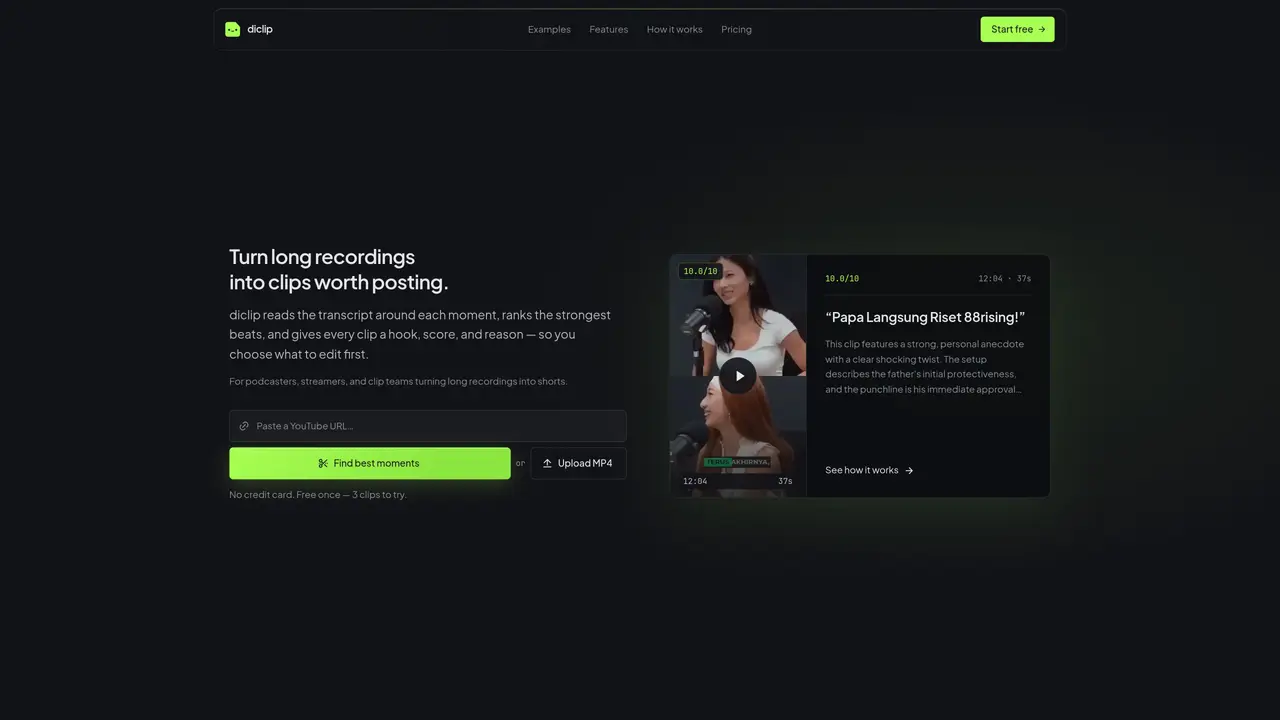
diclip processes long video or audio recordings to identify and extract the most engaging moments. It generates transcripts and analyzes the content around each moment to rank potential clips by strength. Each candidate clip receives a score, a descriptive hook, and a reason for its ranking, helping users decide which segments to edit and share. The tool is designed for podcasters, streamers, and clip teams who need to repurpose lengthy recordings into shorter, social-media-friendly content. Users upload MP4 files and receive multiple clip suggestions with metadata to guide selection. The platform emphasizes efficiency by reducing manual review time while maintaining focus on high-impact moments.
diclip processes long video or audio recordings to identify and extract the most engaging moments. It generates transcripts, analyzes content around each moment, and ranks potential clips by strength with a score, descriptive hook, and reasoning.
The tool is designed for podcasters, streamers, and clip teams who need to repurpose lengthy recordings into shorter, social-media-friendly content.
Users upload MP4 files to diclip, which then reads the transcript, ranks the strongest moments, and provides clips with hooks, scores, and reasons for selection.
diclip allows users to try the platform once for free by uploading a file and receiving up to 3 clips without requiring a credit card.
diclip supports MP4 files for video uploads.
diclip analyzes the transcript around each moment, ranks potential clips based on engagement, and provides a score, hook, and reason for each candidate clip.
diclip.com · third-party estimates from Similarweb
Traffic figures are third-party estimates, good for scale and trends; they can differ from a company's own numbers. Updated monthly.
We use essential cookies to run aitoolnavio™, and optional cookies to analyze traffic and measure our marketing. You choose what we use — optional cookies stay off unless you turn them on. See our Privacy Policy.
One short email a week: fresh tools worth trying, honest takes and the updates that actually matter. No spam, unsubscribe any time.
AI video clipping and editing tool that turns long videos into short clips with captions, reframing, and one-click social publishing.
AI-powered video clipping and editing tool that extracts viral moments, adds captions, and schedules shorts for TikTok, YouTube, and Instagram.
Cloud-based video editor with AI-powered clip generation, voiceovers, and auto-subtitles for fast, browser-based editing.
Free online AI video editor for beginners to create videos with text, music, animations, and effects.
Create captivating videos with AI-based captions, edit and customize them, and easily share on social media.
Submagic is an AI tool that helps content creators create viral reels and shorts 10 times faster than any other video editing tool.
AI-powered tool for accurate captions, video clipping, and impactful face centering.
Web-based AI editor that upscales videos to 4K, removes backgrounds and watermarks, generates subtitles, makes clips, and translates videos.
AI video generator that turns scripts or prompts into faceless TikTok and YouTube Shorts with voiceovers, captions, and music for creators and small businesses.
Web-based drag-and-drop video editor for adding animated text, templates, and AI captions to social and marketing videos.
Turn long videos or text into viral short-form clips with AI avatars, captions, and auto-scheduling for TikTok, Reels, and YouTube Shorts.
AI-powered video editor for clips, captions, supercuts and web animations
Matched on what this tool does — grouped by the job you would be replacing.
matches Transcript generation · Moment ranking by engagement · Hook and score assignment
Turns long videos into shareable clips with AI, adding captions and detecting key moments for social media.
AI tool that extracts and ranks short clips from long videos for social media
Turns long event videos into shareable clips, highlights, and recap pages automatically.
AI-assisted tool for streamers to extract and refine clips from long recordings