AI chatbot for conversation, work, research, coding, and content creation.
5.9B visits/mo+5%#1 Chatbots & Assistants

Generate custom templates, highlight syntax, and check spelling errors for an improved writing experience.
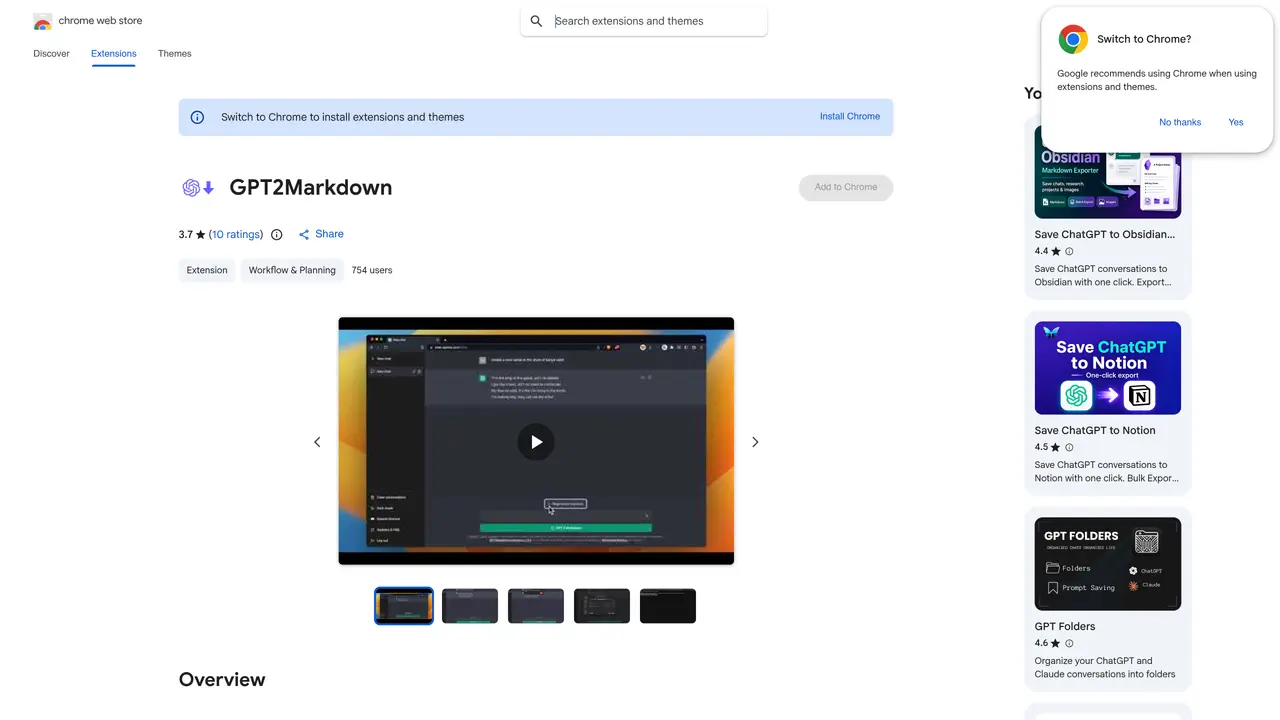
GPT2Markdown is a browser extension designed to make writing and editing markdown documents easier and more efficient. It provides users with an intuitive user interface and advanced features like syntax highlighting, spell checking, and auto-completion. With GPT2Markdown, users can create and edit documents faster and with more precision. It also supports multiple markdown formats, allowing users to switch between them with ease. Additionally, GPT2Markdown provides a range of custom templates, making it easy to create documents with a consistent look and feel. With its robust features and intuitive design, GPT2Markdown is the perfect tool for creating and editing documents quickly and with confidence.
GPT2Markdown is a Chrome extension that exports ChatGPT conversations into Markdown format with a single click. It streamlines the process of saving and organizing ChatGPT outputs for use in note-taking tools like Notion or for local storage.
The tool is designed for users who frequently use ChatGPT and want to easily save, organize, or share their conversations in a structured, portable format like Markdown. It is particularly useful for researchers, writers, and professionals who rely on ChatGPT for content generation.
After installing the extension, users can export their ChatGPT conversations to Markdown by clicking the GPT2Markdown button. The extension uses ChatGPT's auto-labeling feature to name files and supports one-click exports for quick integration into other tools.
No, the developer has stated that GPT2Markdown does not collect or use user data. It only requests minimal permissions necessary for its core functionality and is open-source, allowing users to review the code for transparency.
The extension uses ChatGPT's auto-labeling feature to name exported files, but users can manually adjust filenames or formatting after export. The tool focuses on simplifying the export process rather than providing extensive customization options.
Install the extension from the Chrome Web Store, then activate it while using ChatGPT. If the GPT2Markdown button does not appear immediately, reload the page. Once active, click the button to export your conversation to Markdown.
We use essential cookies to run aitoolnavio™, and optional cookies to analyze traffic and measure our marketing. You choose what we use — optional cookies stay off unless you turn them on. See our Privacy Policy.
One short email a week: fresh tools worth trying, honest takes and the updates that actually matter. No spam, unsubscribe any time.
AI chatbot for conversation, work, research, coding, and content creation.
Generate content, correct spelling, suggest synonyms to enhance writing.
Summarizes, extracts, and rewrites content from files.
Automate research, make corrections, and integrate easily into text editors for convenient content generation and error detection.
AI-powered writing assistant for grammar, style, and tone improvements across documents and emails.
Instantly detect AI-generated text, identify plagiarism, and customize the detection process.
A free web-based AI chatbot and agent for writing, coding, research, and content creation with multilingual support.
AI research assistant that finds trusted sources, summarizes documents and videos, and generates cited answers with a browser extension for capturing findings.
AI-powered proofreading, editing, plagiarism checking, and citation generation for academic papers.
AI-powered web design suite inside Webflow that generates sites, code components, and SEO improvements from prompts.
Get quick copywriting help, generate marketing copy, and easily translate, explain, and rephrase web page text.
Craft captivating stories effortlessly using AI-powered GPT technology and an intuitive interface.
Matched on what this tool does — grouped by the job you would be replacing.
matches Generate custom templates · Customizable templates
Generate content, correct spelling, suggest synonyms to enhance writing.
Boost productivity with AI-driven writing assistance, overcome writer’s block, generate ideas, and correct errors effortlessly.
Minimalist AI note-taking and writing app with outlining, mind mapping, and cross-device sync for writers, students, and professionals.
matches Spell checking
matches Syntax highlighting
AI-powered writing tool for paraphrasing, summarizing, and enhancing writing effortlessly.
AI grammar checker and writing assistant that fixes errors, rephrases text, and speeds up writing across apps.
Automated grammar & spell-checking, AI-based readability assessment, grade-level evaluation of writing.
Automatically detect errors, generate synonyms, and access documents securely from anywhere with cloud storage.
AI-powered writing assistant for grammar, style, and tone improvements across documents and emails.
Autocomplete code snippets, syntax highlighting, and AI-driven technology for complex app development.
Fast code writing with syntax highlighting, real-time error checking, and versatile language and framework support.