Cursor vs GitHub Copilot vs Claude Code: Which Coding Assistant Wins?
Everyone benchmarks these three on which writes better code. Wrong axis. The thing that decides whether a tool sticks is how much of the job you're willing to hand over — and how expensive it is when the handoff goes wrong.
Every comparison of these three asks the same question: which one writes better code? It’s the wrong question, and the proof is that the answer keeps changing every six weeks while your actual workflow doesn’t.
The models underneath Cursor, GitHub Copilot and Claude Code are largely the same models. All three will happily run Claude, GPT and Gemini variants. Benchmark them on a LeetCode problem and you’ll get three answers within noise of each other.
Here’s what actually differs, and what decides whether a tool survives week three on your machine: how much of the job each one expects you to hand over — and what it costs you when the handoff goes badly.
The handoff spectrum
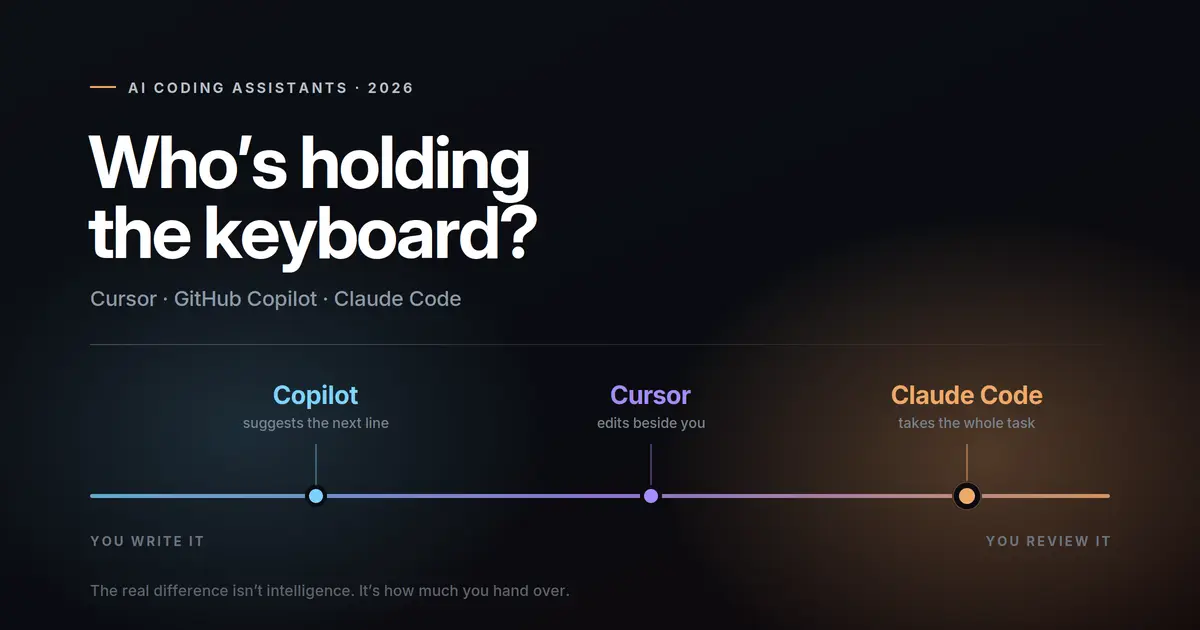
Picture a line. On the left, you type every character and the AI fills in the end of the line. On the right, you describe an outcome, walk away, and come back to a diff.
- GitHub Copilot was born on the far left and has been walking right ever since.
- Cursor was built in the middle — the AI sits inside your editor, touching your files while you watch.
- Claude Code started on the far right. It lives in a terminal, takes a task, and reports back.
Every practical difference between them — the pricing model, the failure modes, the kind of developer each one suits — falls out of that one placement.
GitHub Copilot: the one that stays out of your way
Copilot’s real advantage isn’t intelligence. It’s zero ceremony. It’s already in the editor your team uses, it’s already approved by your org, and it doesn’t ask you to change how you work. You type, gray text appears, you press Tab or you don’t.
It has grown well past autocomplete — there’s an agent mode, code review, a CLI, and a coding agent that works on GitHub issues. But its center of gravity is still the inline suggestion, and that’s where it’s genuinely excellent.
What it costs you in attention: almost nothing per suggestion, but constantly. You are reading and judging small proposals all day long. That’s a light tax paid a thousand times.
Where it breaks: anything that spans more than a few files. Ask it to refactor an architecture and you’ll spend longer steering than you would have spent typing.
Cursor: the editor that became an agent
Cursor forked VS Code and rebuilt the relationship. The AI isn’t a plugin bolted onto an editor — the editor is organized around the AI. Cursor 2.0 pushed this further with a multi-agent interface, parallel agents running on git worktrees or remote machines, a built-in browser for testing what the agent just changed, and Composer, an in-house coding model that Cursor says finishes most turns in under 30 seconds.
That speed is the whole point. Cursor’s bet is that a fast model you can interrupt beats a smarter model you have to wait for.
What it costs you in attention: a lot, deliberately. You’re supervising. The diffs appear, you accept or reject, you redirect. It’s the most engaged of the three, which is either the feature or the problem depending on your temperament.
Where it breaks: it’s a whole IDE. If your setup is Neovim and tmux and twelve years of muscle memory, Cursor asks you to abandon it. Some people do. Many quietly drift back.
Claude Code: the one that takes the task
Claude Code is a terminal agent, and the terminal is the argument. There’s no UI to learn and nothing to migrate to — it runs wherever your code already runs, including over SSH on a server, inside CI, or in a container. It also ships a VS Code extension with inline diffs if you want the visual.
The features that matter are the ones built for unsupervised work: subagents that split a job into parallel tracks, hooks that fire your tests automatically after a change, background tasks for long-running processes, and checkpoints — hit Esc twice or run /rewind and the codebase snaps back to how it was.
That last one tells you everything. Checkpoints exist because the design assumption is that you weren’t watching.
What it costs you in attention: very little during, a lot after. You review a finished chunk of work rather than a stream of small decisions. When it’s right, that’s the biggest productivity jump of the three. When it’s wrong, you’re reading a large diff cold.
Where it breaks: vague instructions. Copilot fails a vague prompt by suggesting a mediocre line. Claude Code fails a vague prompt by confidently building the wrong thing across nine files.
The scorecard nobody publishes
Forget feature checklists. These four columns predict satisfaction better than any benchmark:
| GitHub Copilot | Cursor | Claude Code | |
|---|---|---|---|
| Attention cost how much of your focus it eats |
Low, continuous | High, active | Low during, high on review |
| Blast radius how much it can break in one go |
A line | A few files | A whole feature |
| Recovery cost undoing a bad run |
Press Esc | Reject the diff | Checkpoint rewind |
| Switching tax what you give up to adopt it |
Nothing | Your editor | Your GUI habits |
| Best at | Flow, boilerplate, known patterns | Building features you’re watching | Tasks you can describe and leave |
Full specs on each tool
- Cursor — pricing, features & alternatives
- GitHub Copilot — pricing, features & alternatives
- Claude Code — pricing, features & alternatives
Or browse all AI coding assistants in the directory.
What you’ll actually pay in 2026
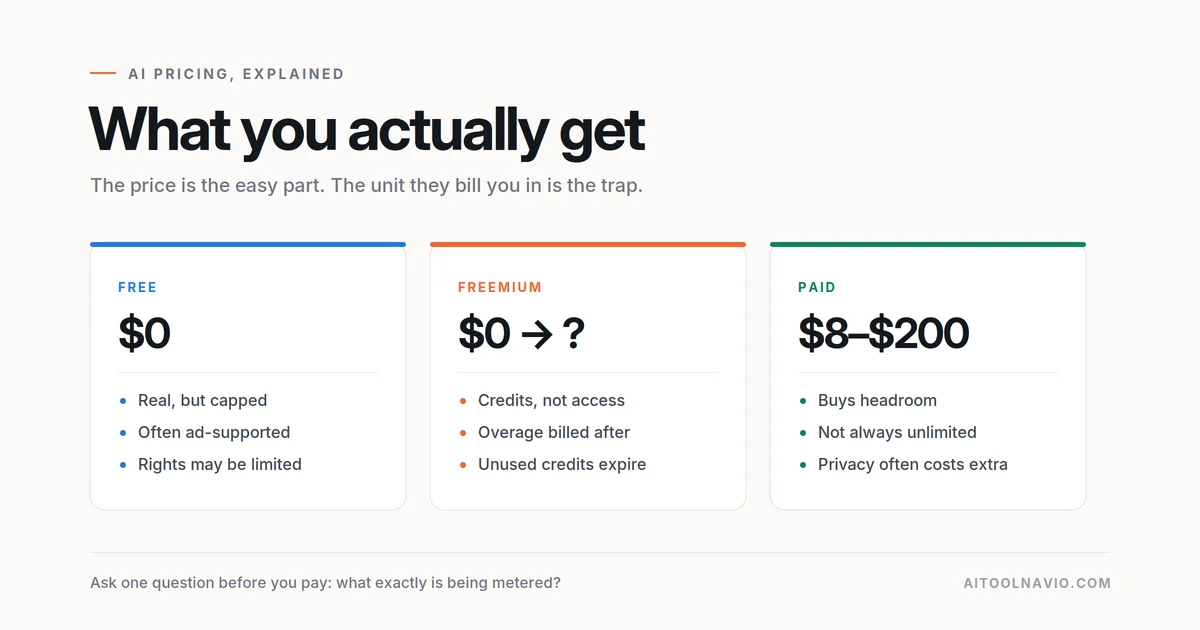
All three moved to usage-based billing, which means the sticker price is a floor, not a ceiling. Read these as “what’s included before you start paying extra.”
| Tool | Free | Entry | Mid | Heavy |
|---|---|---|---|---|
| GitHub Copilot | $0 — 2,000 completions/mo | Pro $10/mo — $15 in monthly credits, unlimited completions | Pro+ $39/mo — $70 in credits | Max $100/mo — $200 in credits |
| Cursor | Hobby — limited agent requests | Pro $20/mo | Pro+ $60/mo — ~3× Pro usage | Ultra $200/mo — ~20× Pro usage |
| Claude Code | Not on free plan | Claude Pro $20/mo | Max from $100/mo | Max $200 tier / Team seats |
Three things worth noticing.
Copilot is the only one with a serious free tier and the cheapest paid entry at $10. Cursor’s higher tiers buy volume, not capability — Pro+ and Ultra unlock nothing new, they just raise the ceiling. And Claude Code doesn’t have its own subscription at all: it’s bundled into a Claude plan and shares one usage pool with your chat conversations, so a heavy afternoon of code eats into the same budget as everything else.
Prices and credit allowances on all three have changed more than once this year. Check the vendor page before you commit a team budget.
The uncomfortable answer: most good setups run two
Nobody says this in a comparison post because it ruins the format, but the strongest setups aren’t a choice. They’re a pairing, because the tools sit at different points on the spectrum and don’t actually compete.
The common combinations:
- Copilot + Claude Code — the most popular real-world stack. Copilot handles the typing, Claude Code handles the tasks. Roughly $30/month, and the two never collide because one lives in your editor and the other in your terminal.
- Cursor + Claude Code — expensive and redundant on paper, common in practice. Cursor for work you want to watch, Claude Code for the long jobs you don’t.
- Cursor alone — the cleanest single-tool answer if you like everything in one window and don’t mind the switching tax.
Pick by how you work, not what you build
Your language and framework barely matter here. Your working style decides it.
- You think by typing. Code is how you figure out what you’re building. → Copilot. Anything more autonomous will keep running ahead of your thinking.
- You think in outcomes. You can write a clear ticket before you write a line. → Claude Code. That skill converts directly into output here.
- You want to see it happen. Watching the diff land is how you stay confident. → Cursor.
- You’re on a locked-down enterprise setup. → Copilot, almost certainly. It’s already approved.
- You maintain servers, scripts and side projects over SSH. → Claude Code. It’s the only one of the three that runs where your code actually lives.
- You’re learning to code. → Copilot’s free tier, and turn suggestions off while you’re studying. An agent that finishes your homework teaches you nothing.
What none of them fix
All three make writing code cheaper. None makes reviewing code cheaper — and review is now the bottleneck. The further right you go on the spectrum, the more code arrives per hour and the more of your day becomes reading diffs you didn’t write.
Which means the honest measure of whether one of these is working for you isn’t lines shipped. It’s whether you still understand your own codebase three months in. If you don’t, you didn’t get faster. You got into debt.
So which one wins?
Copilot wins on adoption — cheapest, lowest friction, already installed, best free tier. If you want one recommendation for a team that hasn’t standardized on anything, it’s this.
Cursor wins on the experience — the most coherent product of the three, and the fastest loop if you like to supervise.
Claude Code wins on ceiling — the most work per unit of your attention, and the only one that runs anywhere your code does. It also asks the most of you: vague instructions produce confident, expensive mistakes.
If you’re going to take one line away: Copilot if you want to type faster, Cursor if you want to build faster, Claude Code if you want to stop typing. Pick by which of those sentences describes your next three months.
Still weighing it up? Put them side by side on the comparison tool, or dig into the full listings for Cursor, GitHub Copilot and Claude Code.
FAQ
Is Claude Code better than Cursor?
Not better — differently placed. Claude Code is built for tasks you can describe and walk away from; Cursor is built for work you want to watch happen. If you prefer supervising to delegating, Cursor will feel better regardless of benchmarks.
Can I use GitHub Copilot and Claude Code at the same time?
Yes, and it’s the most common real-world pairing. One lives in your editor, the other in your terminal, so they don’t conflict. Around $30/month combined at entry tiers.
Which is cheapest?
GitHub Copilot — a real free tier with 2,000 completions a month, and $10/month for Pro. All three bill for usage beyond what’s included, so heavy agent work costs more than the sticker price on any of them.
Do I need to switch editors to use Cursor?
Yes. Cursor is a fork of VS Code, so VS Code users port their extensions and settings over easily, but Neovim, JetBrains and Emacs users are giving something up. Copilot and Claude Code both work alongside whatever you already use.
Which is best for beginners?
Copilot’s free tier, with inline suggestions switched off while you’re actively learning a concept. Agentic tools produce working code you didn’t reason through, which is the fastest way to stall as a beginner.
Every figure in the post is from a primary source, checked 17 Sep 2026:
- Copilot tiers and credits — github.com/features/copilot/plans
- Copilot usage-based billing shift — github.blog
- Cursor plans and on-demand billing — cursor.com/pricing; tier prices ($20 / $60 / $200) cross-checked against secondary pricing trackers
- Claude plan pricing and Claude Code inclusion — claude.com/pricing
- Cursor 2.0 / Composer claims (“under 30 seconds”, multi-agent, browser tool) — cursor.com/blog/2-0, attributed in-text to Cursor
- Claude Code checkpoints, subagents, hooks, background tasks, VS Code extension — anthropic.com announcement
Liked this? We do one every Friday.
The week's new AI tools, what each one actually does, and the ones worth your time — written the same way as this post.
One email a week · unsubscribe in one click