Generate full songs with vocals, lyrics, and instrumentals from text prompts in minutes.
75M visits/mo+3.8%#1 Audio & Voice

AI-powered music editor that splits tracks into editable stems and maps sections and chords
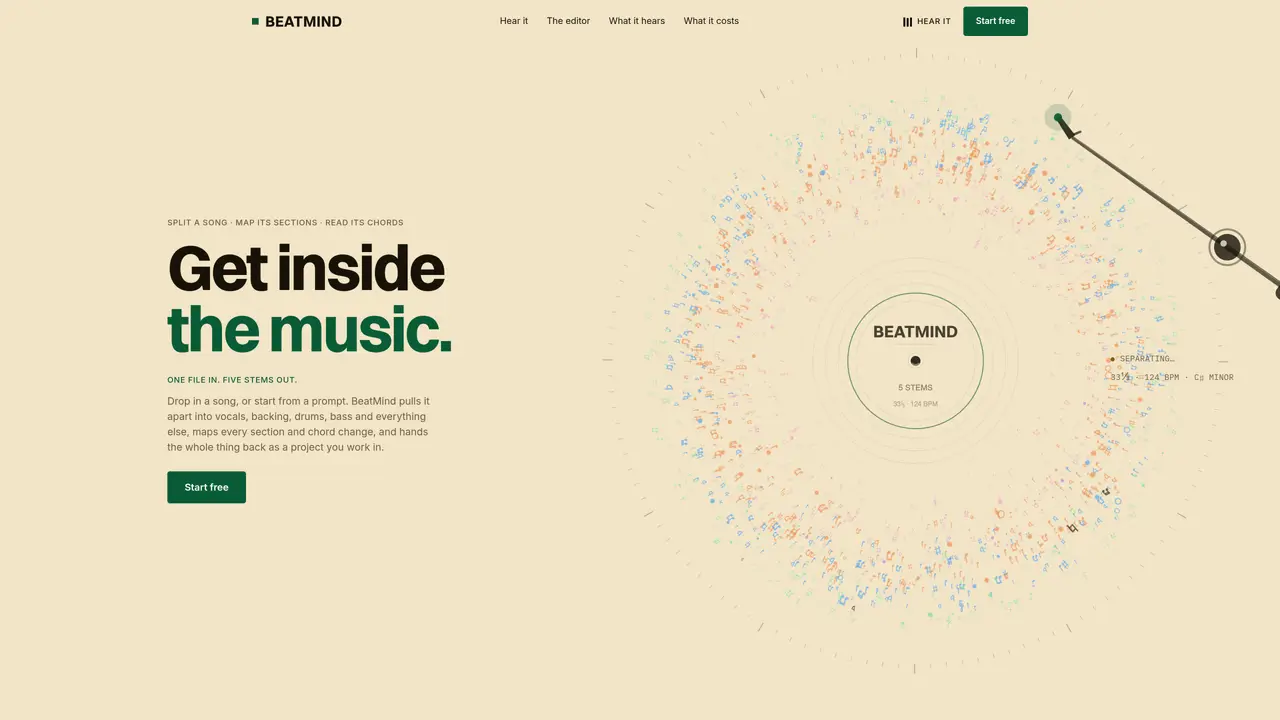
BeatMind processes audio files to separate them into five editable stems—vocals, backing, drums, bass, and other—while mapping song sections and chord changes. Users can either upload an existing track or generate a new one from a text prompt, receiving a project with a grid interface where each stem and section can be muted, retuned, or rearranged. The editor displays tempo, key, and structural boundaries detected from the audio, with a timeline proportional to bar counts. Once editing is complete, users can export individual stems or a mixed-down version. The tool operates entirely in the browser and provides real-time feedback during the separation process, which typically takes 5–9 minutes. It supports MP3, WAV, and FLAC files up to 10 minutes in length.
BeatMind processes audio files to separate them into five editable stems—vocals, backing, drums, bass, and other—while mapping song sections and chord changes. Users can either upload an existing track or generate a new one from a text prompt.
BeatMind is designed for musicians, producers, and audio engineers who need to isolate, edit, or remix stems from existing tracks or create new music from text prompts. It is particularly useful for those working with electronic, melodic, or sample-based music.
BeatMind offers a free-to-start model with no payment required upfront. Users can begin by separating or generating a track, and the tool provides clear timings for each processing stage before any commitment.
BeatMind supports MP3, WAV, and FLAC files up to 10 minutes in length. The tool operates entirely in the browser and provides real-time feedback during the separation process.
BeatMind does not explicitly mention integrations with other software or platforms. It functions as a standalone browser-based editor where users can export stems or a mixed-down version for further use in other tools.
To get started, users can either upload an existing track or generate a new one from a text prompt. After processing, they receive a project with a grid interface where they can edit stems, mute tracks, retune, or rearrange sections before exporting.
We use essential cookies to run aitoolnavio™, and optional cookies to analyze traffic and measure our marketing. You choose what we use — optional cookies stay off unless you turn them on. See our Privacy Policy.
One short email a week: fresh tools worth trying, honest takes and the updates that actually matter. No spam, unsubscribe any time.
Generate full songs with vocals, lyrics, and instrumentals from text prompts in minutes.
Create instrumental versions, enhance clarity, and boost music quality effortlessly.
Generate original songs, lyrics, and studio-quality soundtracks from text prompts in minutes using AI.
Create funny videos with unique voices, modify pitch and speed for custom sound, and apply sound effects.
Remove vocals, extract audio stems, and refine audio for optimal sound quality.
Convert audio and video into text, sync transcripts with media, and edit easily.
Generates AI videos, images and audio from text prompts, photos or audio
Create podcasts, audiobooks, and voiceovers, customize voice style, and generate natural speech from text.
Create studio-ready vocals, choirs, and instruments from MIDI.
An AI music platform that generates royalty-free songs, instrumentals, and lyrics from text prompts, with stem splitting, vocal removal, and mastering tools.
Use this online audio cleaner to remove background noise from recordings and enhance sound quality.
Enhance audio quality, remove background noises, create professional recordings with any format.
Matched on what this tool does — grouped by the job you would be replacing.
matches Five editable stems (vocals, backing, drums, bass, other) · Automatic section and chord mapping · Real-time mute, retune, and rearrange capabilities
AI music tool that separates tracks into stems and generates instruments from text for remixing, DJing, and production.
Create vocal-free remixes, enhance tracks with audio editing tools, and remove vocals from audio files effortlessly.
AI-powered vocal remover and stem splitter for producers and DJs
Browser-based AI vocal remover and stem splitter for karaoke, music production, and content creation.
matches Prompt-based track generation · Browser-based editor with grid interface
matches Automatic section and chord mapping · Tempo and key detection
Generate full songs with vocals, lyrics, and instrumentals from text prompts in minutes.
AI music generator that creates full songs from text prompts or lyrics
Browser-based AI song writer that generates full tracks with vocals, melody, and arrangement from text
Online AI music studio generating full songs with vocals, lyrics and beats from text prompts
Easily analyze song chords, separate instruments, and recognize real-time chords from your microphone.
Converts audio files into editable chord charts and lead sheets using AI