

Generate full songs with vocals, lyrics, and instrumentals from text prompts in minutes.
75M visits/mo+3.8%#1 Audio & Voice
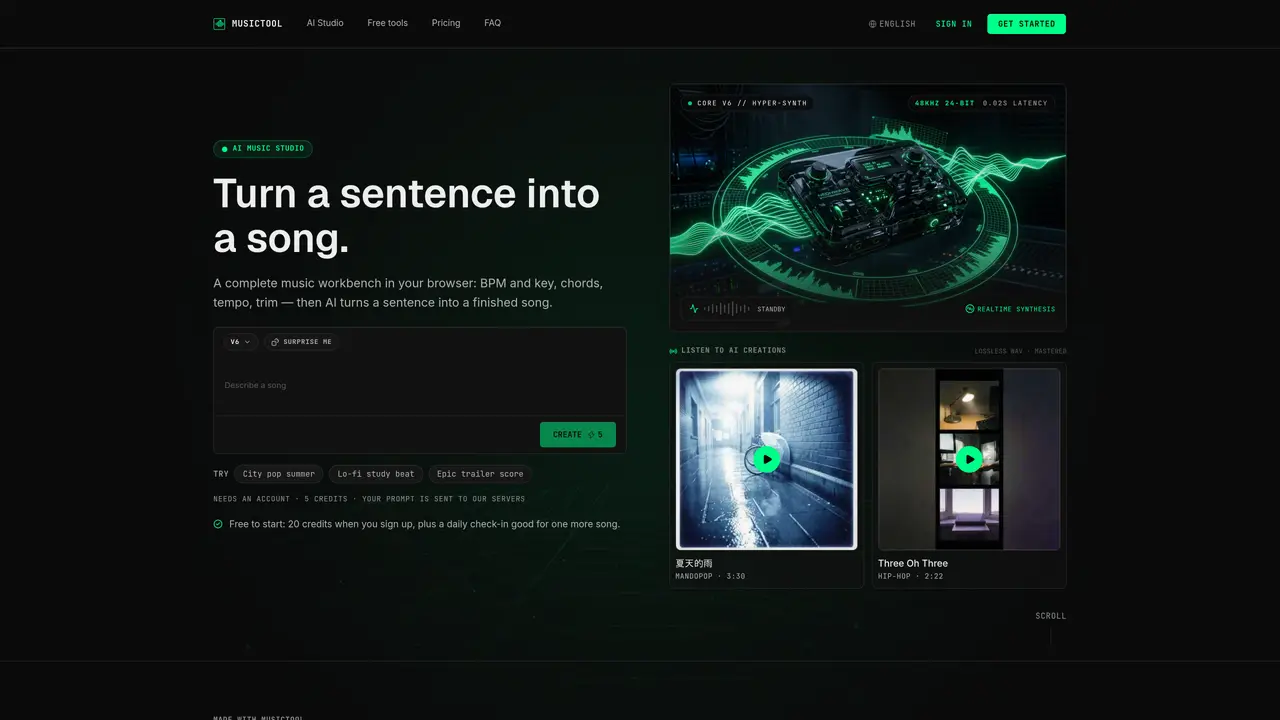
MUSICTOOL provides a browser-based music workbench where users can generate complete songs from text descriptions. The platform offers AI-driven tools for creating, extending, replacing sections, and remixing tracks, alongside traditional audio editing utilities. AI actions require credits and send prompts or audio to servers for processing, while free tools run locally in the browser without login or queue. Outputs are rendered in lossless 48kHz 24-bit quality with low latency synthesis. The service targets music producers, creators, and independent artists who need rapid prototyping or full track generation without traditional DAW complexity. Typical workflows include turning a sentence into a song, extending existing tracks, removing vocals, or generating chord progressions and BPM data for analysis.
All tools marked as free run entirely in the browser without sending data to servers. Only AI actions, such as creating or extending songs, send your prompt or selected audio to MUSICTOOL's servers for processing.
The Free plan allows you to listen to and share tracks within the app. Downloads and commercial use are not included; these features require a paid subscription.
Generating a song with the AI actions costs 5 credits. Extending a song costs 5 credits, replacing a section costs 3 credits, creating a mashup costs 5 credits, removing vocals costs 10 credits, and generating lyrics costs 1 credit.
No, the free tools do not require an account and can be used instantly without login or queue.
Commercial use of tracks is only permitted on the Starter and Pro plans, which include a commercial license. Free tracks are for listening and in-studio sharing only.
When you use an AI action, your prompt and any source audio are sent to MUSICTOOL's servers for processing. Generated tracks are stored in your library and can be deleted at any time.
We use essential cookies to run aitoolnavio™, and optional cookies to analyze traffic and measure our marketing. You choose what we use — optional cookies stay off unless you turn them on. See our Privacy Policy.
One short email a week: fresh tools worth trying, honest takes and the updates that actually matter. No spam, unsubscribe any time.
Generate full songs with vocals, lyrics, and instrumentals from text prompts in minutes.
Explore and test Google’s experimental AI tools and prototypes before they become products.
Creates licensed videos, images, music.
Create instrumental versions, enhance clarity, and boost music quality effortlessly.
Generate original songs, lyrics, and studio-quality soundtracks from text prompts in minutes using AI.
Multimodal AI models for text, video, speech, music, and coding
Create studio-ready vocals, choirs, and instruments from MIDI.
An AI music platform that generates royalty-free songs, instrumentals, and lyrics from text prompts, with stem splitting, vocal removal, and mastering tools.
Turn music & ideas into viral videos in one click.
Browser tools and guides for composing and refining Suno AI music prompts
All-in-one AI platform for writing, image, music, and analysis.
Convert text and lyrics into unique songs.
Matched on what this tool does — grouped by the job you would be replacing.
matches Text-to-song AI generation · Lyrics generation and polishing · Chord progression generator
An AI music platform that generates royalty-free songs, instrumentals, and lyrics from text prompts, with stem splitting, vocal removal, and mastering tools.
Free AI song and music generator – create complete songs from text, lyrics, or humming in any genre.
AI music generator that creates full songs from text prompts or lyrics
AI-powered platform for generating, editing, and mastering music from text prompts or uploaded audio
matches Vocal removal and mashup tools · Audio trimming and speed adjustment · MIDI editor and metronome
matches Track extension and section replacement
AI music generator that turns text prompts or lyrics into songs or instrumentals
Online AI music studio generating full songs with vocals, lyrics and beats from text prompts
AI-powered platform for generating, editing, and refining music and lyrics
Browser-based AI music generator with lyrics, stems and post-production tools
Convert text and lyrics into unique songs.
AI tool for creating song covers, generating original tracks, and drafting lyrics
An AI music generator that turns text prompts into original songs with vocals, lyrics, and instrumentals, plus remixing and mastering tools.
AI tool that generates full songs from text prompts or lyrics